> Debt Collection
Workflow design across a FinTech merger

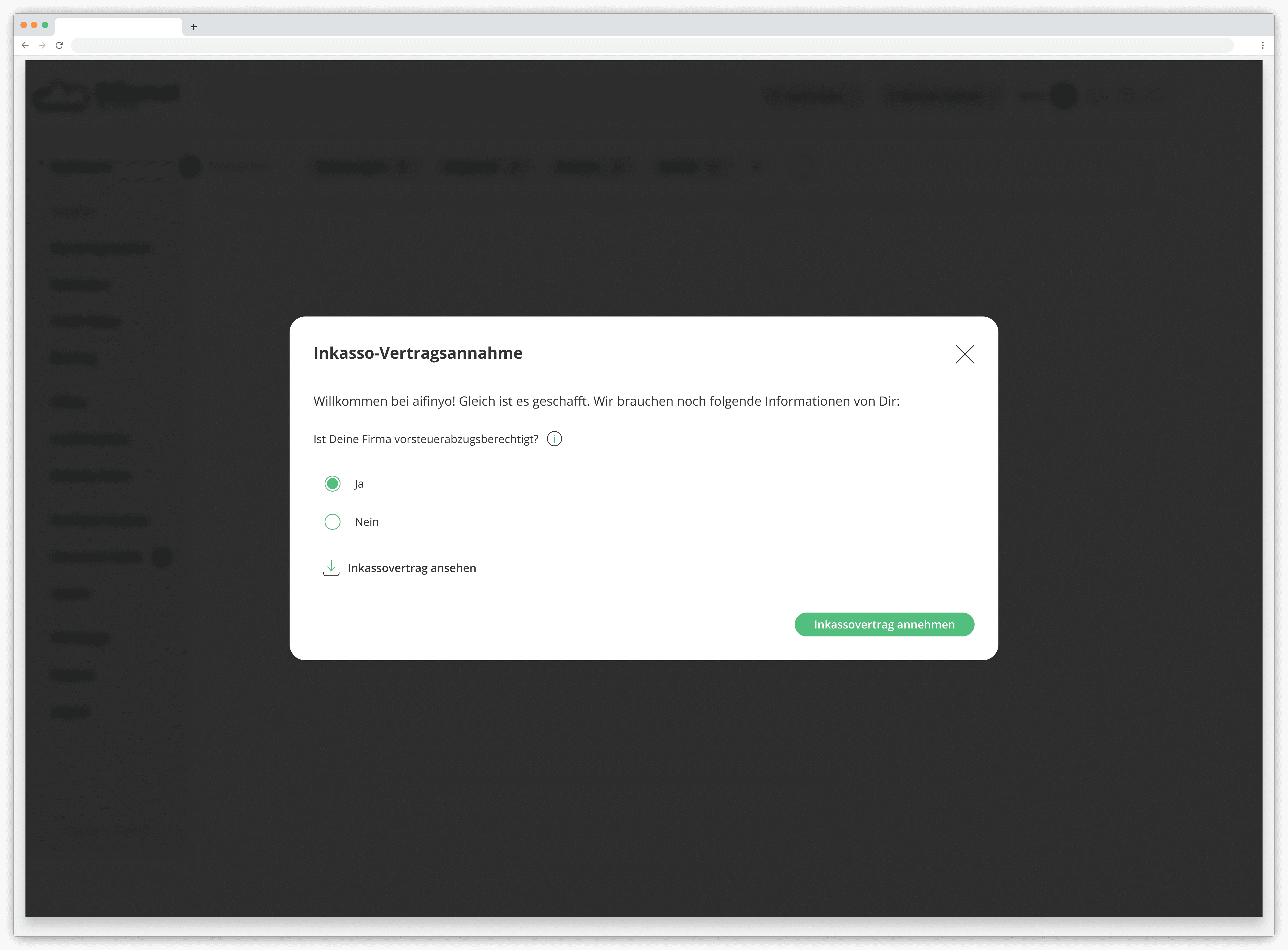
After a merger, the debt collection ("Inkasso") process was split across two platforms. Users had to complete a single submission across two interfaces, adding overhead, slowing them down, and increasing the chance of errors in a workflow where data accuracy directly affects client trust.
The core flows from both platforms were pulled into one interface. Users complete the entire submission in one place, without switching contexts or repeating themselves.
PHASE 1 · 2023
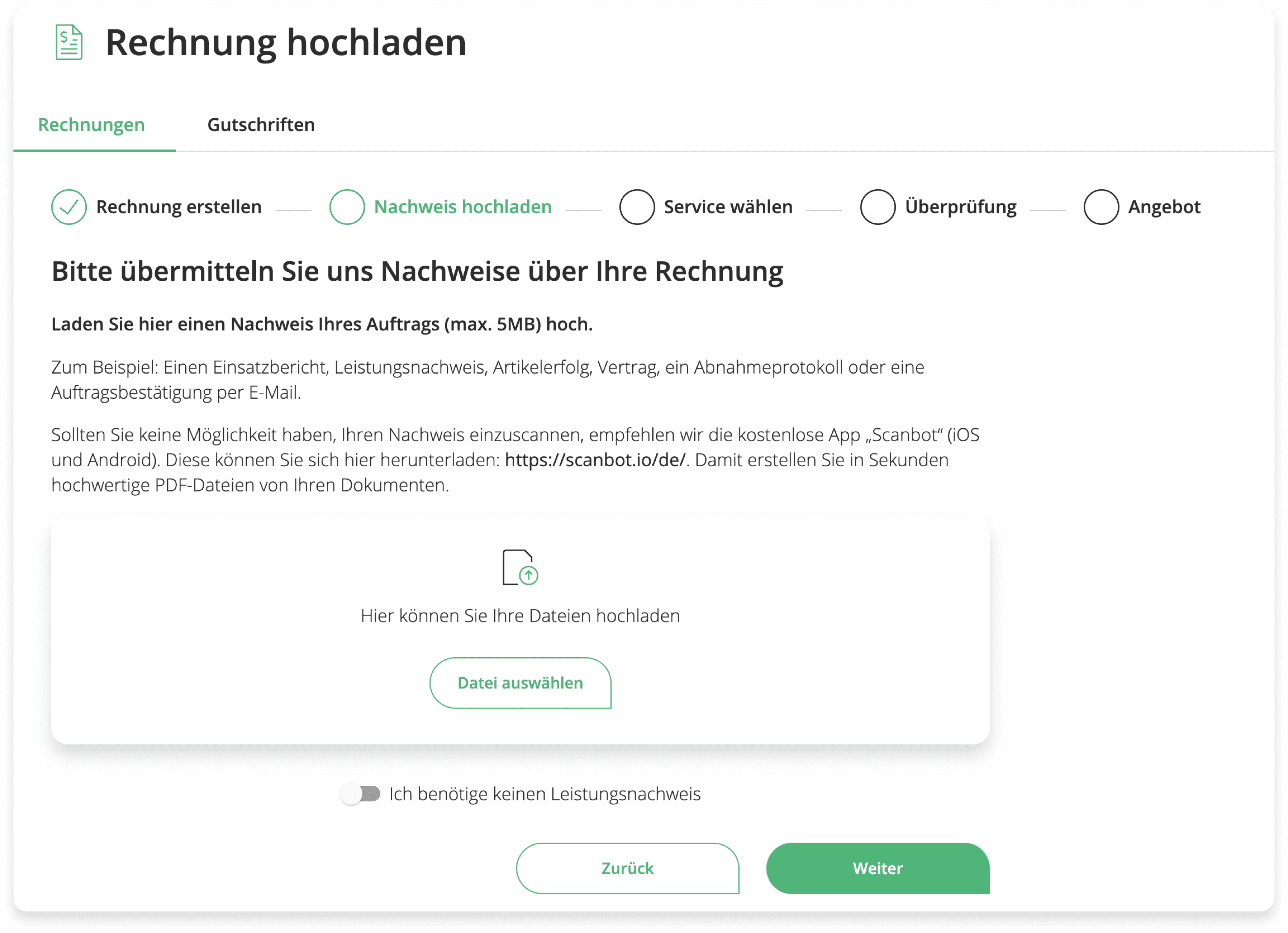
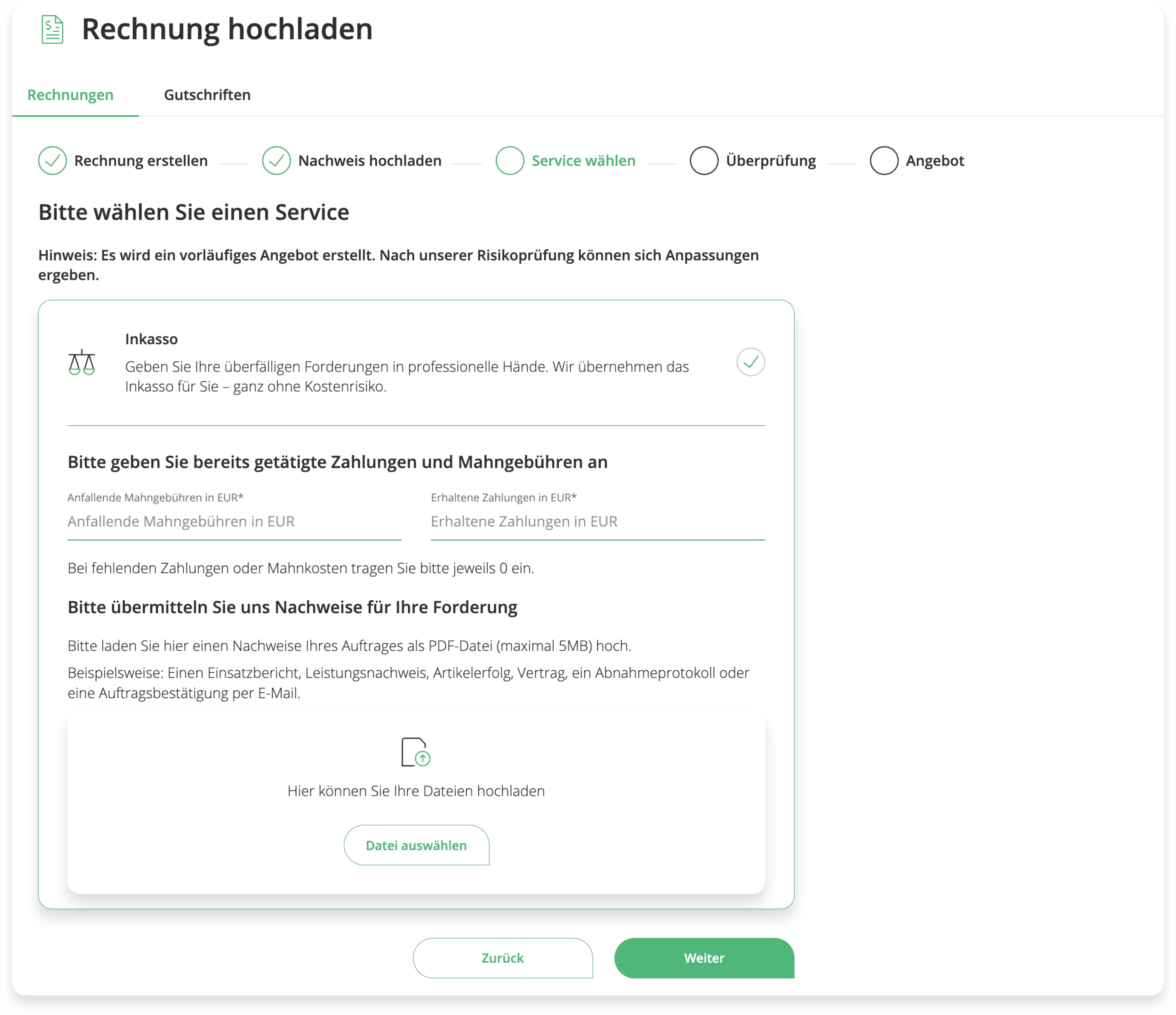
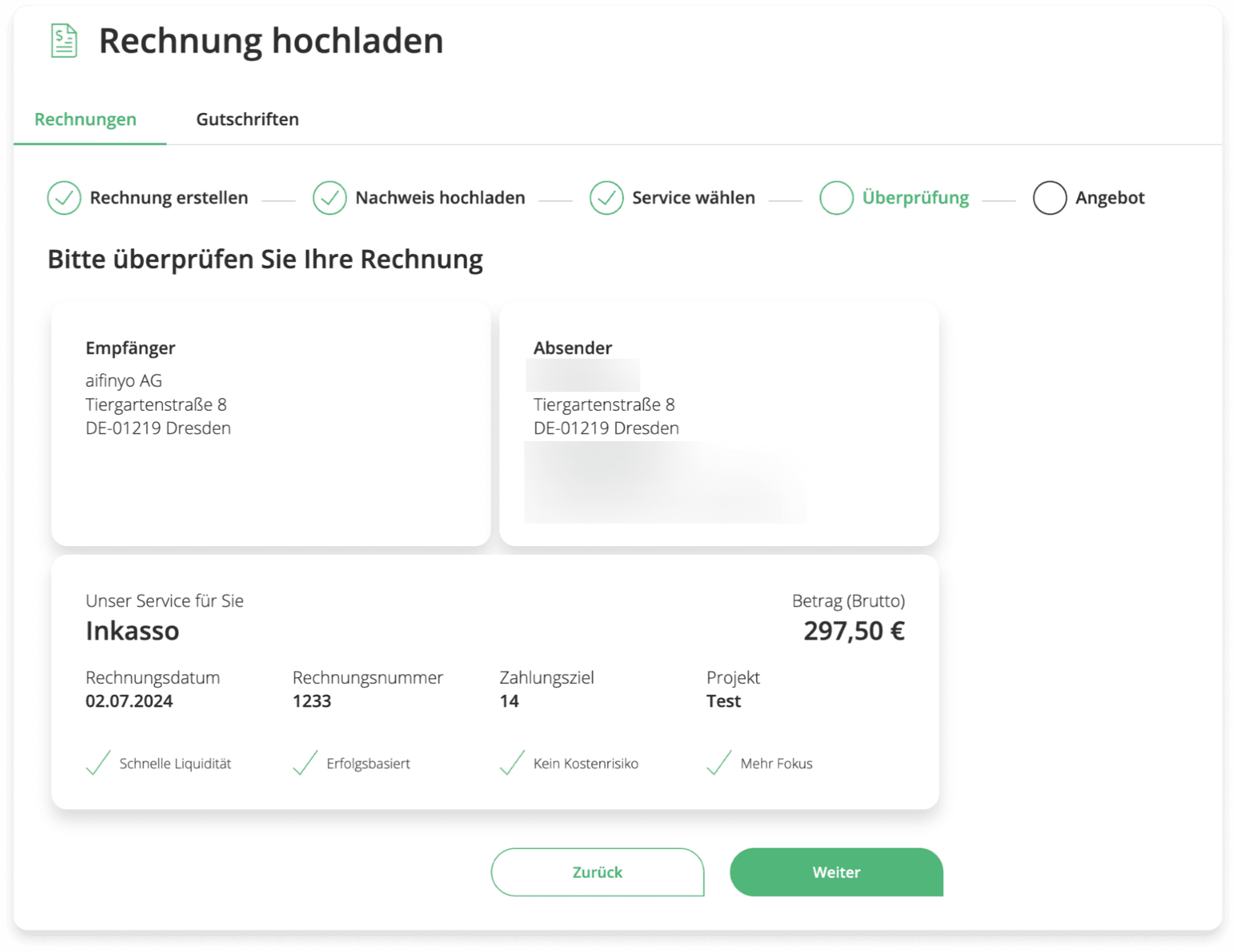
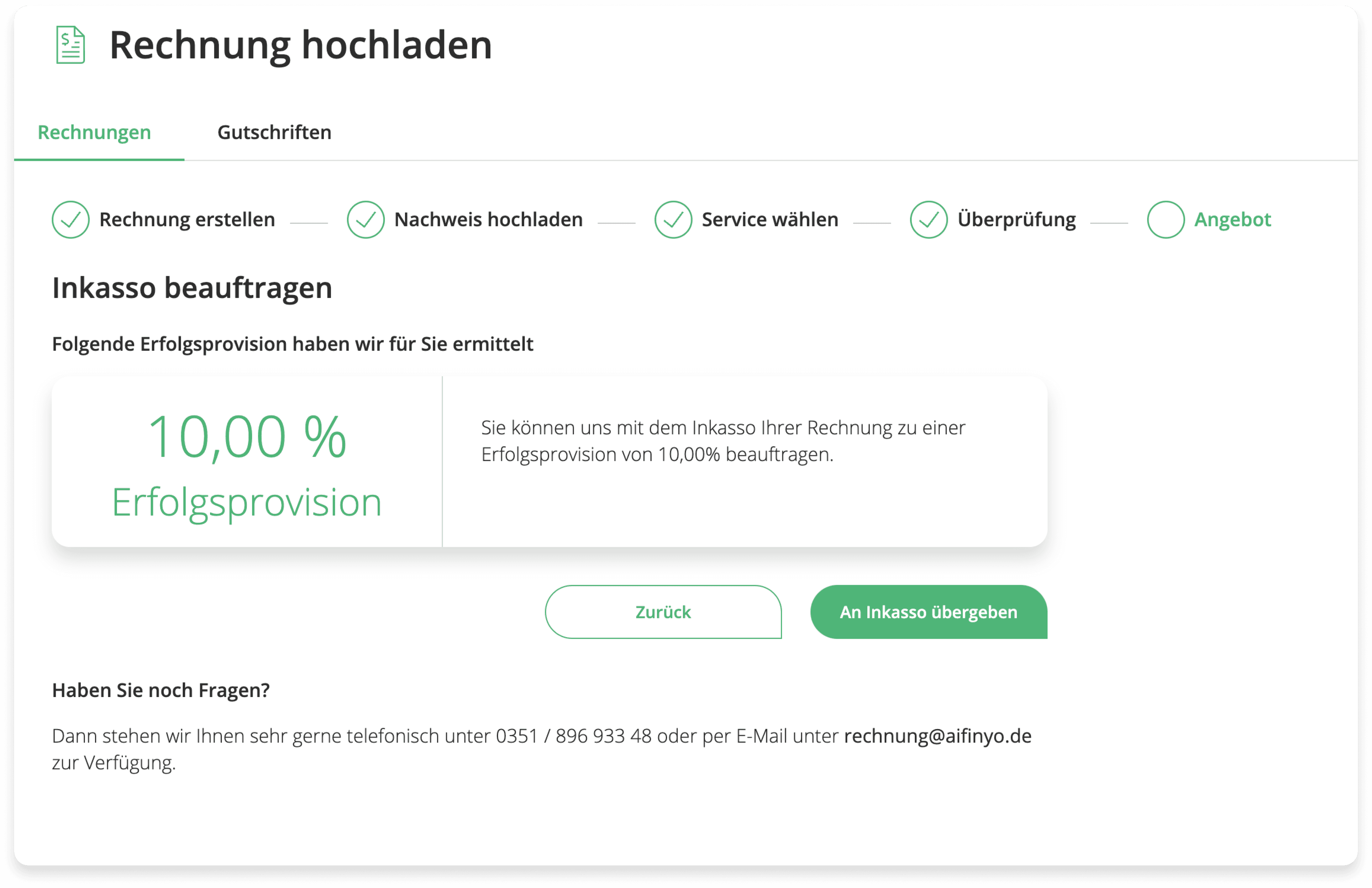
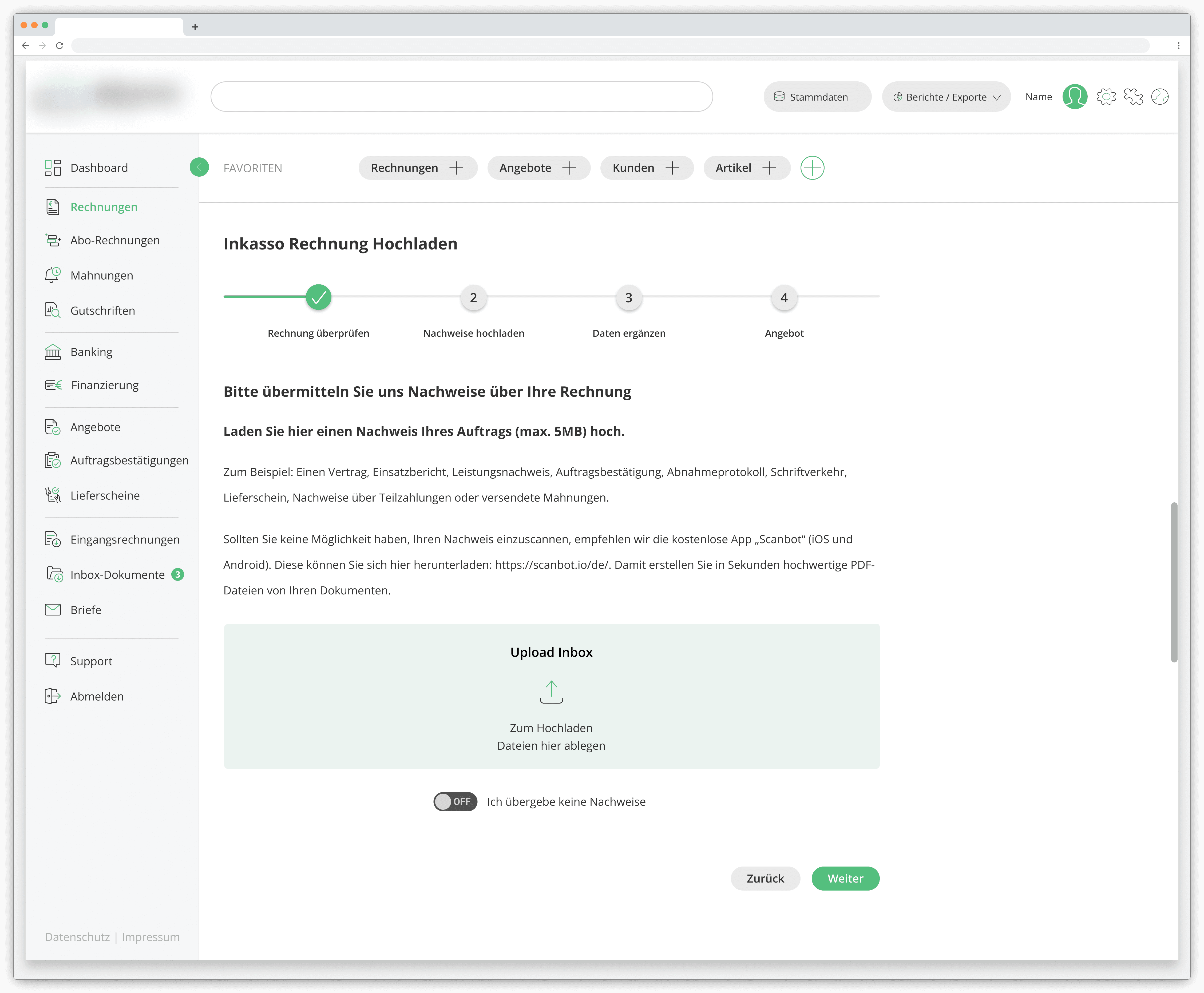
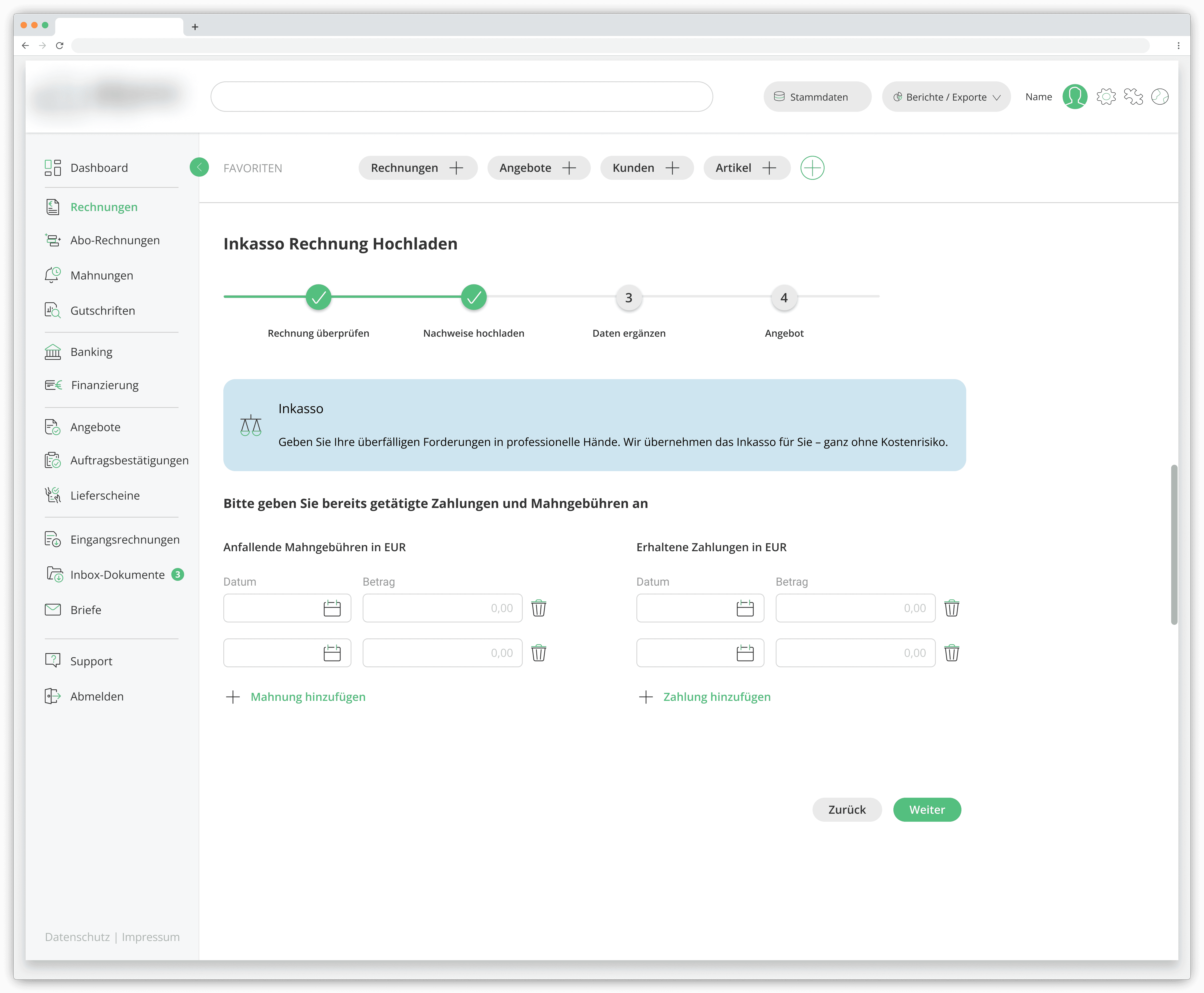
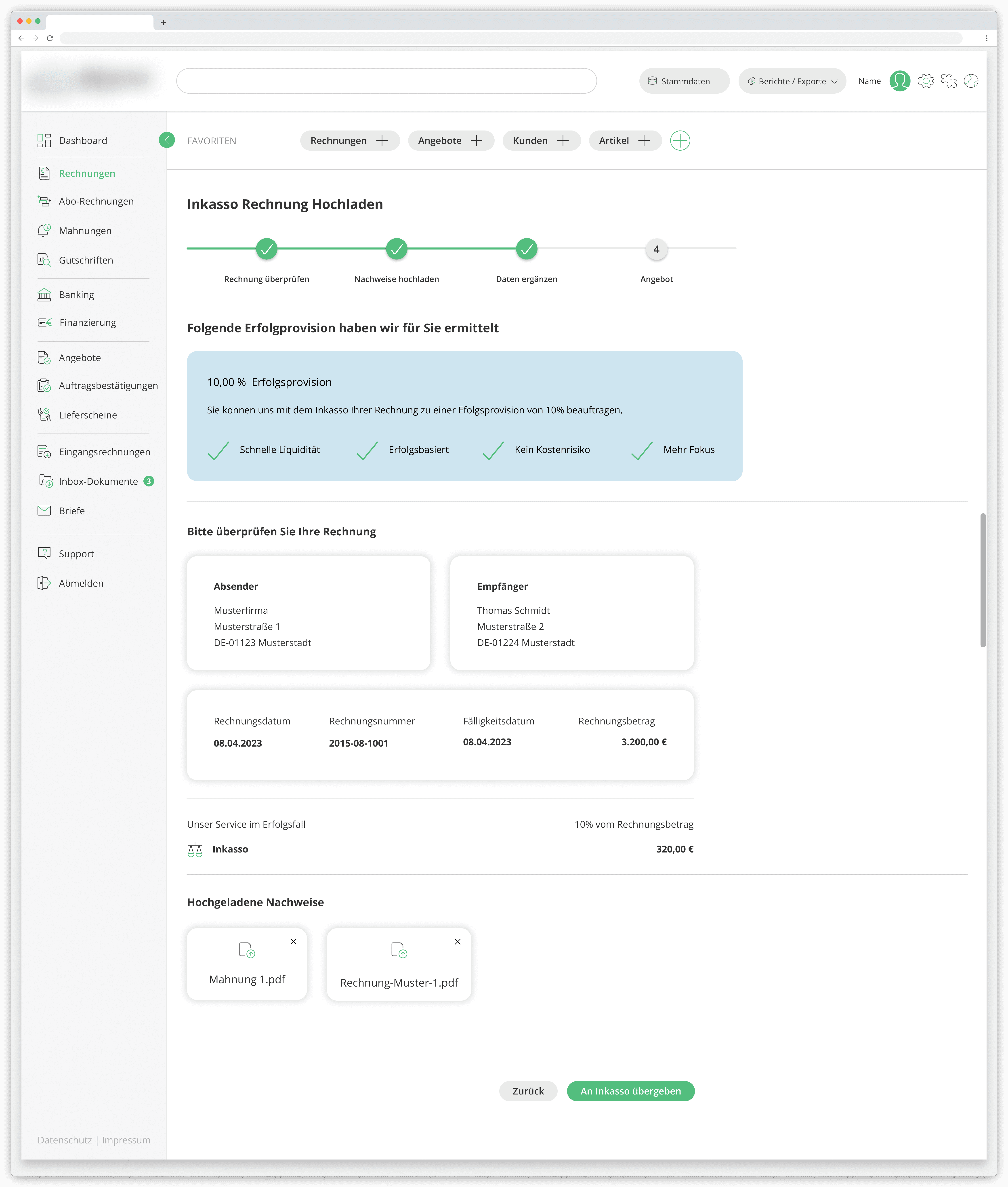
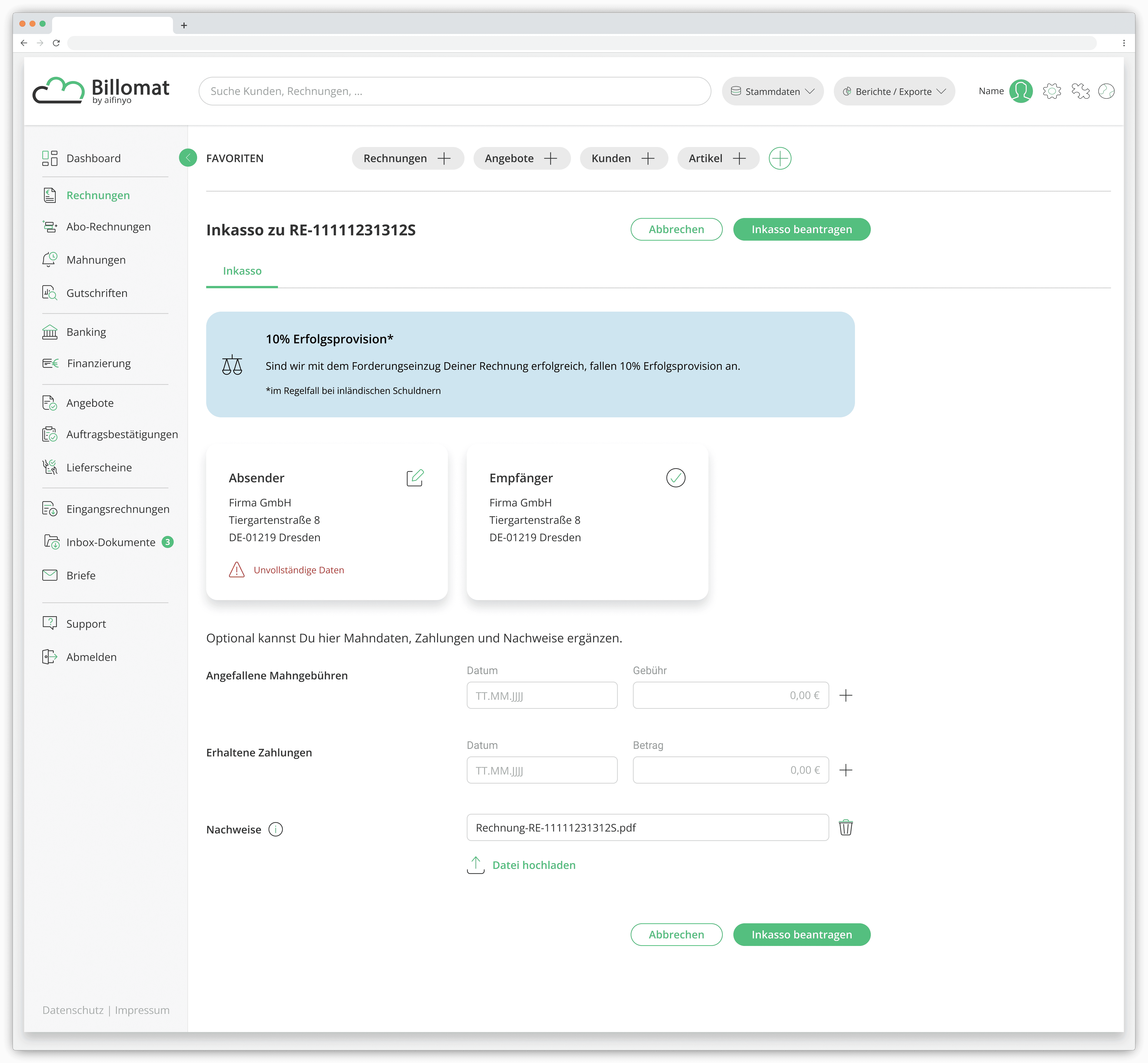
The original submission flow lived on the parent platform. Users moved through four separate screens to submit a single case.
INHERITED PROCESS
FIRST ITERATION
The first iteration replicated the process from the parent platform, a multi-step approach, that served as a functional foundation. At this stage, the priority was establishing feature structure and validating the process end-to-end, using the Storybook-based legacy UI available at the time.
NEW DIRECTION
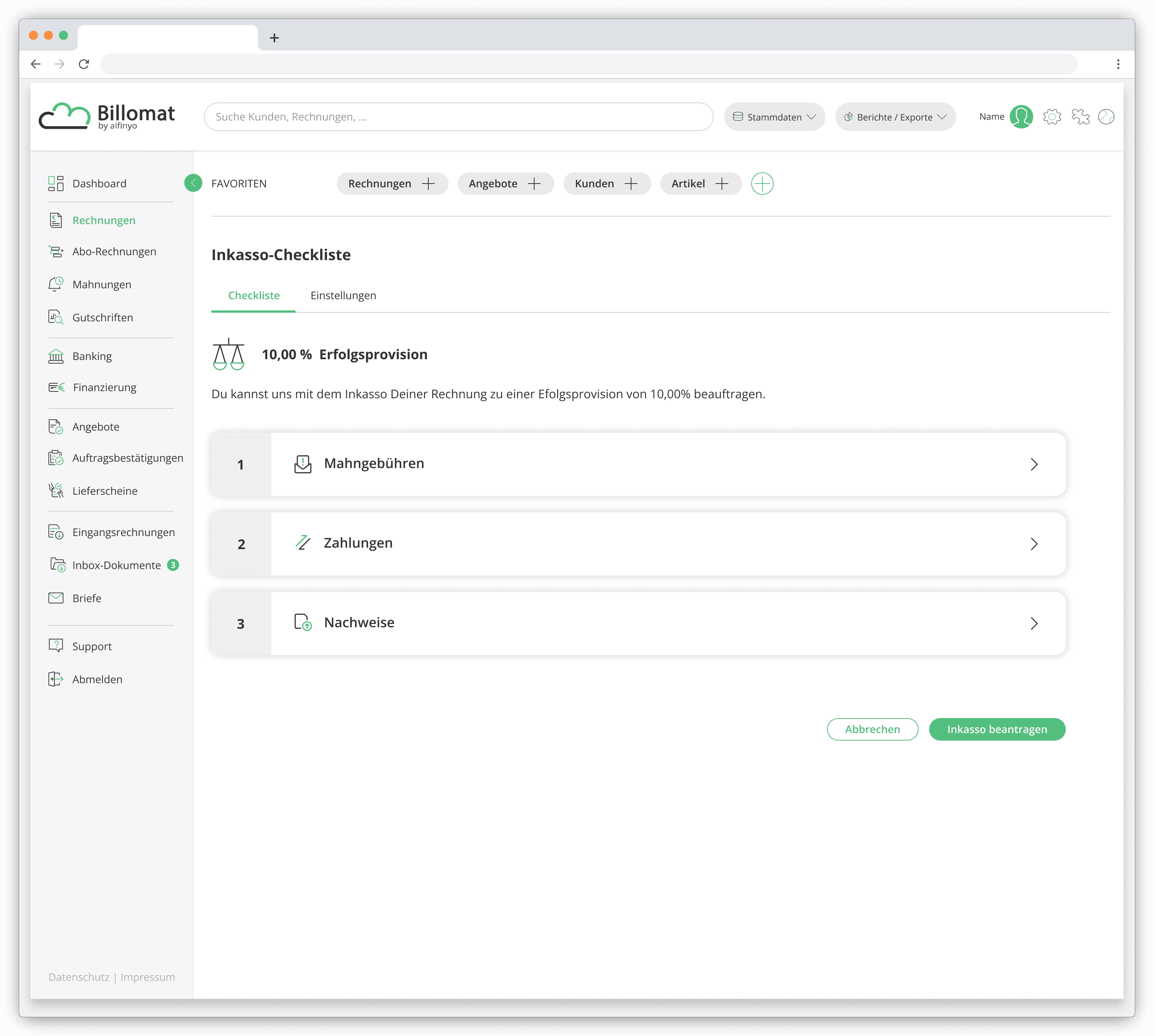
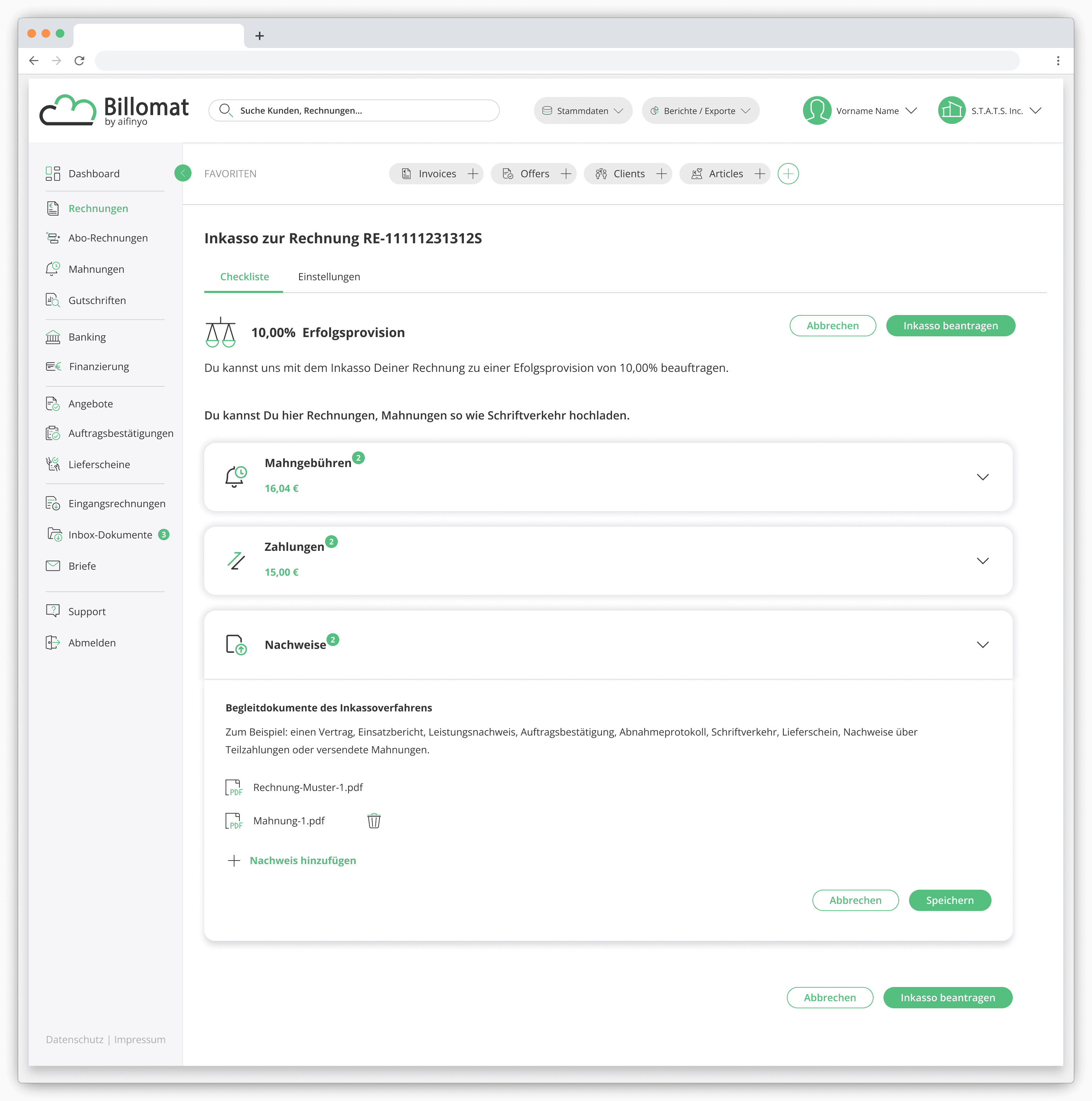
The multi-step process was consolidated into a single-screen, checkout-style interface. Users could review and complete a submission in one place, with expandable sections replacing separate screens.
USER FEEDBACK




click/tap to switch quotes
Rebuilding the Foundation
Where it broke
What had been a pragmatic starting point was now a ceiling on what the product could do.
By this stage, the "Inkasso" feature was working, but it was built on an outdated component library and a legacy Frontend architecture that was becoming increasingly difficult to maintain.
How we rebuilt it
The interface was redesigned around a new Design System, replacing the outdated component library and aligning the feature with the rest of the platform's evolving UI standards.
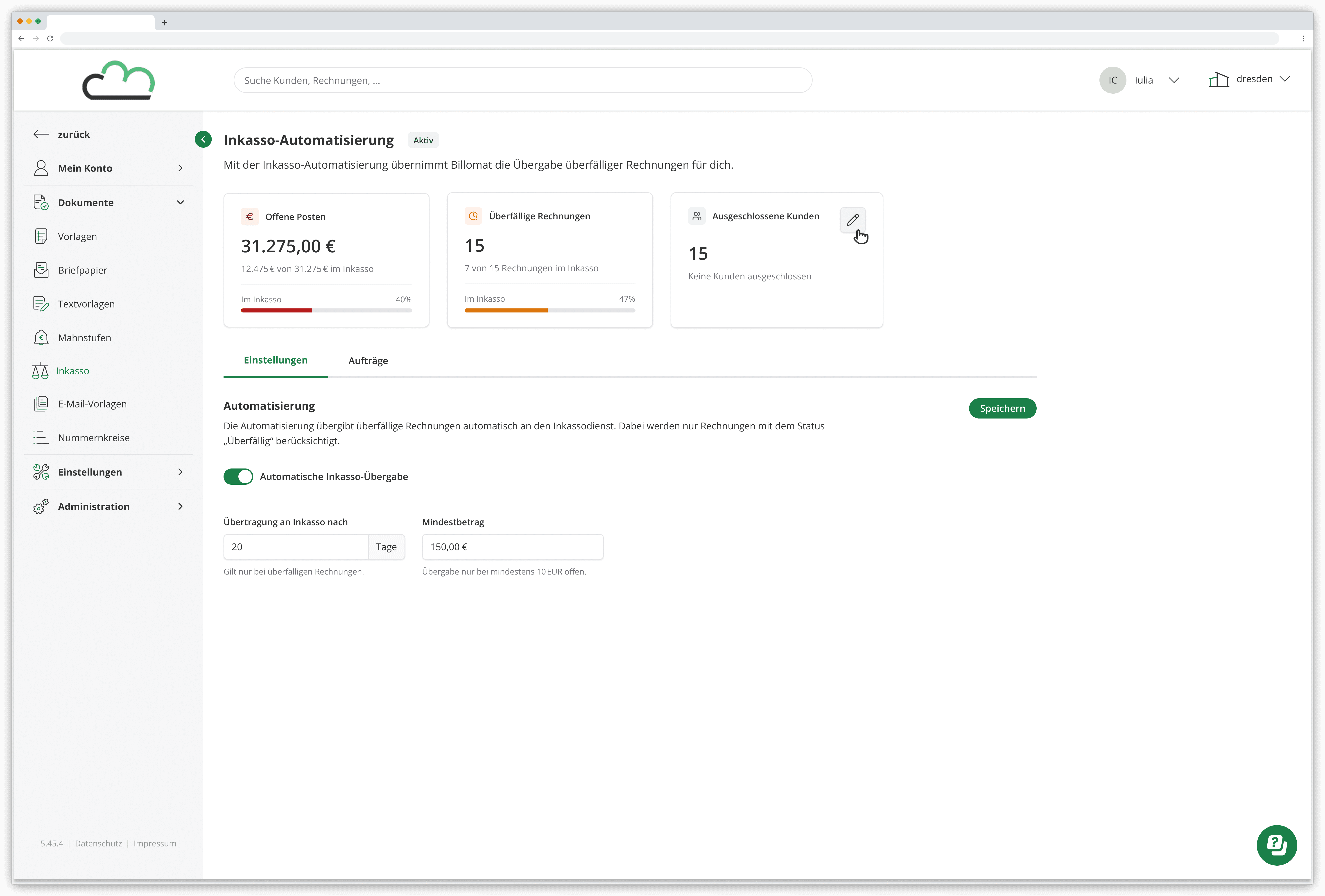
In parallel, working closely with the engineering team, we introduced Automation for transferring overdue invoices and modernized key parts of the Frontend architecture by reducing manual steps for users, as well as technical debt for the team.
Key Improvements
DESIGN SYSTEM MODERNIZATION
Replaced deprecated component library
Improved accessibility compliance
Increased visual consistency across screens
Automatic transfer of overdue invoices
Configurable rule-based settings
Eliminated manual case submissions
WORKFLOW
TRANSPARENCY
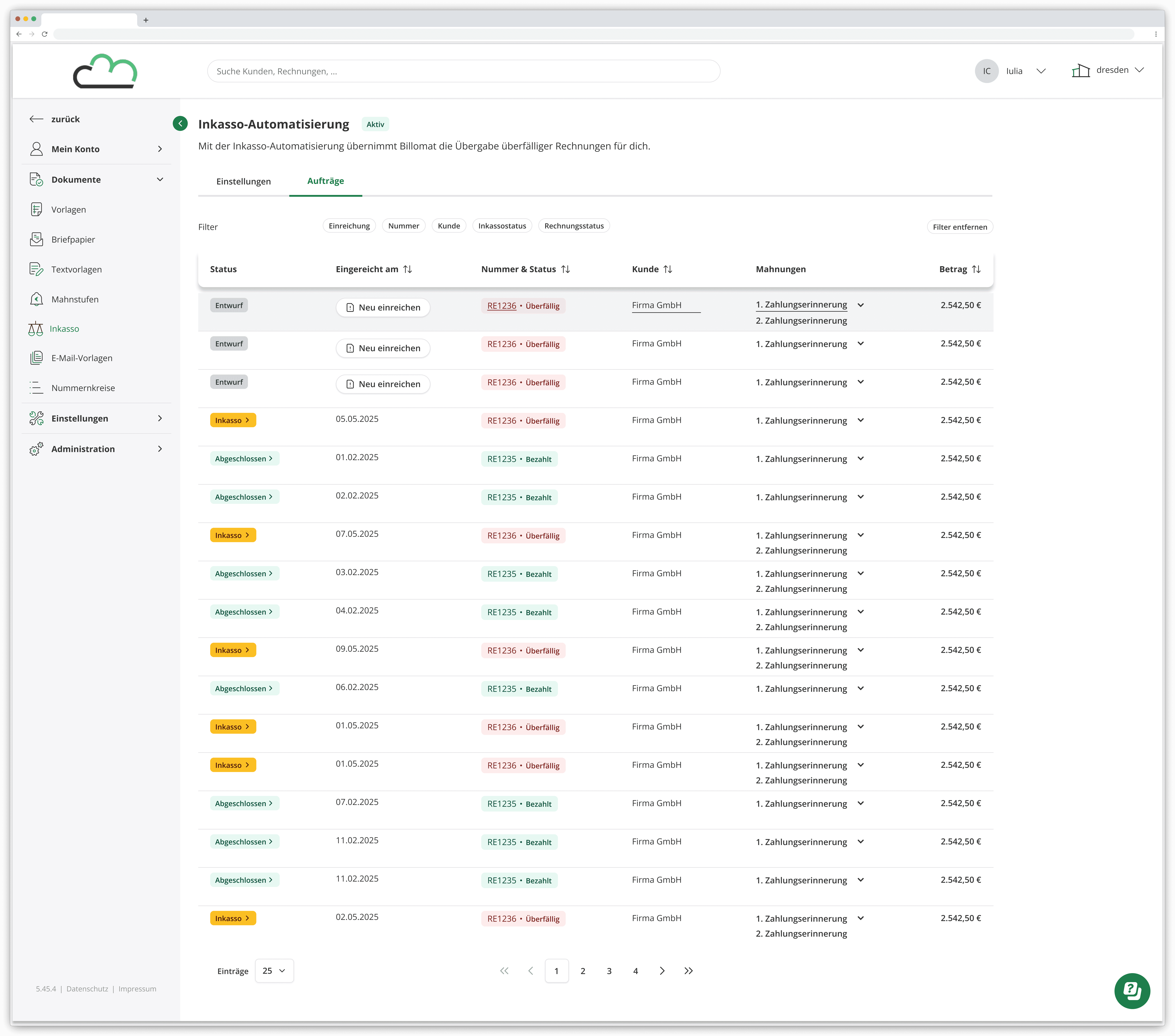
Inline history log
Centralized visibility across debt collection cases
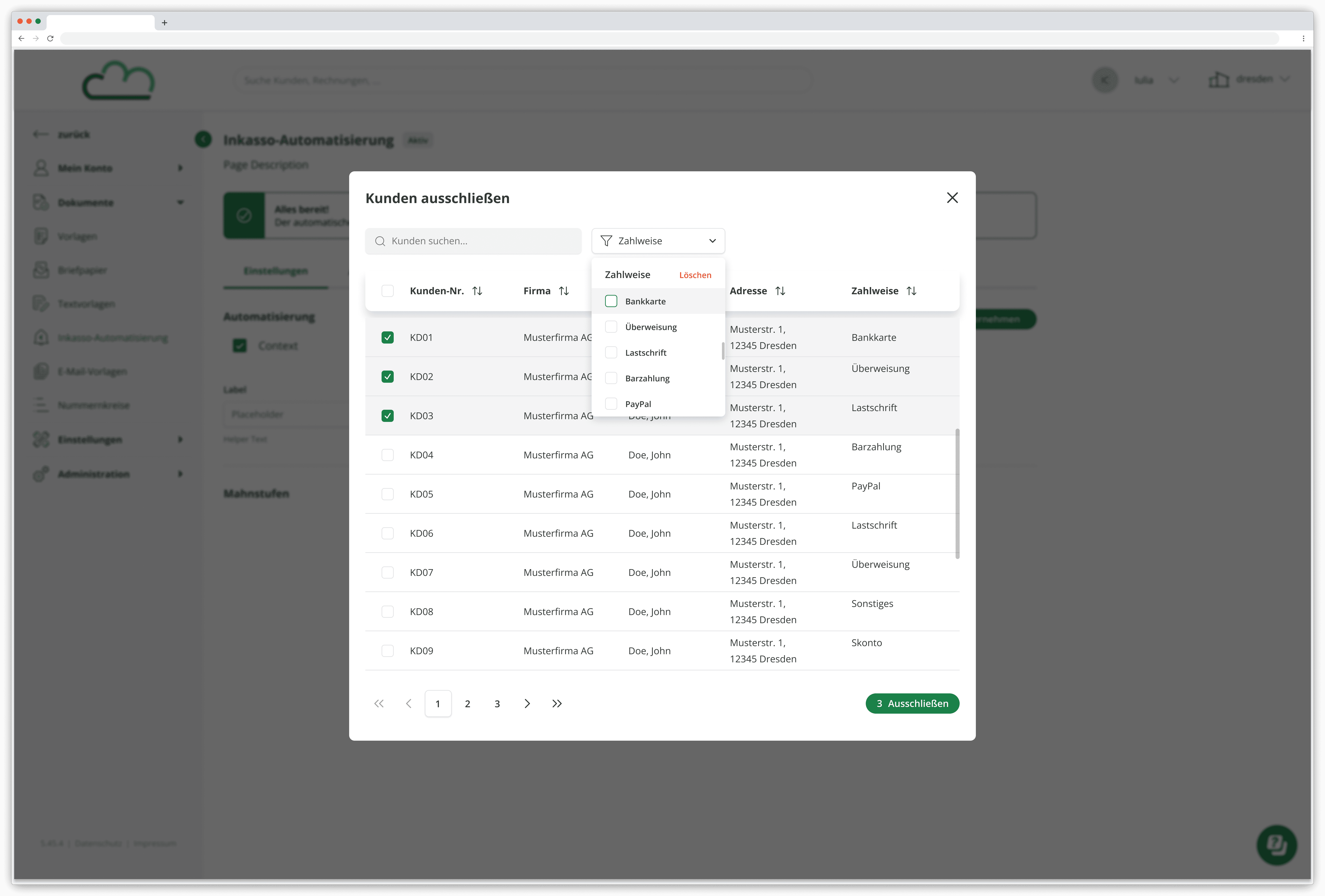
Customer exclusion management
Status overview for submitted invoices
TECHNICAL
IMPROVEMENTS
Migrated frontend code from JavaScript to TypeScript
Modernized legacy Node environment
Implemented TanStack Table for scalable, interactive data tables
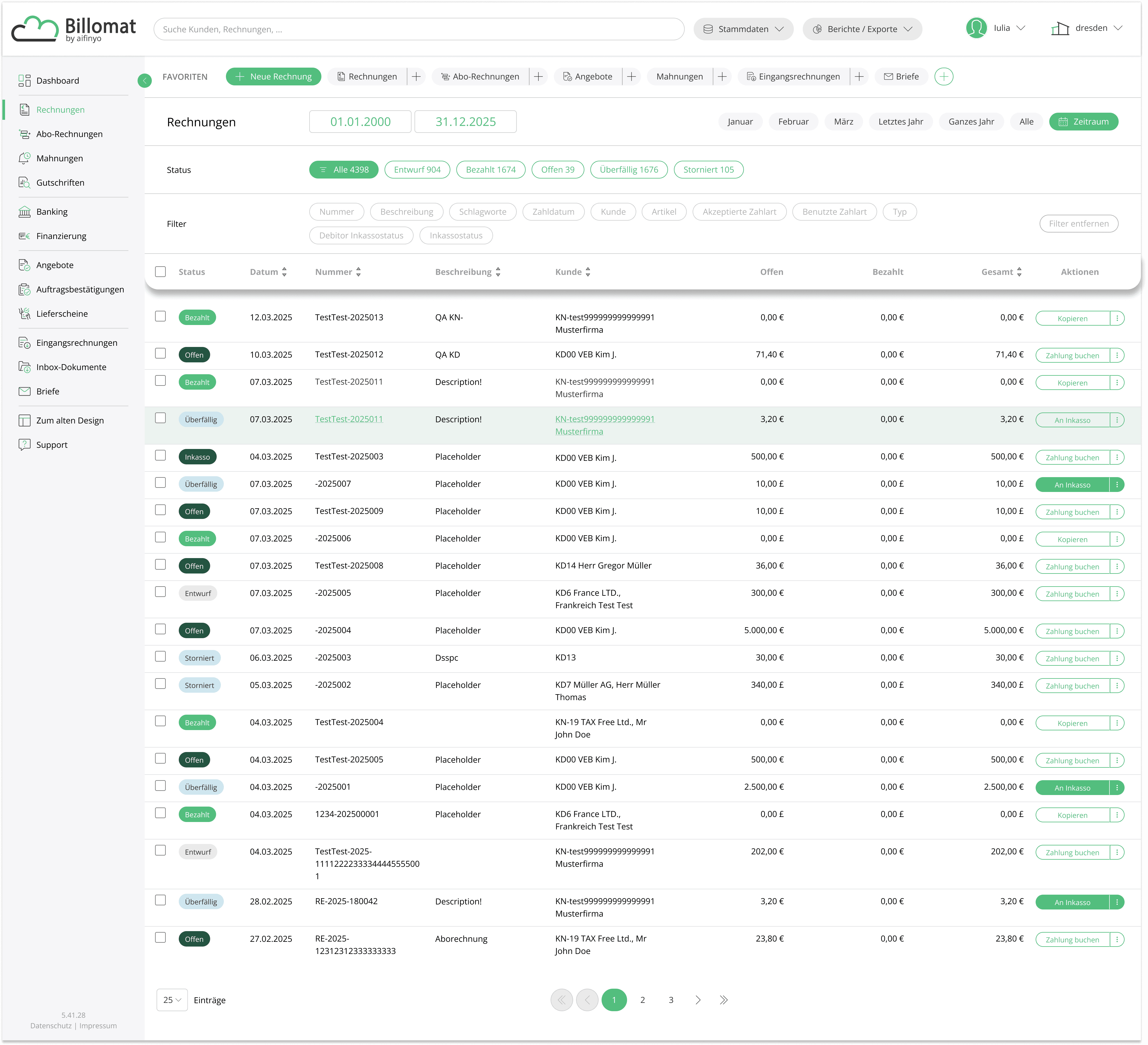
Before: from Manual Submission
After: to Automated Case Handling
REDESIGN & HISTORY LOG
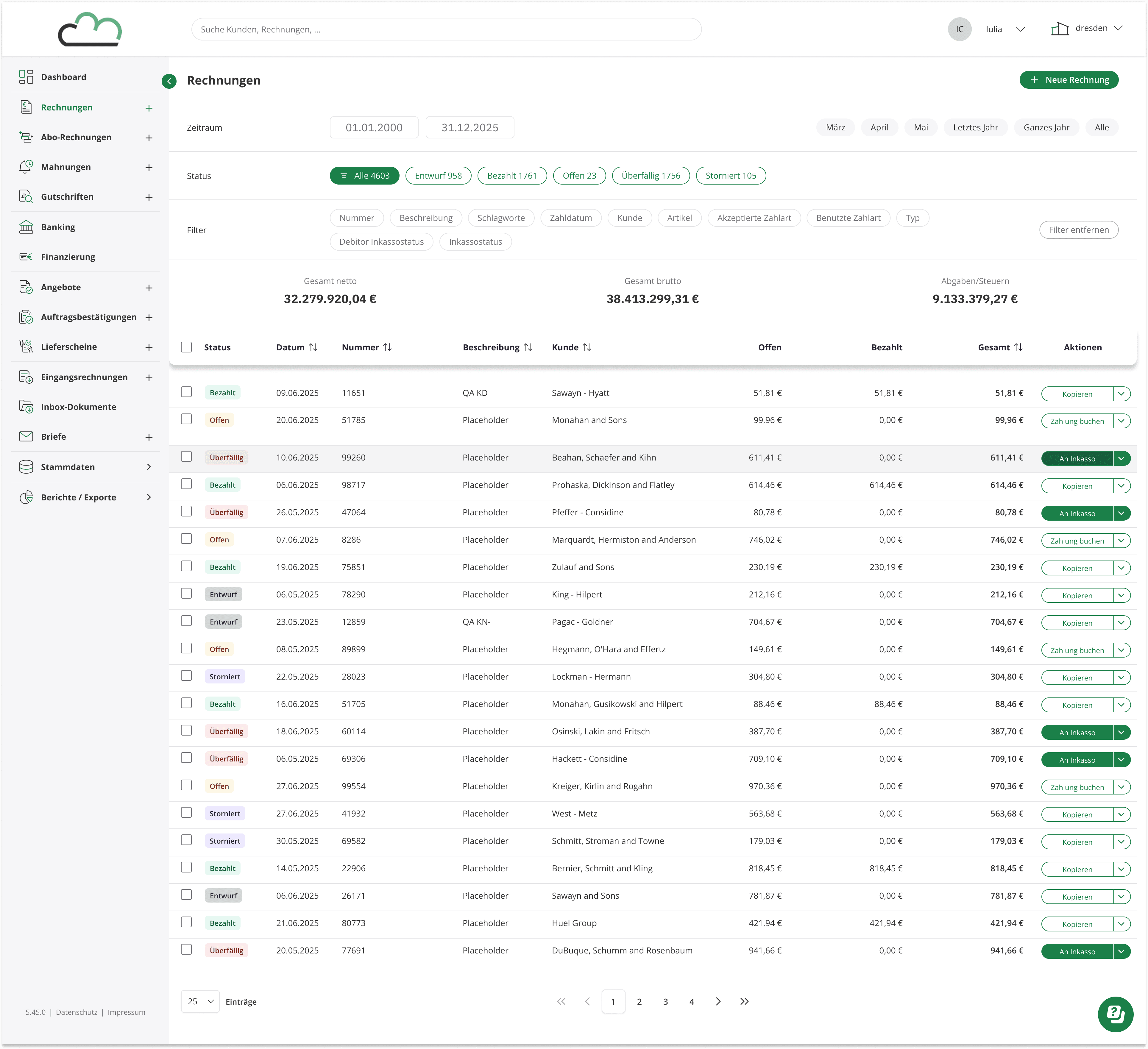
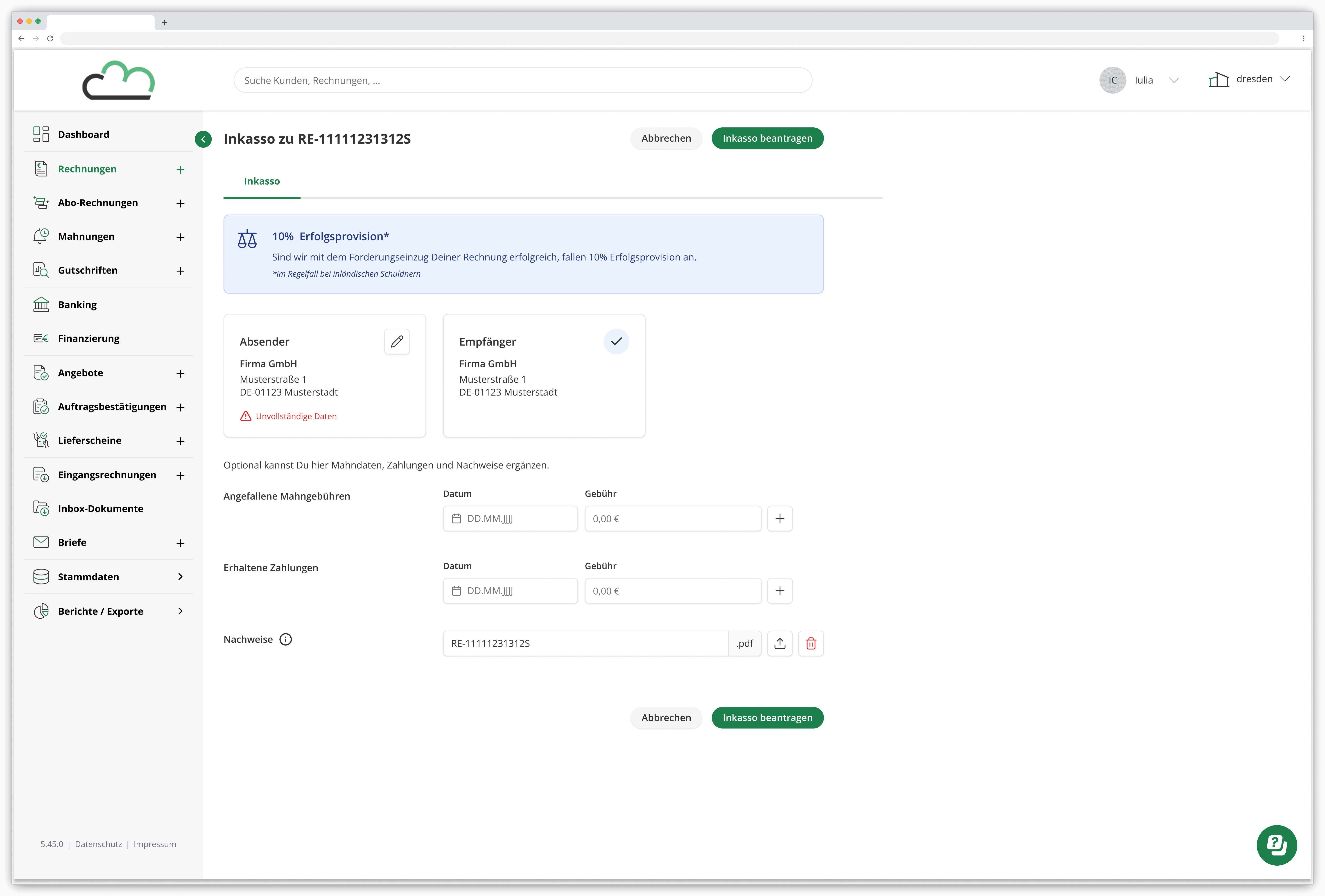
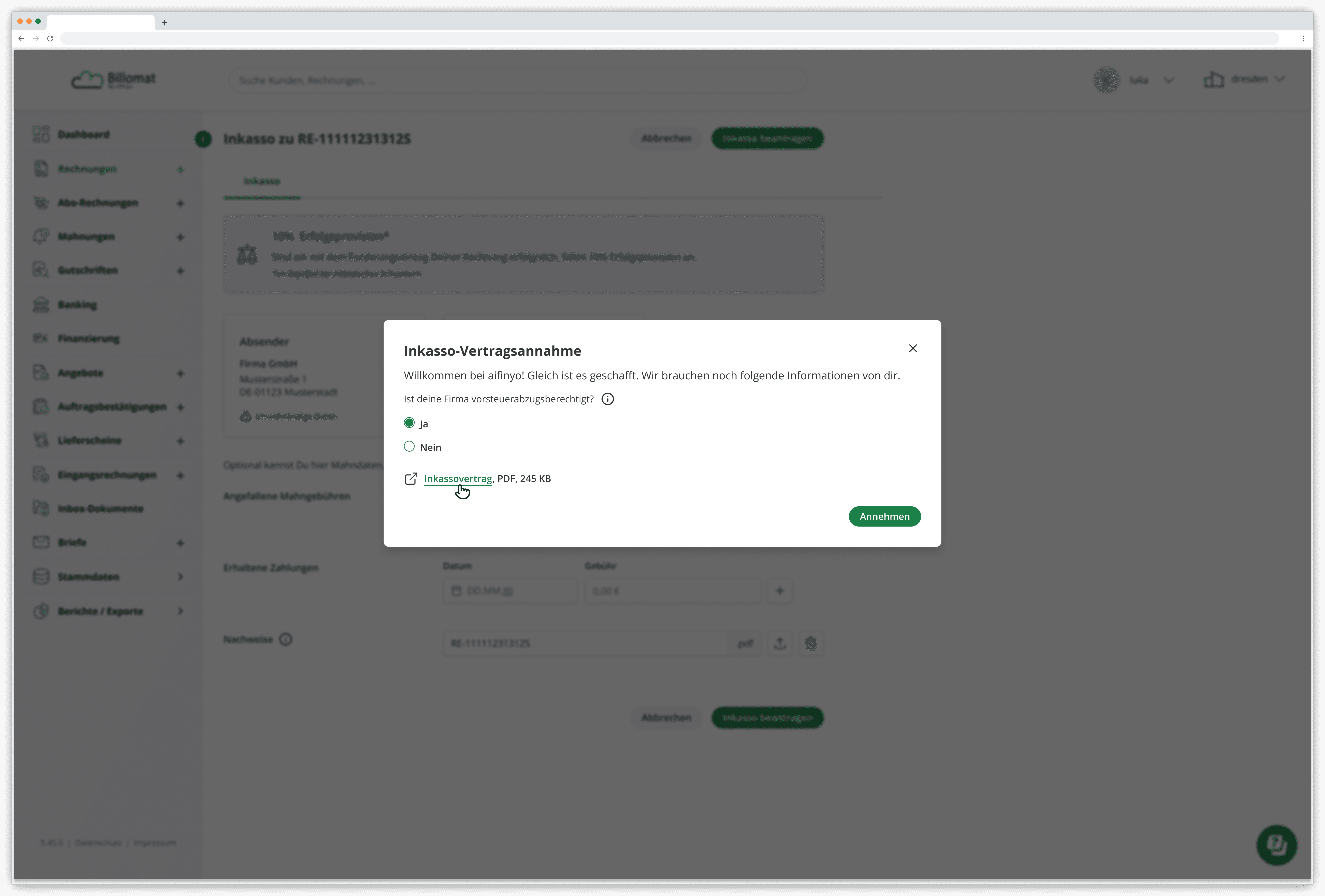
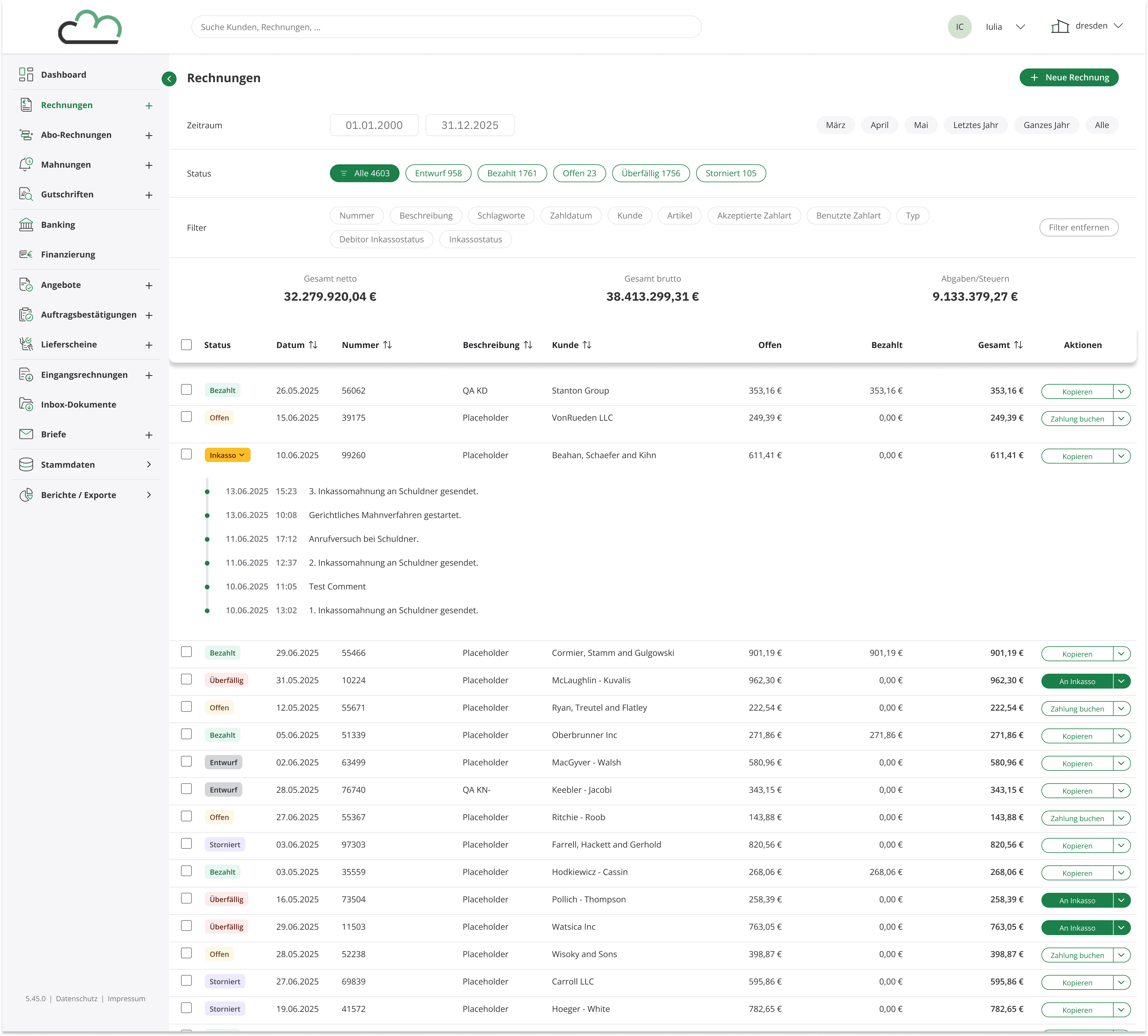
SETTINGS · AUTOMATION SCREENS
Outcome
What started as a fragmented multi-platform workaround became a single-screen submission, an automated escalation flow, and a codebase engineering could actually build on.
Two years of work. Workflow research, Design System migration, and a Frontend rebuild done alongside engineering, not thrown over the wall.