From Multi-Step Workflow to Automated Submission

Problem

Problem

After two FinTech scale-ups merged, their debt collection ("Inkasso") processes remained split across two platforms.
Users were forced to complete a single submission across two interfaces, creating overhead, eroding productivity, and introducing risk where data accuracy directly affected client trust.

Solution

Solution

Core user flows from both platforms were consolidated into a single, unified interface, eliminating redundant steps, reducing the risk of errors, and giving users one place to complete the entire submission from start to finish.

Timeline

Timeline

2023 - 2025

Role

Role

Lead UX/UI Designer

Team

Team

1 UX/UI Designer
4 Developers
1 PM

Tools

Tools

Figma
Jira
Lucidchart

Goal 1

Combine all debt collection submission steps into one integrated experience.

Goal 2

Reduce user errors and support inquiries by 30 percent.

Goal 3

Ensure consistent and accurate data transfer across all submission stages.

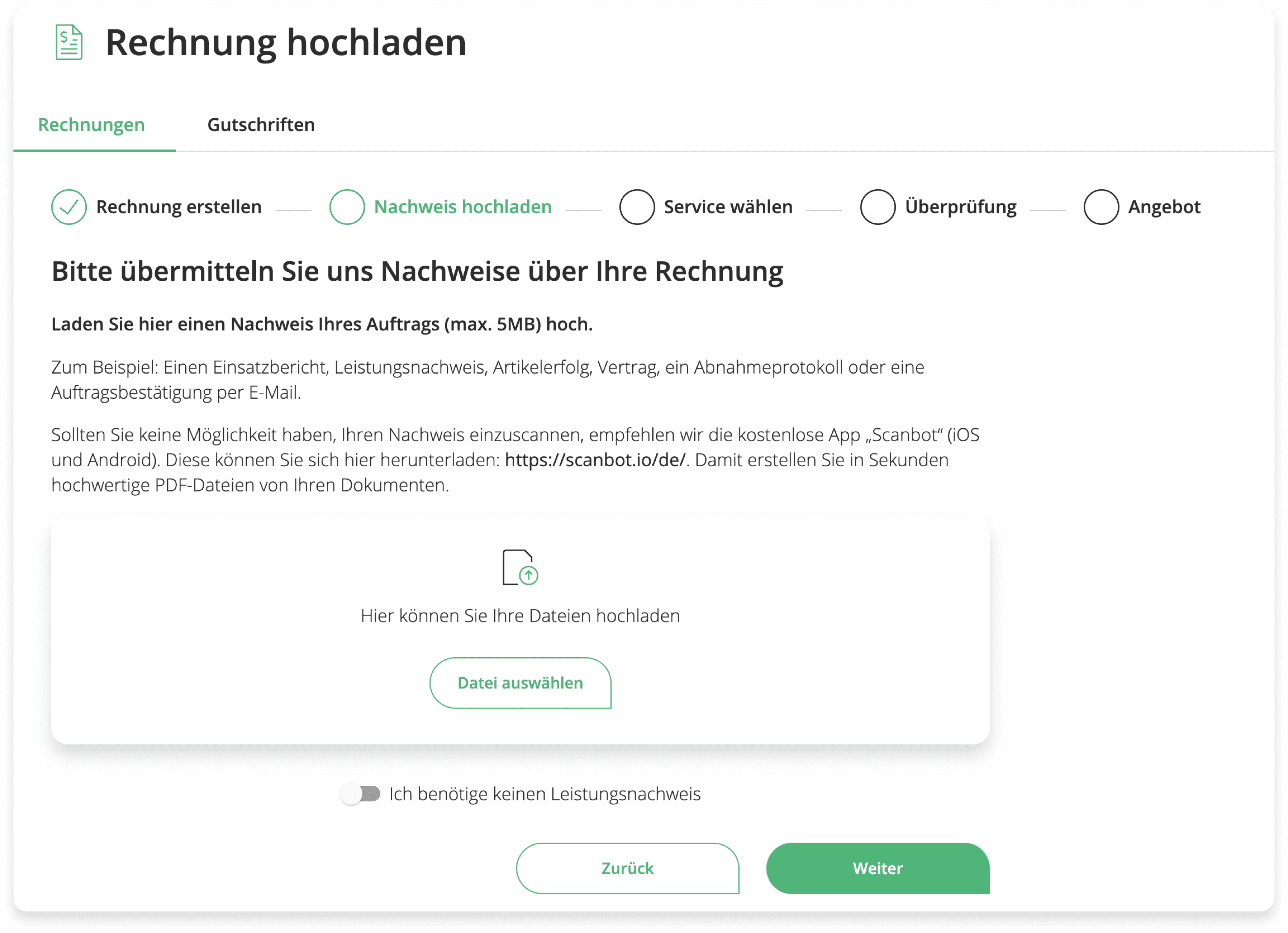
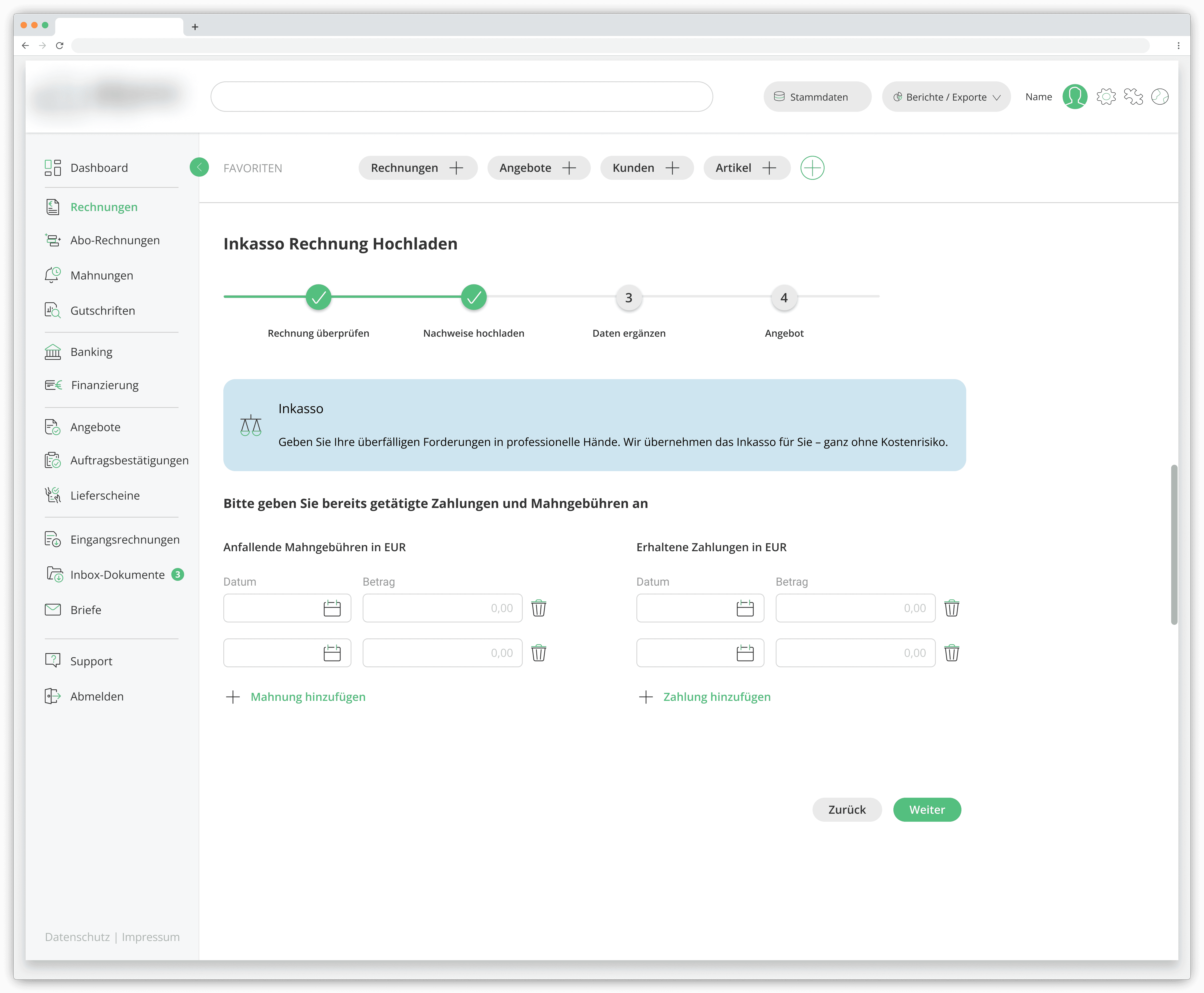
Upload Documentation

Contract, order confirmation, delivery note, etc.

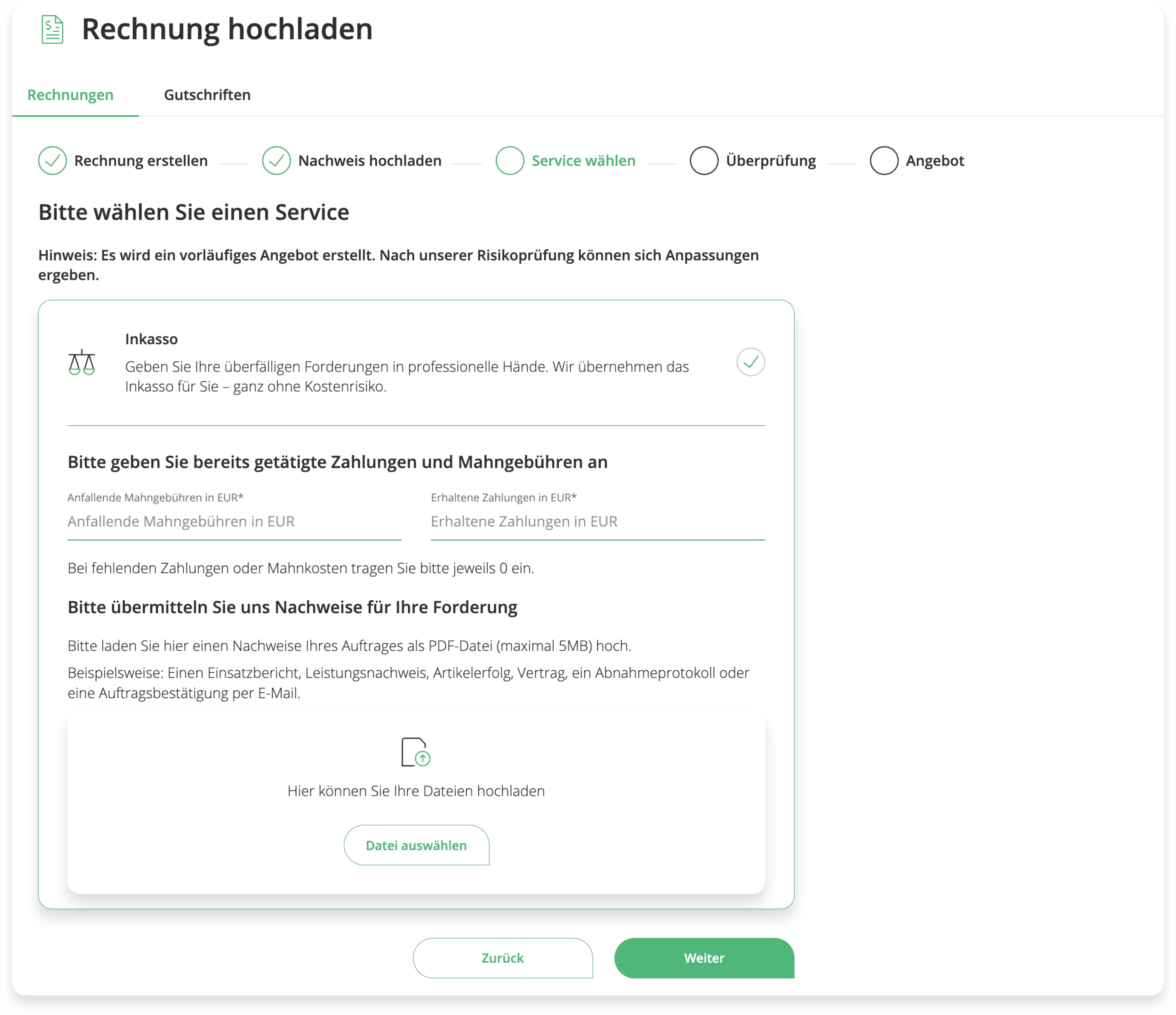
Confirm Service

Partial remittances, sent dunning letters overview.

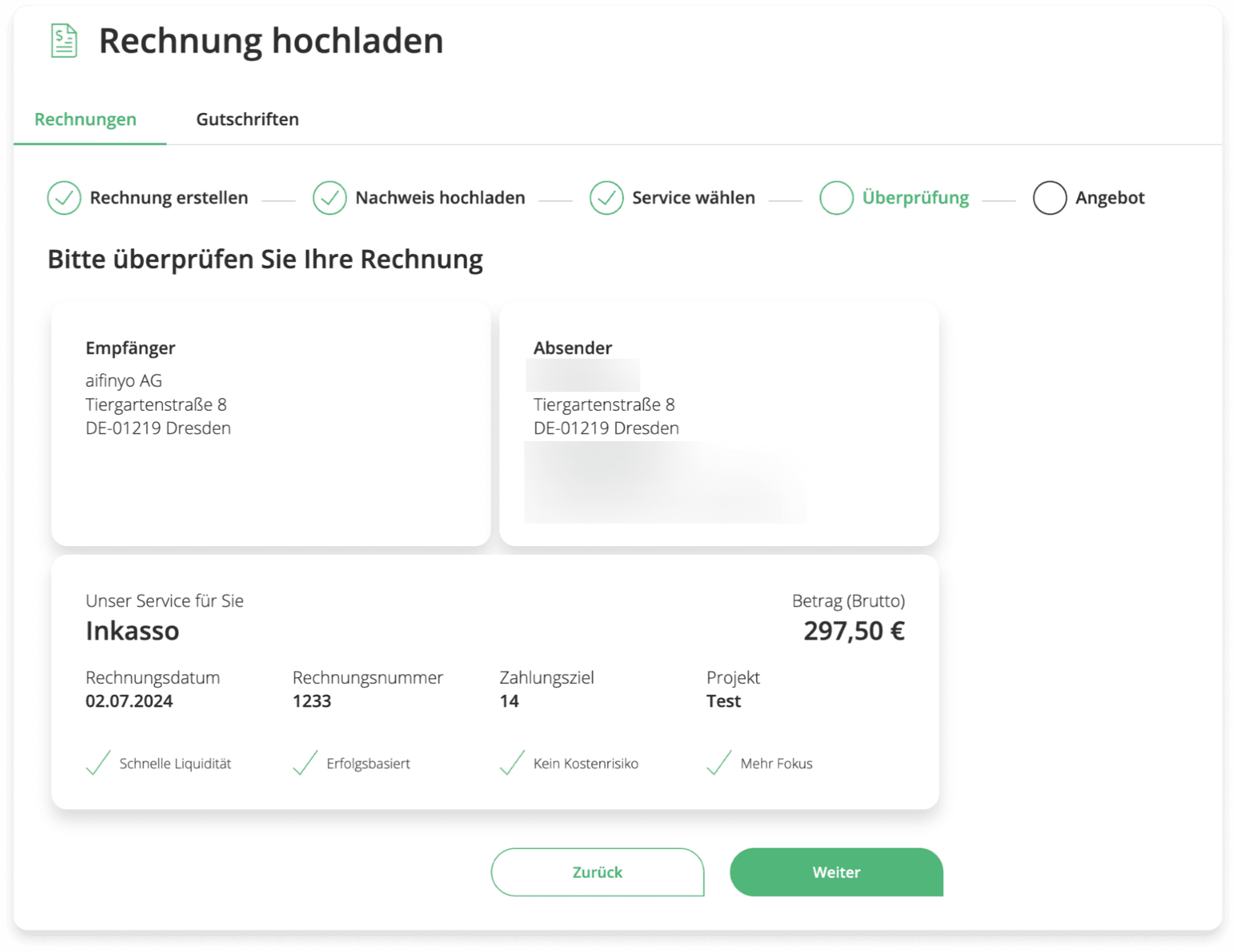
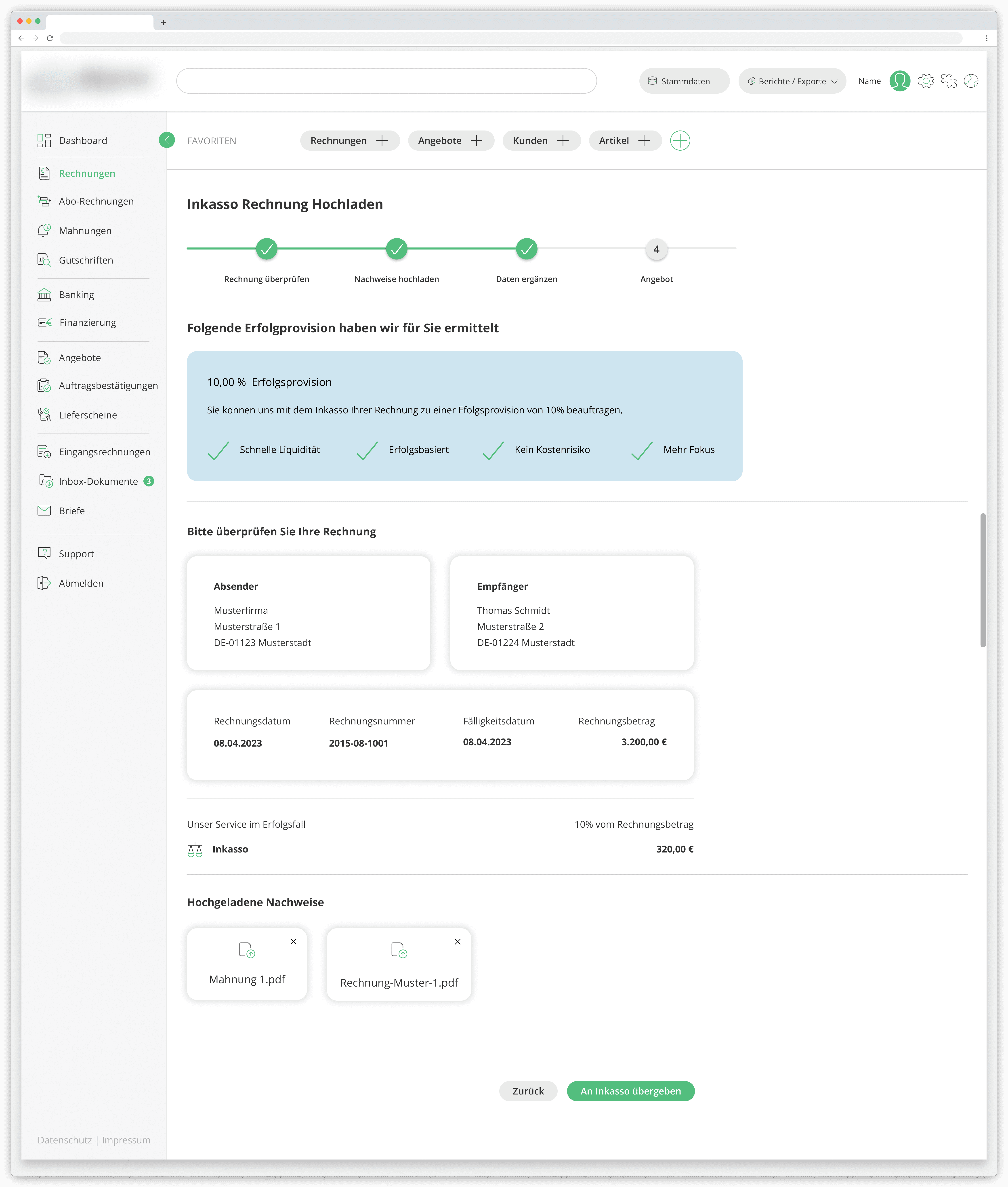
Review

Confirm recipient, sender, and overdue invoice details.

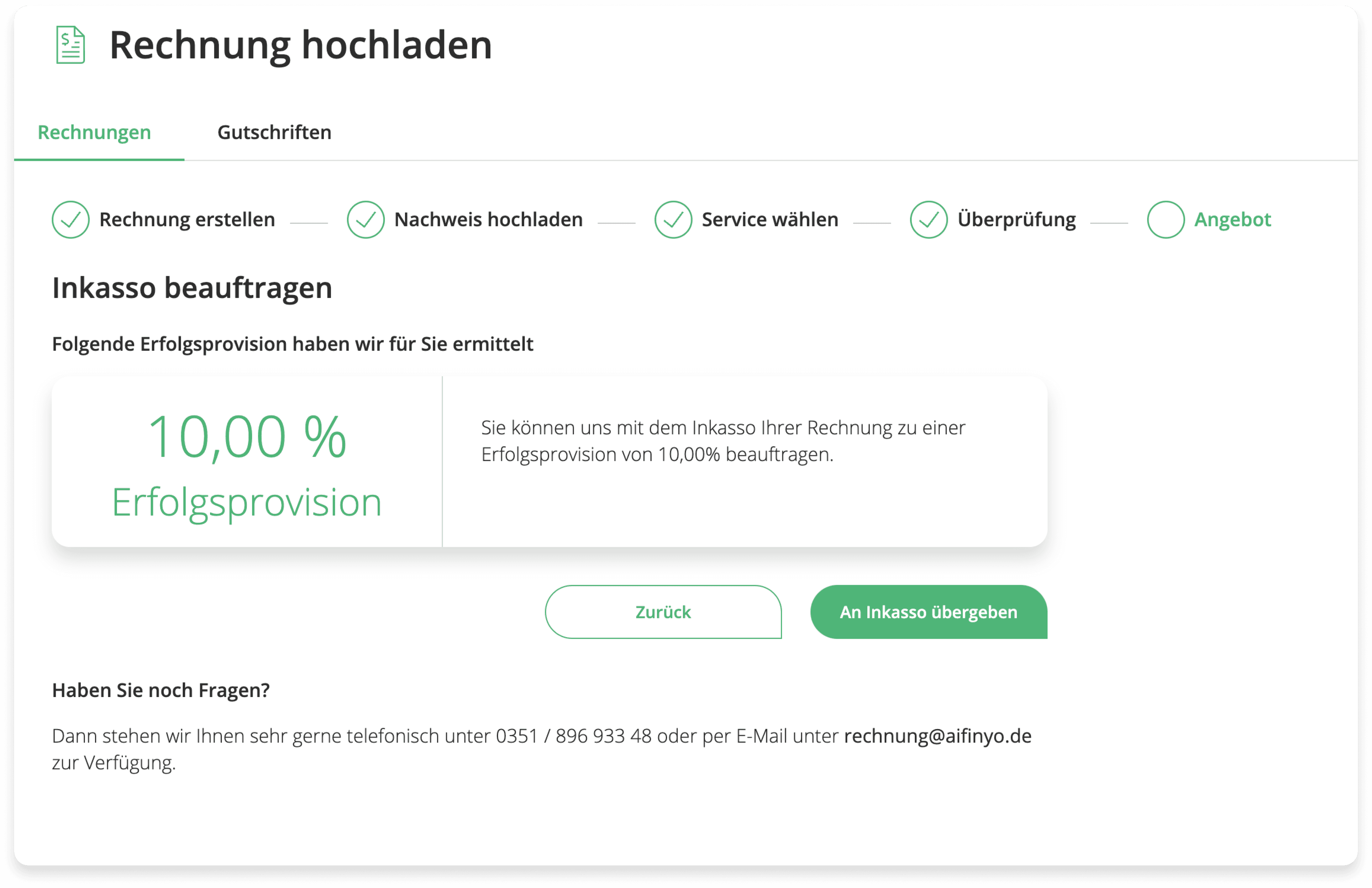
Offer

10% fee applies.

1

1

Step 1

2

2

Step 2

3

3

Step 3

4

4

Step 4

Initial Workflow (Multi-Step)

Initial Workflow (Multi-Step)

2023

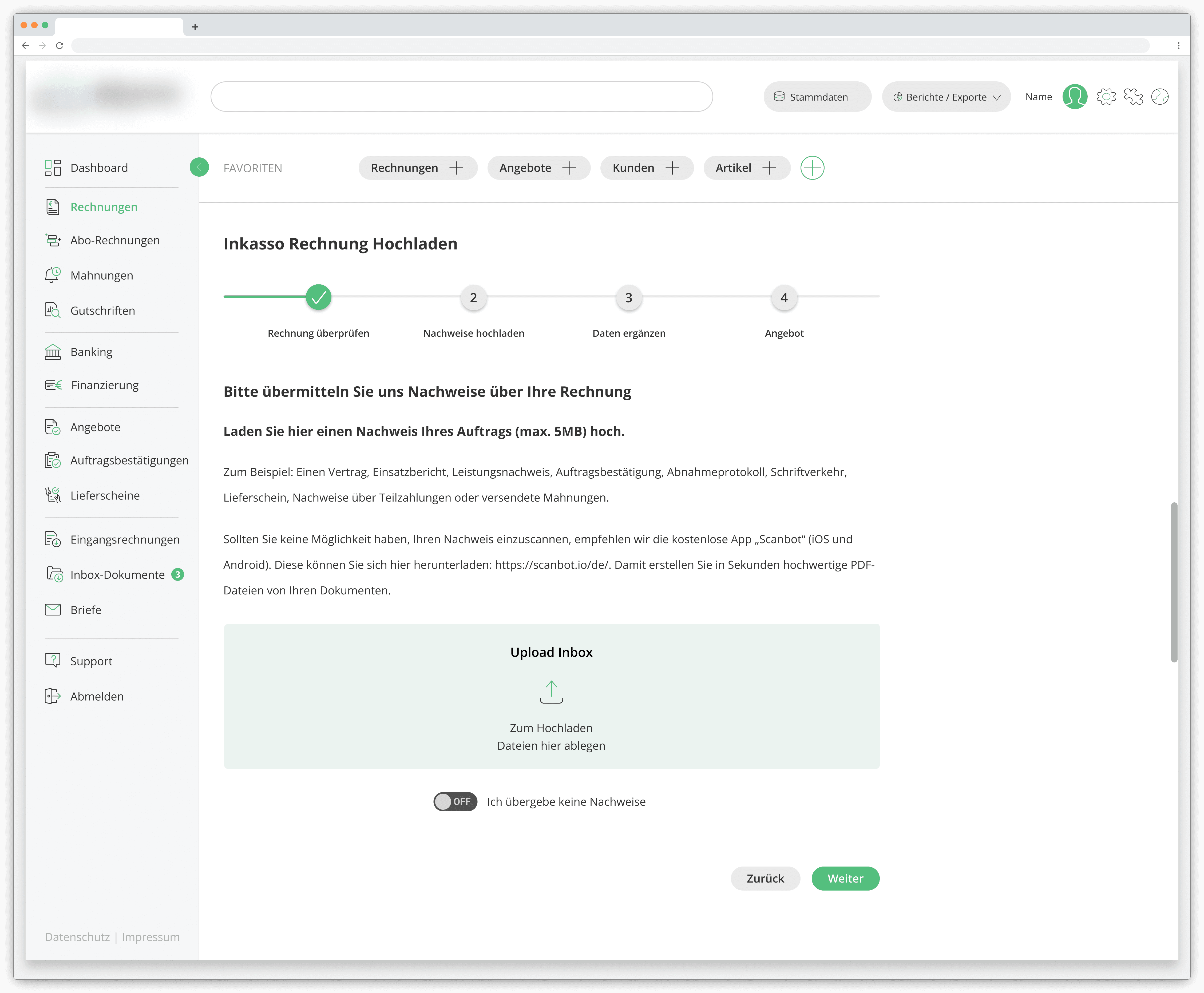
The first iteration replicated the process from the parent platform, a multi-step approach, as shown above, that served as a functional foundation.

At this stage, the priority was establishing feature structure and validating the process end-to-end, using the Storybook-based legacy UI available at the time. It wasn't built to last, but it needed to work.
Product Direction Shift

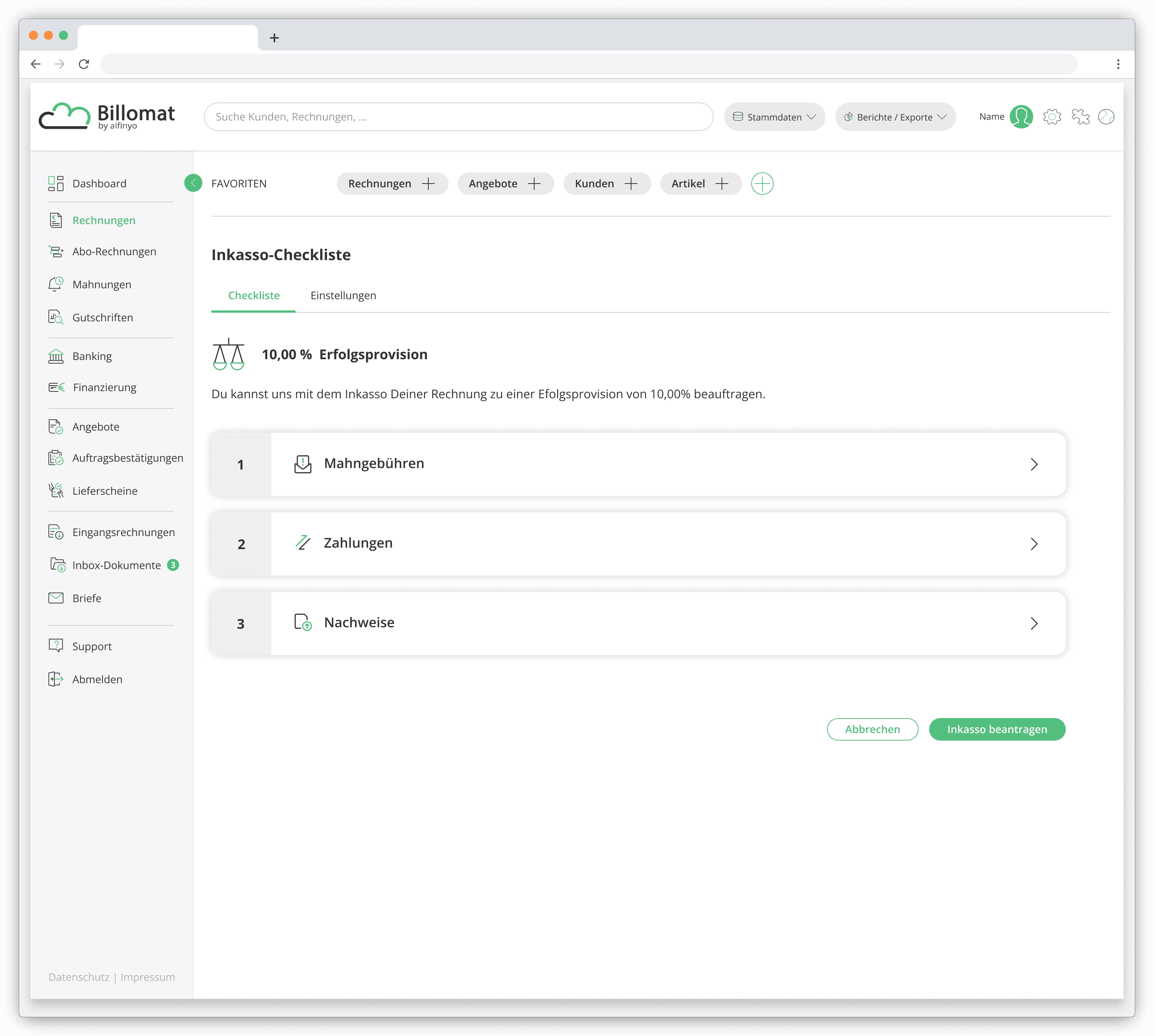
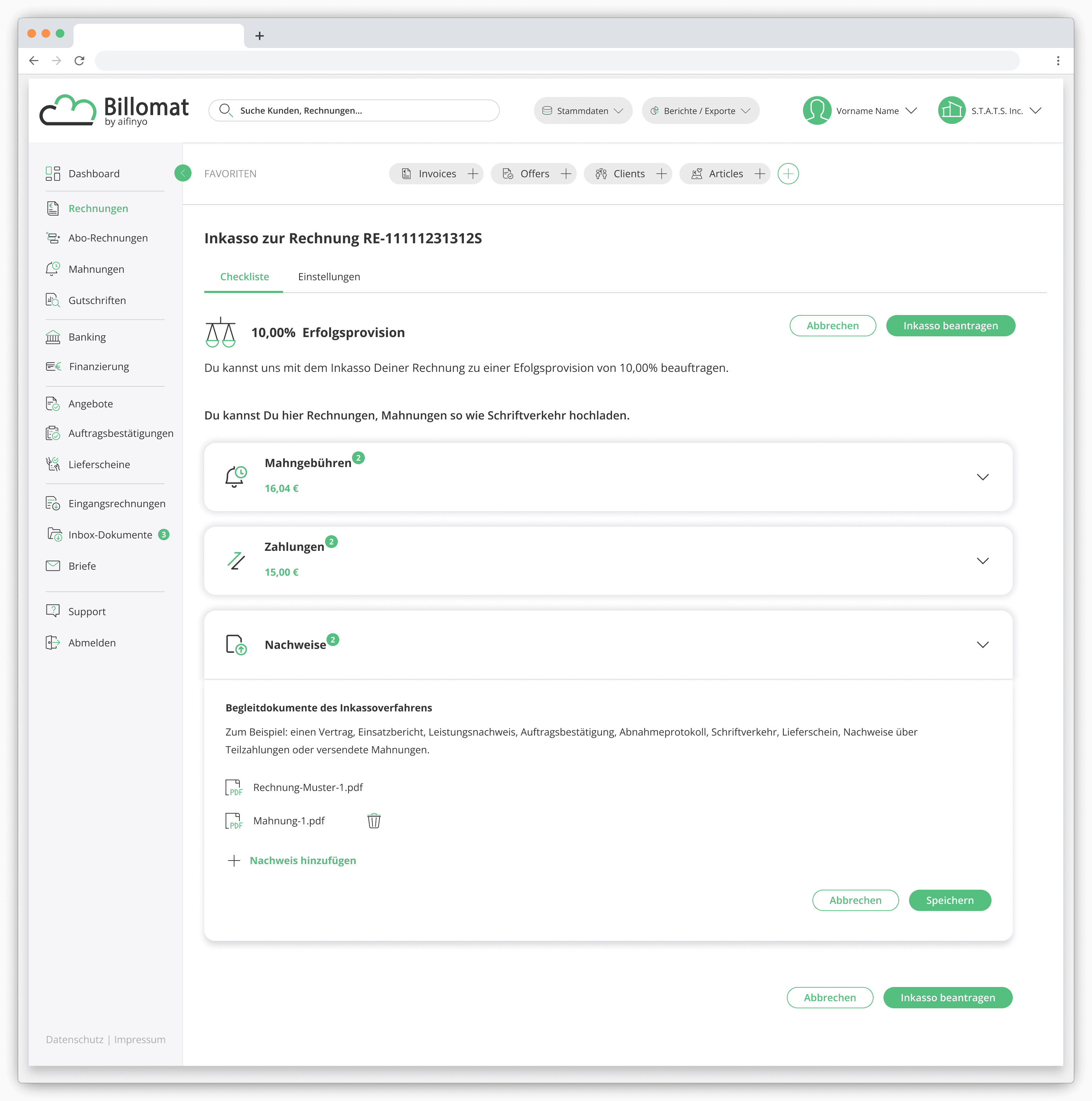
As the project matured, a multi-step process began to feel at odds with the platform's broader direction. The decision was made to move toward a single-screen, checkout-style experience, reducing navigation and allowing users to review and complete a submission in one place.

The redesign introduced a single-page interface with expandable sections, keeping the process visible and controlled without the friction of moving between screens.

User Insights

User Insights

User Insights

User Insights

To validate the revised mockups, we gathered feedback from users.

Thomas

"I still feel like I have to go through every step one by one, even when I already know the information. It slows me down and feels unnecessarily repetitive."

Nadine

"I like the idea of having a Checkout, but the way it works right now feels redundant. It doesn’t really add clarity to the flow."

Steffi

"I’m not convinced all these steps are actually needed. I spent more time than expected trying to figure out what was required and why."

Peter

"I’d really prefer seeing everything all at once. A full overview would help me understand the process much faster."

Eva

"There’s just too much empty space on the screen. It makes the layout feel unfinished, and I’m not sure where I should focus first."

Conclusion

Conclusion

Conclusion

Conclusion

The checkout-style approach had stakeholder buy-in, but user testing and internal reviews told a different story. The multi-section structure introduced its own friction. Users found the flow harder to follow than expected, and the step-based mental model didn't map cleanly onto what was essentially a single task.

The design was simplified further into a fully unified single-screen interface, where users could review invoice details and submit the case without any intermediate steps or expanding sections.

Rebuilding the Foundation

2024 - 2025

Impact: Reduced manual effort through automated invoice escalation and a modernized, maintainable process.

Problem

By this stage, the "Inkasso" feature was working, but it was built on an outdated component library and a legacy Frontend architecture that was becoming increasingly difficult to maintain.

What had been a pragmatic starting point was now a ceiling on what the product could do.

Solution

The interface was redesigned around a new Design System, replacing the deprecated component library and aligning the feature with the rest of the platform's evolving UI standards.

In parallel, working closely with the engineering team, we introduced automation for transferring overdue invoices and modernized key parts of the frontend architecture by reducing manual steps for users, as well as technical debt for the team.

Key Improvements

Design System Modernization

  • Replaced deprecated component library

  • Improved accessibility compliance

  • Increased visual consistency across screens

Inkasso Automation

Inkasso Automation

  • Automatic transfer of overdue invoices

  • Configurable rule-based settings

  • Eliminated manual case submissions

Workflow Transparency

  • Centralized visibility across debt collection cases

  • Status overview for submitted invoices

  • Customer exclusion management

Technical Foundation Improvements

  • Migrated frontend code from JavaScript to TypeScript

  • Modernized legacy Node environment

  • Implemented TanStack Table for scalable, interactive data tables

Before: From Manual Submission

2024
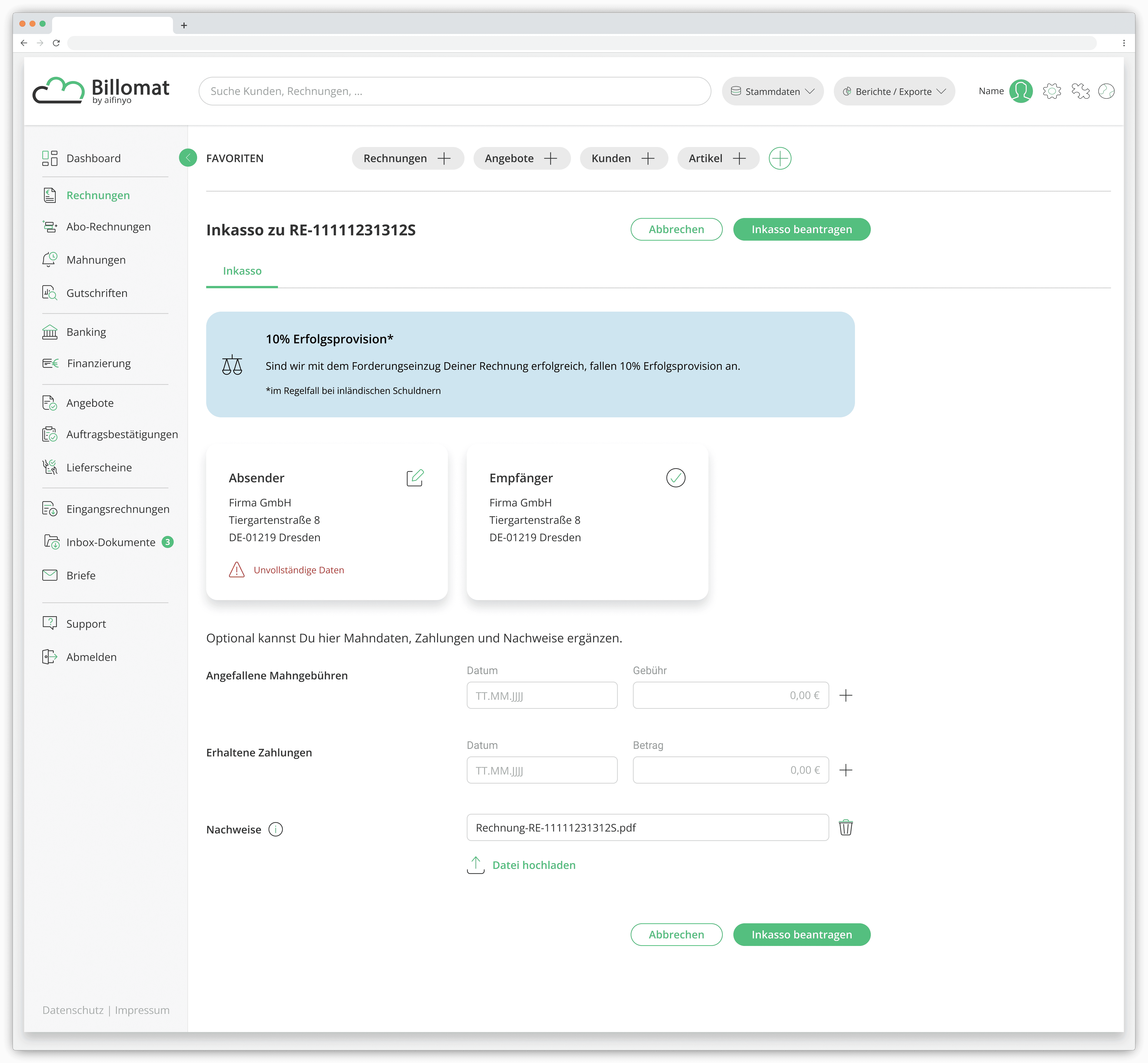
In 2024, a supporting requirement was added to the single-screen flow. Before submitting to collection, the platform needed qualified company data for both sender ("Absender") and recipient ("Empfänger") to register a business partner in Infact ERP.

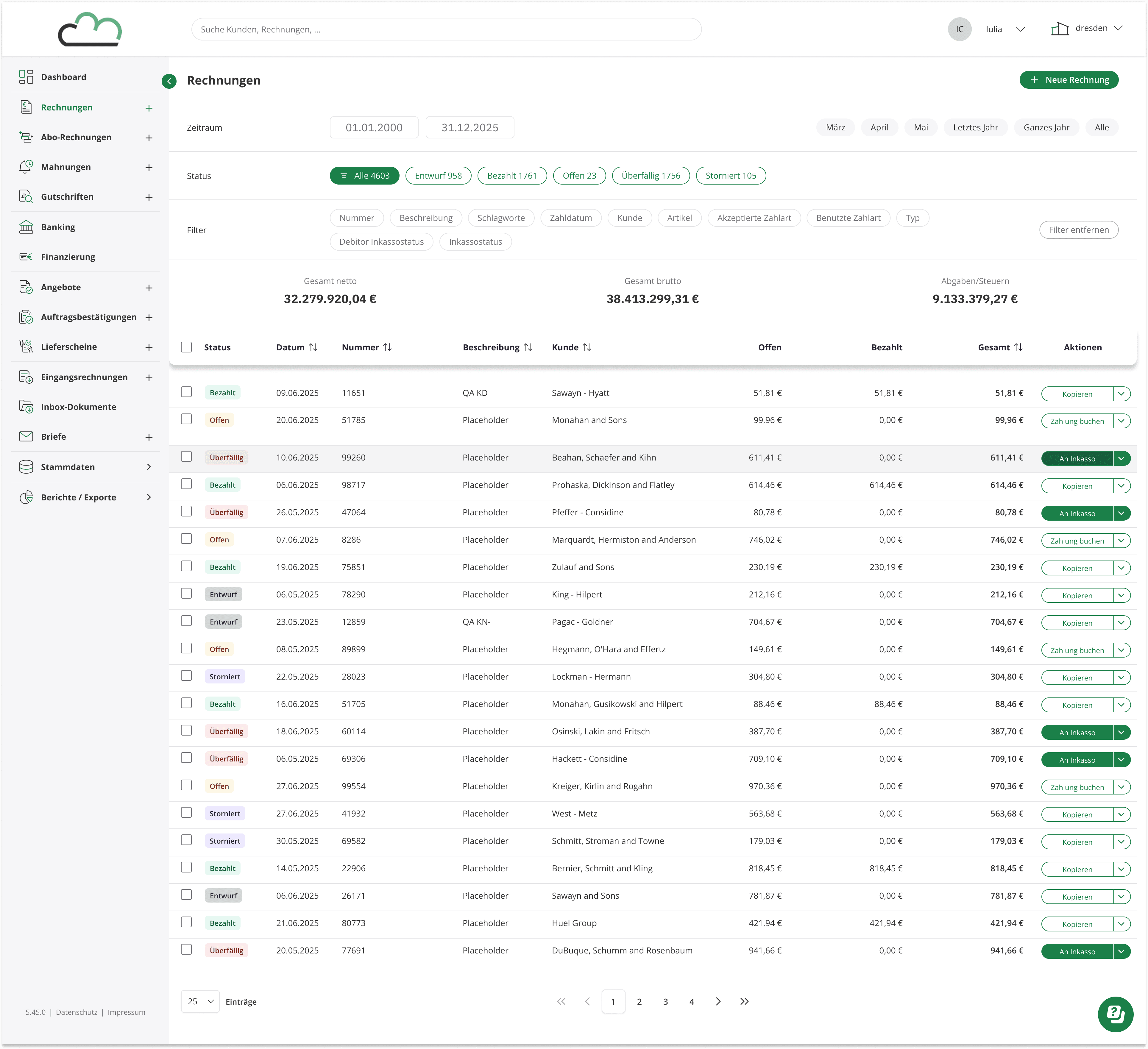
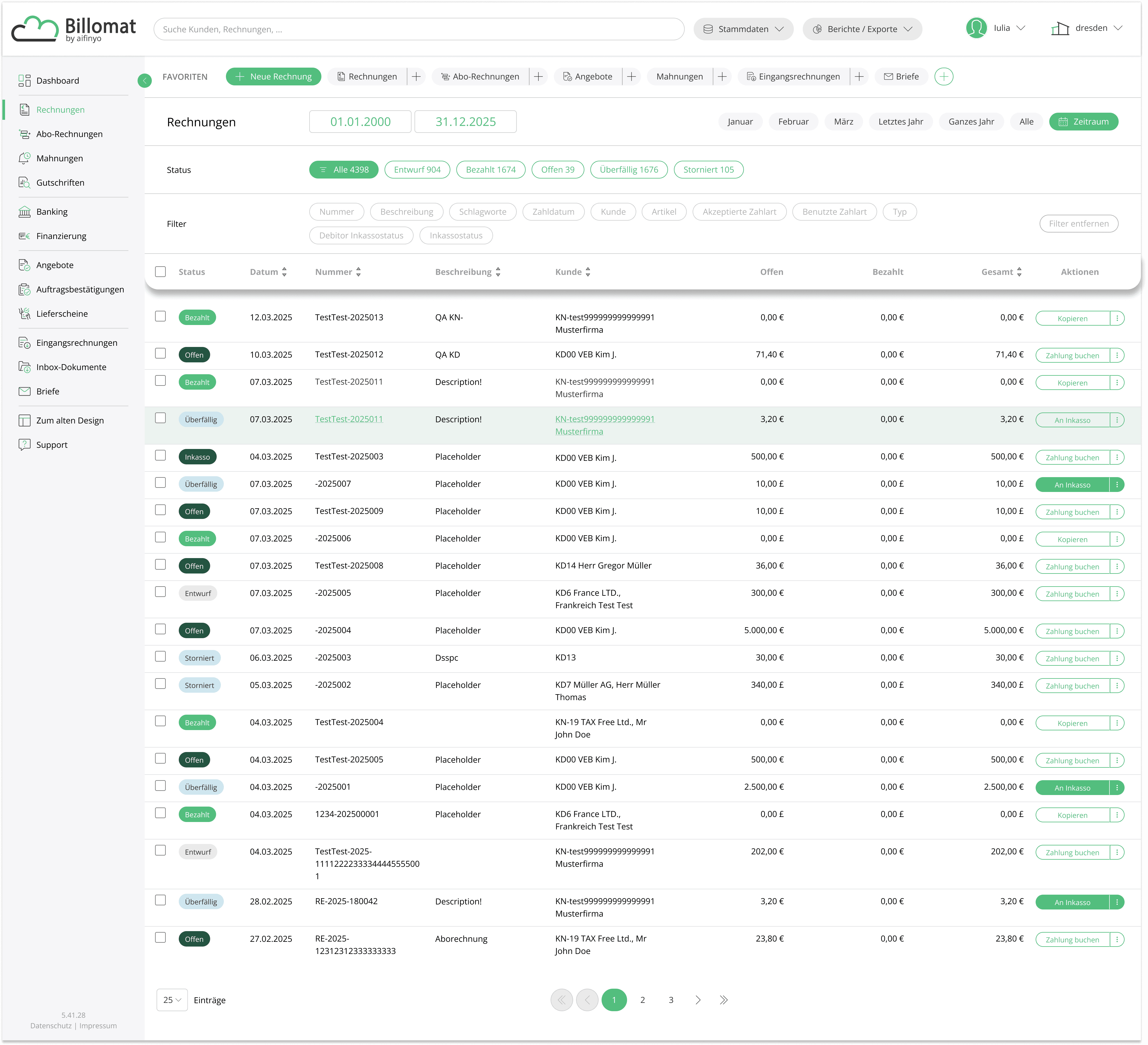
Legacy invoice overview

The submission process started here, in the invoice overview. Overdue invoices were flagged with an "Überfällig" status, and users could initiate a collection case directly from the table via the "An Inkasso" action.

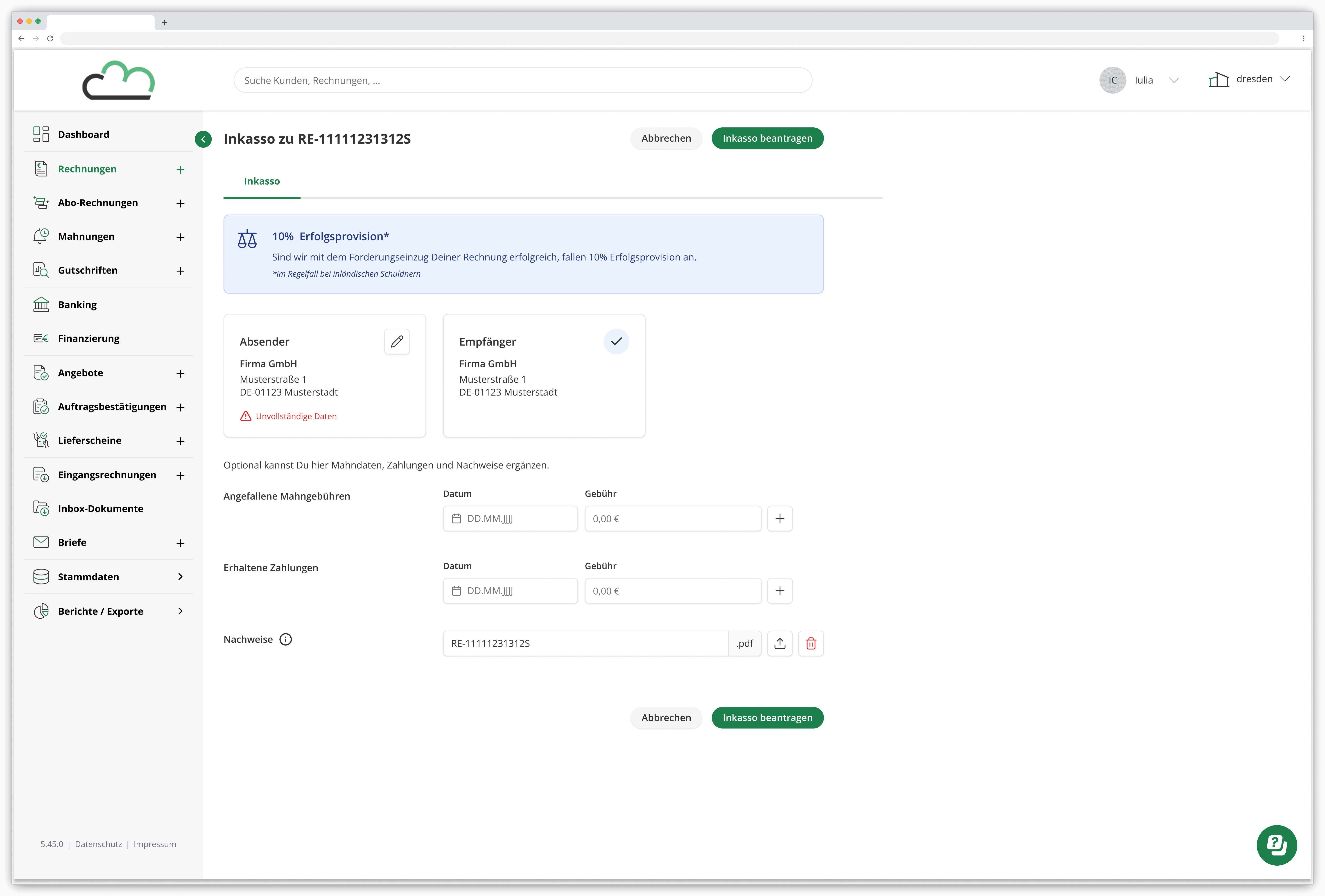
Submission Form
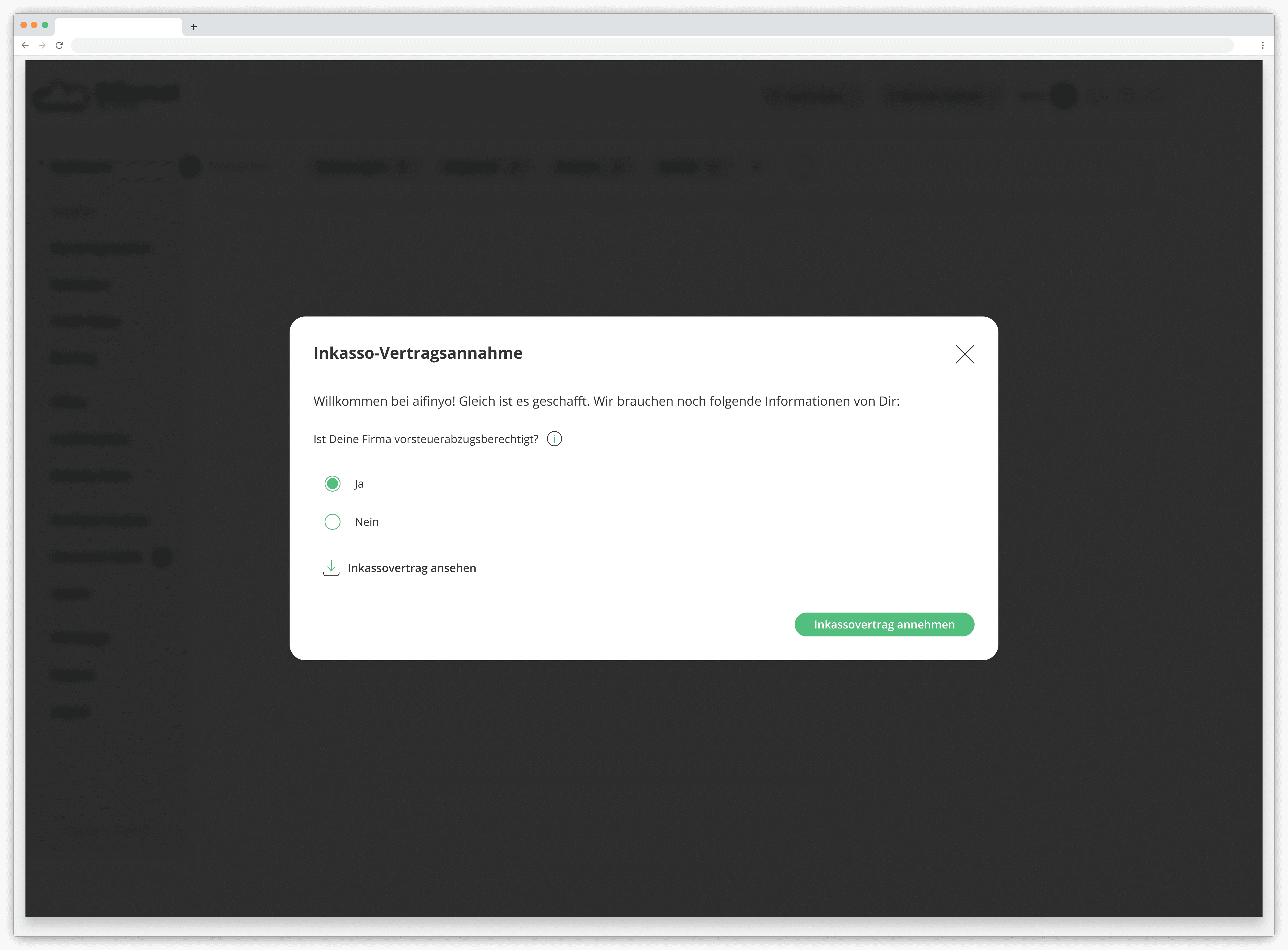
Contract Confirmation

After: To Automated Case Handling

UI Redesign

Automation

2025

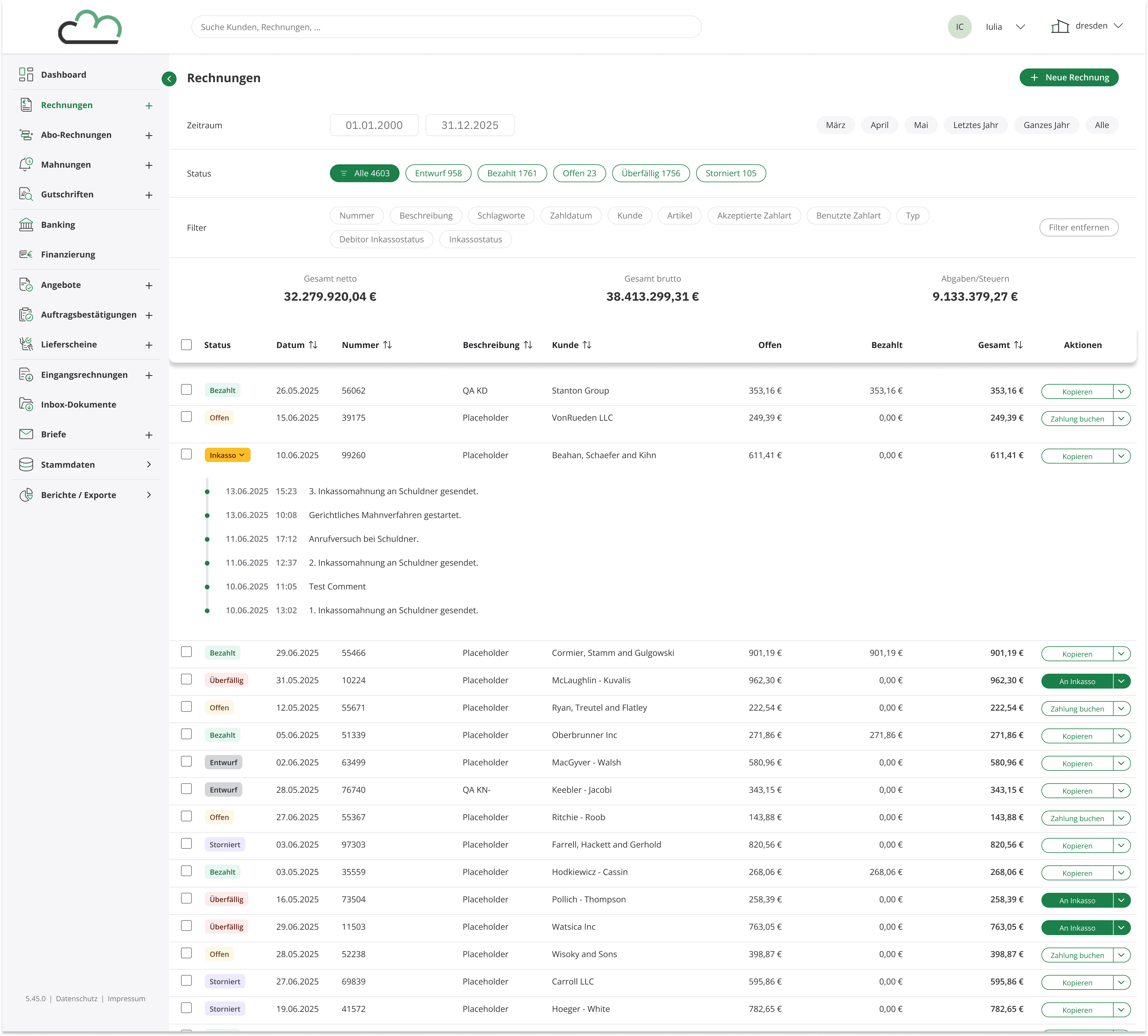
Redesigned invoice overview

The invoice overview was rebuilt alongside the submission flow.
Status tags, filters, and table actions were updated to match the new Design System.

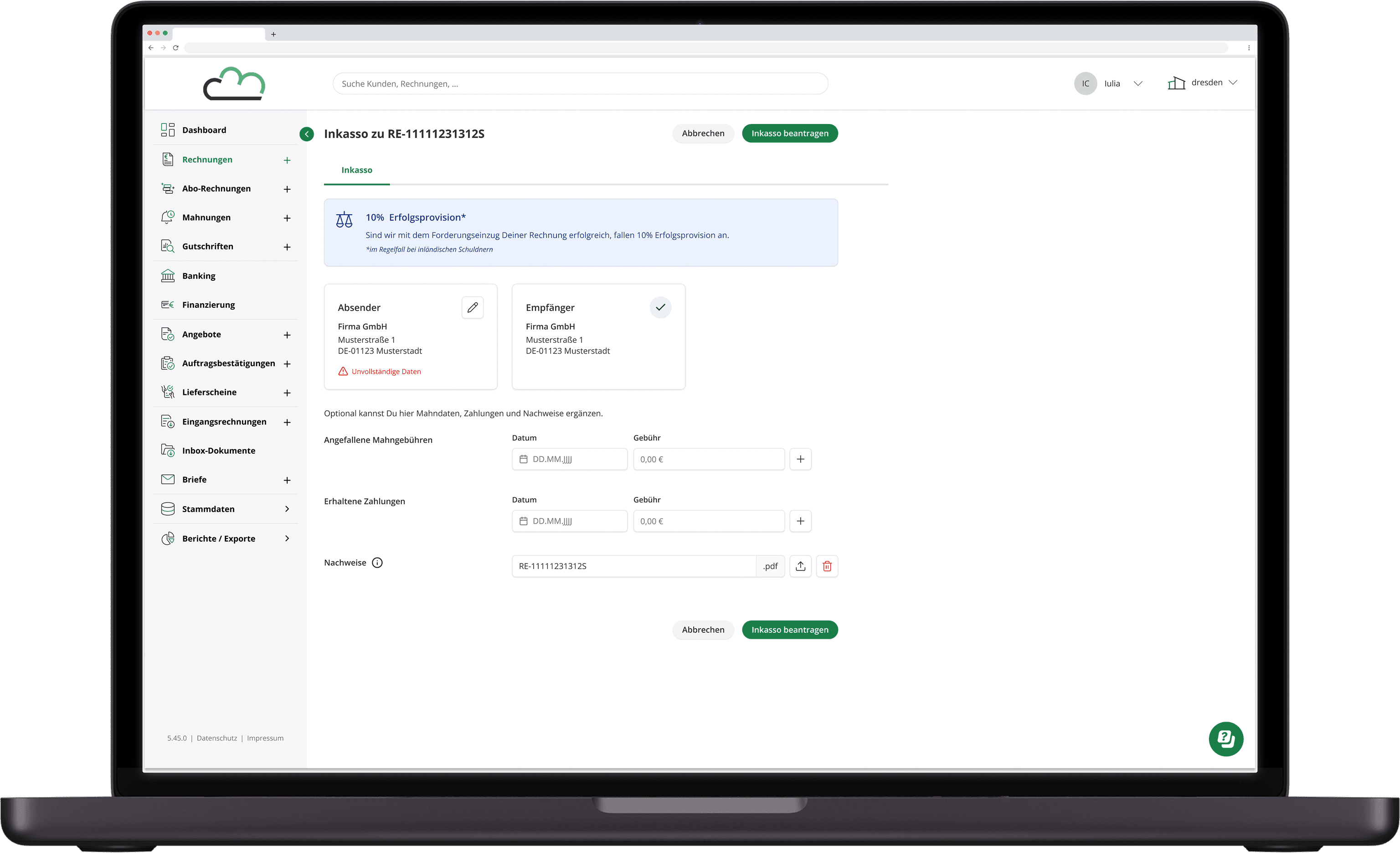
Submission Form

Users verify key information before submitting the case to the collection service.
Sender and recipient details, payment status, and supporting documentation are presented in a single view, with optional fields for adding reminder fees, payment updates, or additional documents.

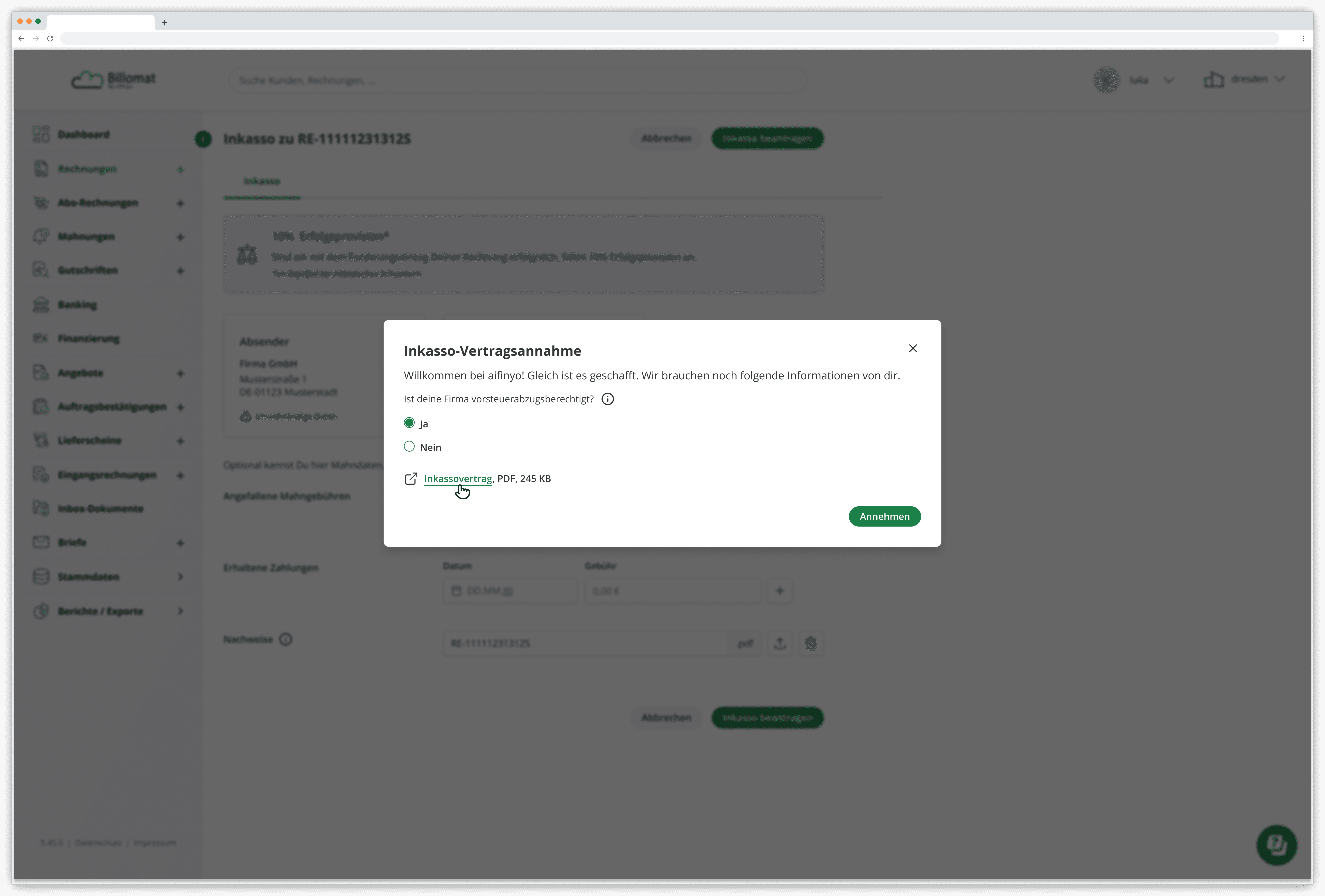
Contract Confirmation

Before the overdue invoice is officially submitted, users must review and accept the agreement.
This modal provides a clear confirmation step where users verify eligibility details and acknowledge the collection service terms.

Contract Confirmation

Once a case is submitted, the invoice status updates automatically from "Überfällig" to "Inkasso." The status tag is interactive: clicking it expands an inline history log directly inside the table row, showing every event in the collection timeline without leaving the page.

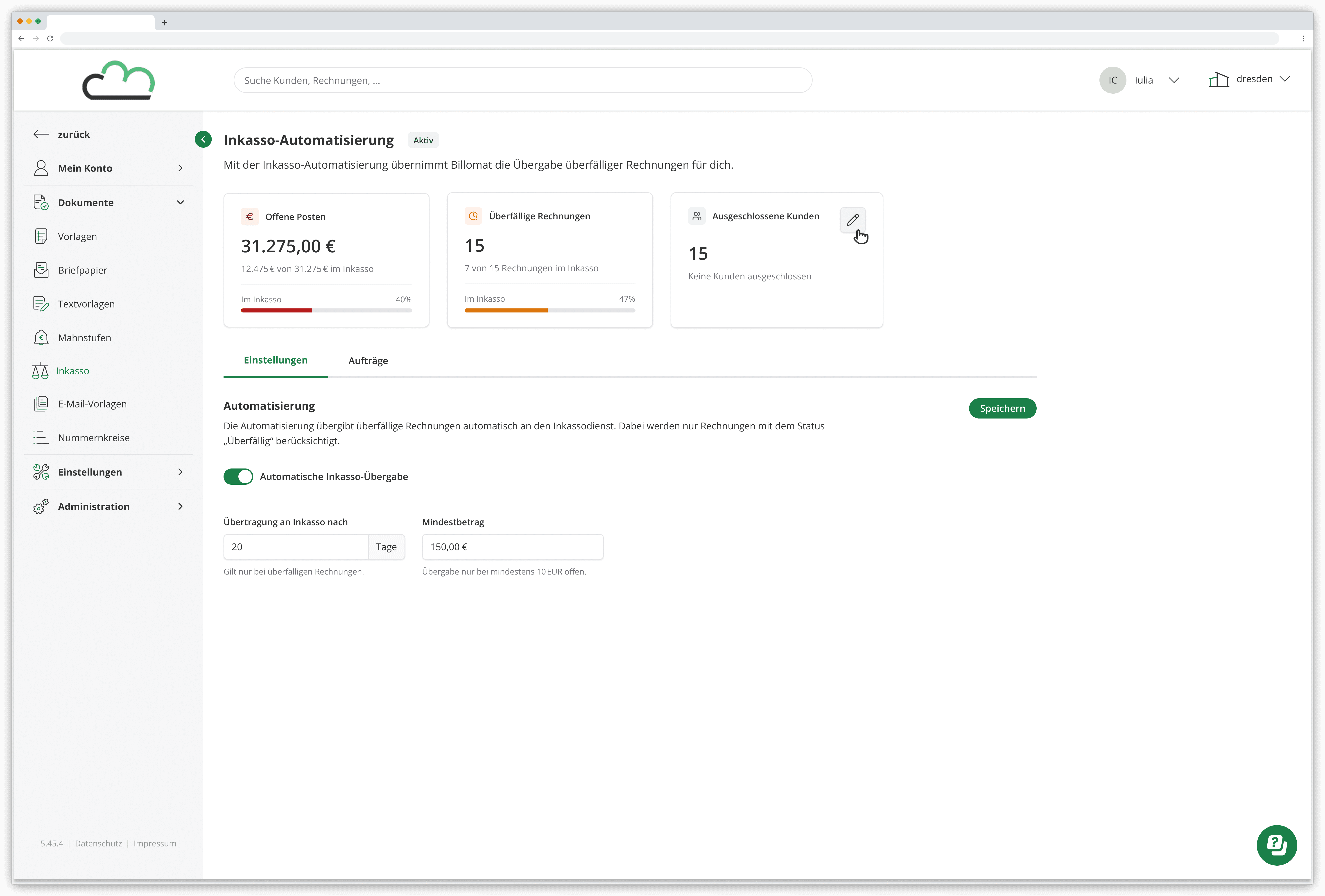
Automation Settings

Users can configure when overdue invoices should automatically be transferred to the collection service, including timing thresholds and minimum invoice amounts.

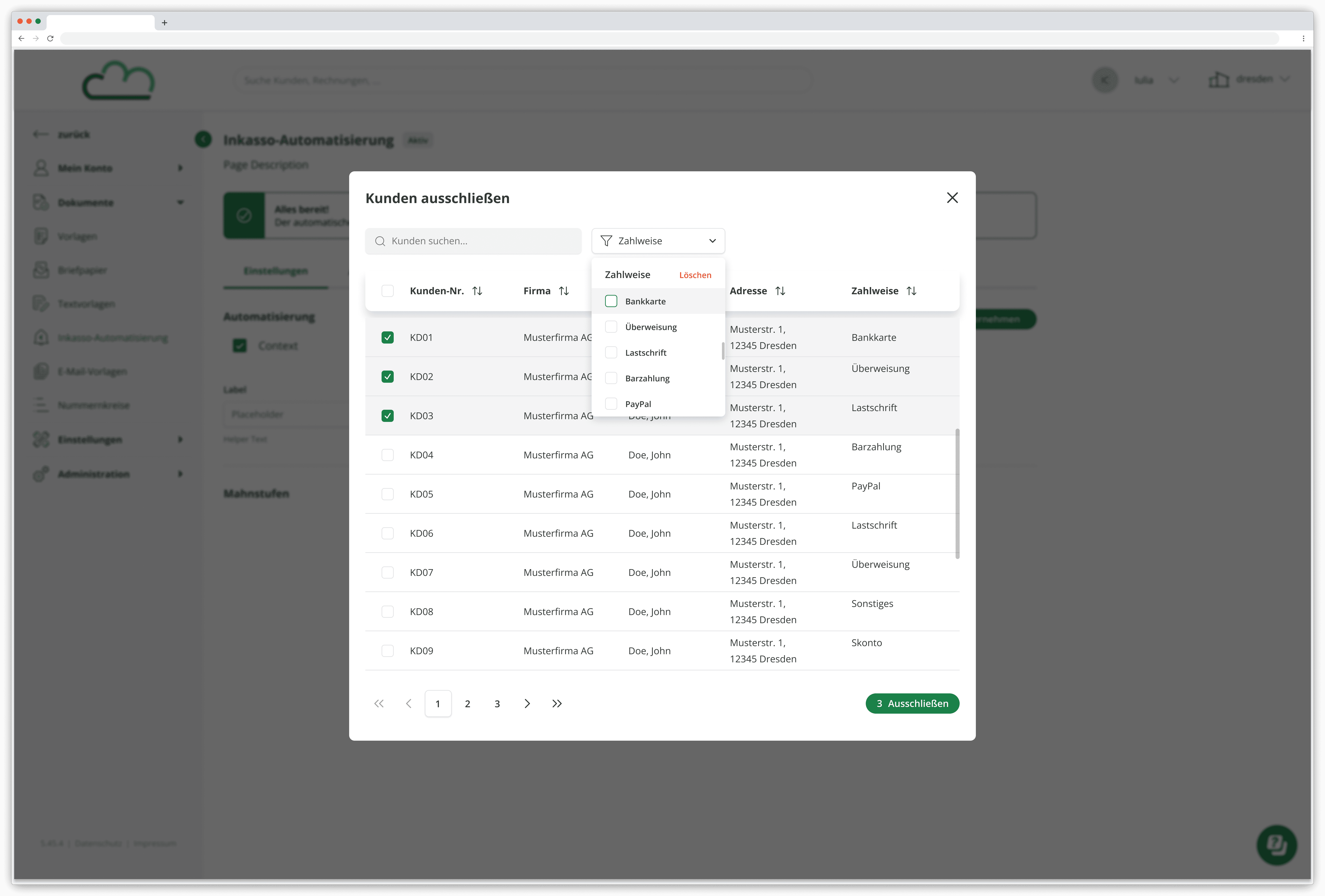
Customer Exclusion Management

A searchable modal allows users to exclude specific customers from automated debt collection, ensuring sensitive accounts remain manually managed.

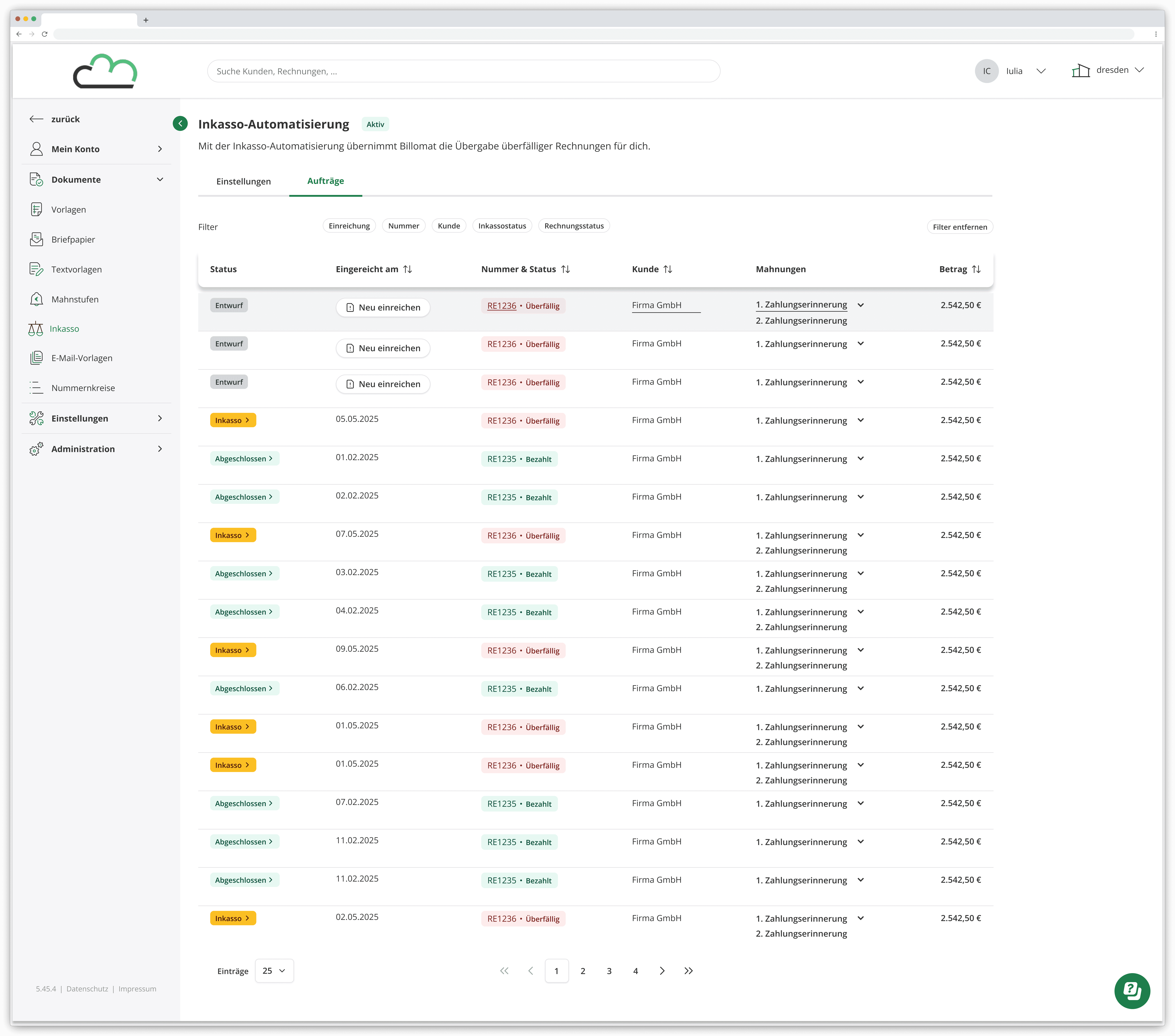
Automation Overview

A dedicated overview provides visibility into automated collection cases, including invoice status, submission history, and payment updates.

Outcome

The result was a feature that had travelled the full distance, from a fragmented multi-platform workaround to a maintainable, automated, single-screen experience.

Users gained a faster and more intuitive submission process. The engineering team gained a codebase they could build on. And the product gained a foundation that could scale with the company rather than against it.

Create a free website with Framer, the website builder loved by startups, designers and agencies.