Problem
In 2025, the company secured a banking license and, with it, introduced a new feature: “Konto & Karte”. Its scale brought into focus what had been building for some time. The existing platform simply wasn't designed to carry this kind of weight.
The inherited Design System had no established standard. Components were broken and inconsistent. The color palette had been built for print with no consideration for UI or accessibility. Combined with backend instability, it all pointed to the same conclusion: rebuild from the ground up.
Solution
Rebuild the foundation before designing a single screen: tokens, components, variables, and documentation, all as one coherent system.
The one constraint was continuity. Users needed to recognize the new platform as part of the same product family. This wasn't a rebrand. It was a modernization, same identity, stronger foundation, and the first real opportunity to do things properly from the start.
When "Factoring" became the first project to fully adopt it, the system held. That is the best proof a Design System can offer.
Tokens & Color
The system was grounded in Tailwind CSS and shadcn/ui conventions, a deliberate decision to align design and engineering from the outset rather than bridge the gap at handoff.
By anchoring the token structure to how Tailwind thinks about scale and naming, the shared language between design and development was established before components were being built.
Color decisions weren't made at the palette level and then applied to components, the process ran the other way. Tailwind's full primitive set was tested across real component scenarios: Callouts, Alert Dialogs, Badges, Tags, Toasts, and Input form states.
The goal was to observe how each color behaved in context before anything was committed.
Semantic roles like Info, Success, Warning, and Error were only locked in once they had proven themselves across enough combinations to be trustworthy.
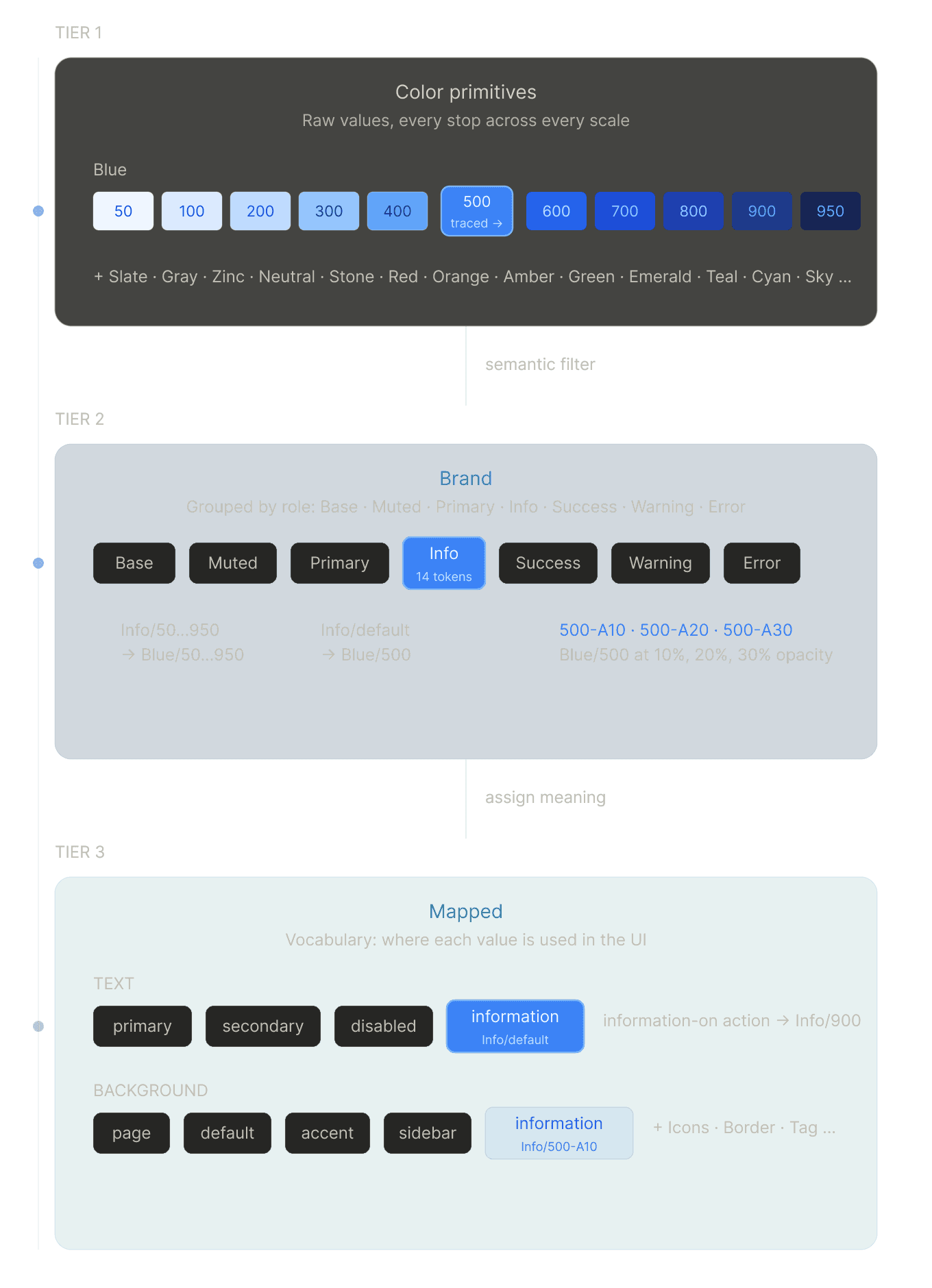
The result is a three-tier token architecture.
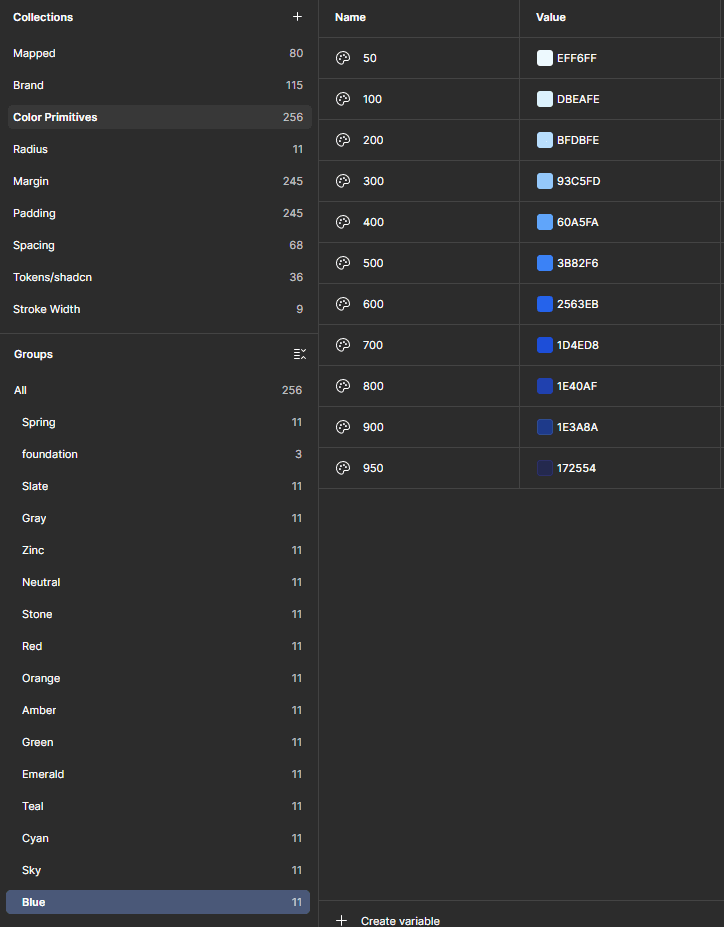
At the base, Color Primitives hold the raw values, every stop across every scale, e.g., from Blue/50 to Blue/950, mirroring Tailwind's conventions.
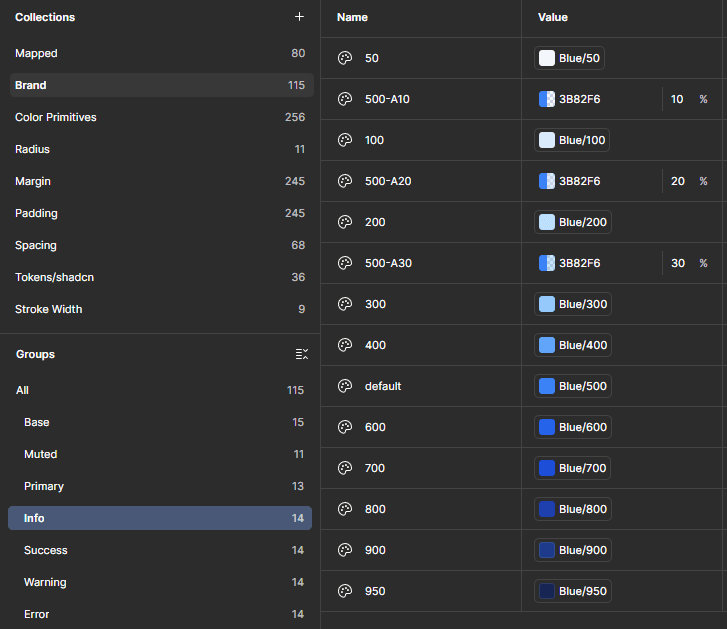
The Brand layer filters those primitives into semantic groups: Base, Muted, Primary, Info, Success, Warning, Error, each with a full scale plus alpha variants for overlay and background use.
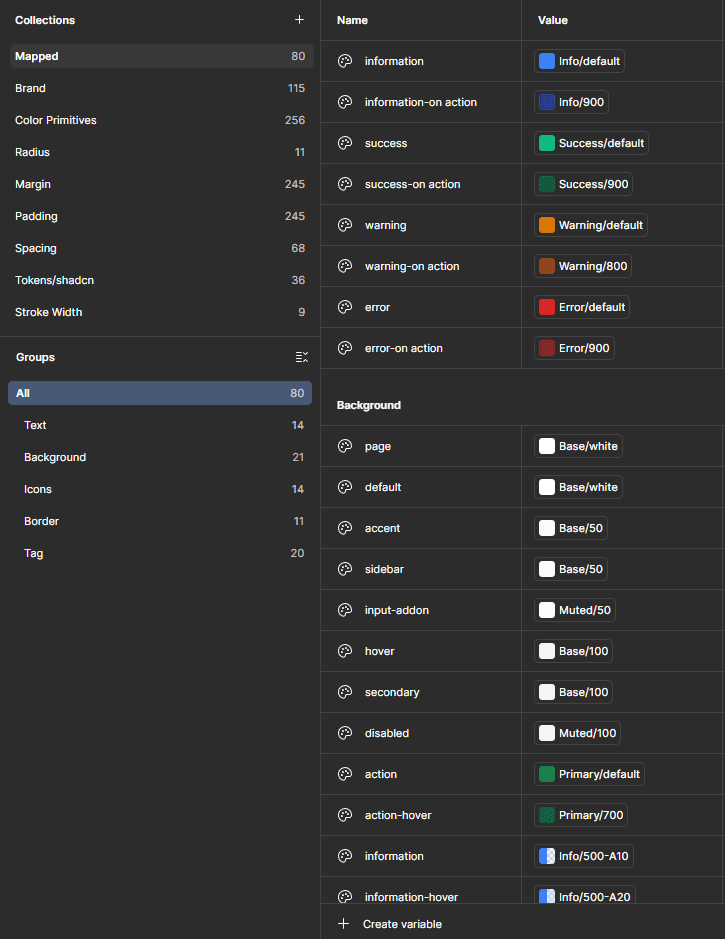
At the top, the Mapped layer assigns meaning: tokens like information, information-hover, or success-on-action reference Brand values directly. Components consume intent rather than raw color.
A change at any tier cascades correctly through the system.
Accessibility was built into the palette documentation from the beginning. Contrast ratios were tested against WCAG 2.1 standards across each scale, with AA compliance as the minimum. AAA ratings were achieved across the majority of stops, particularly those used for text and iconography.
Variables & Documentation
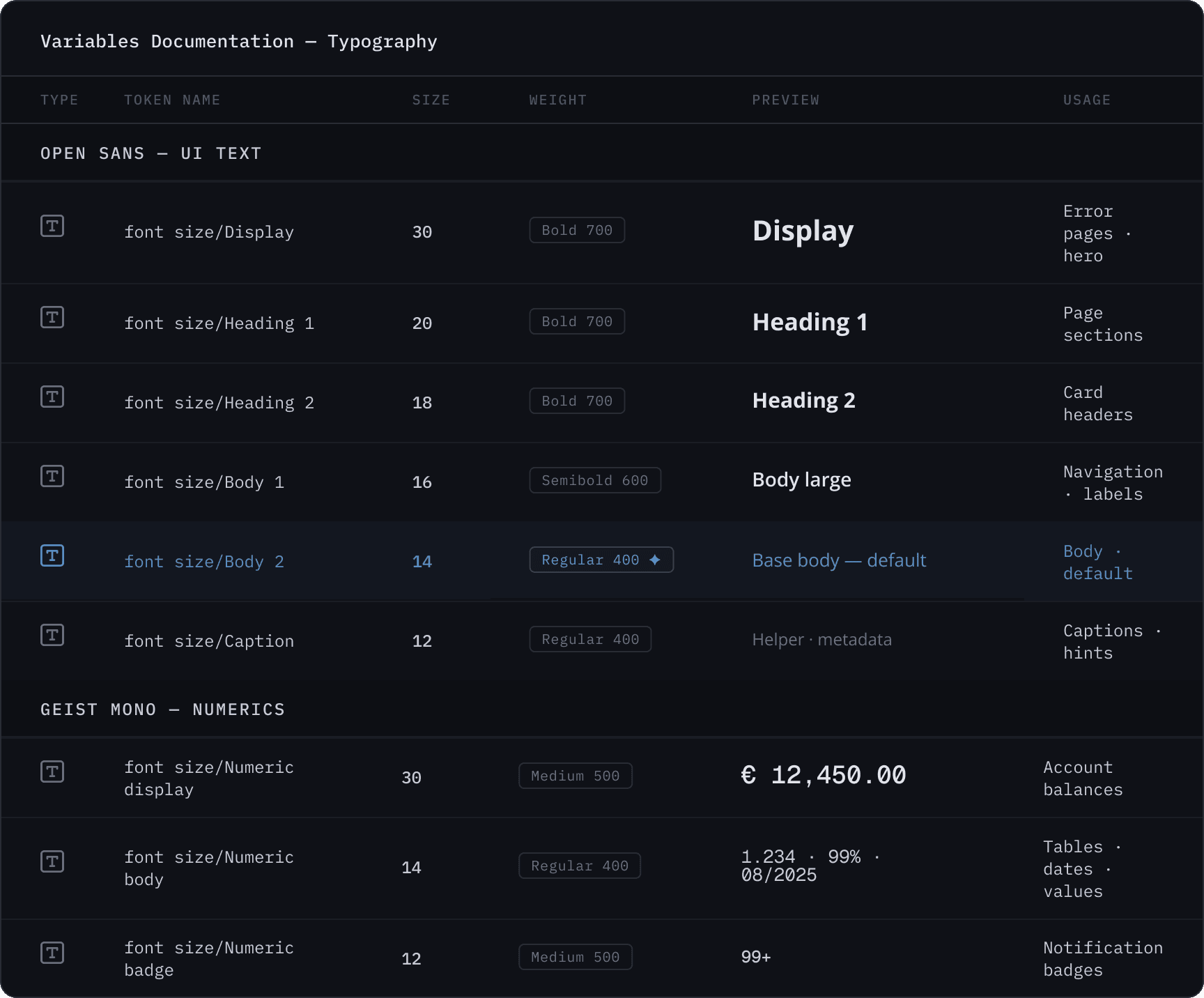
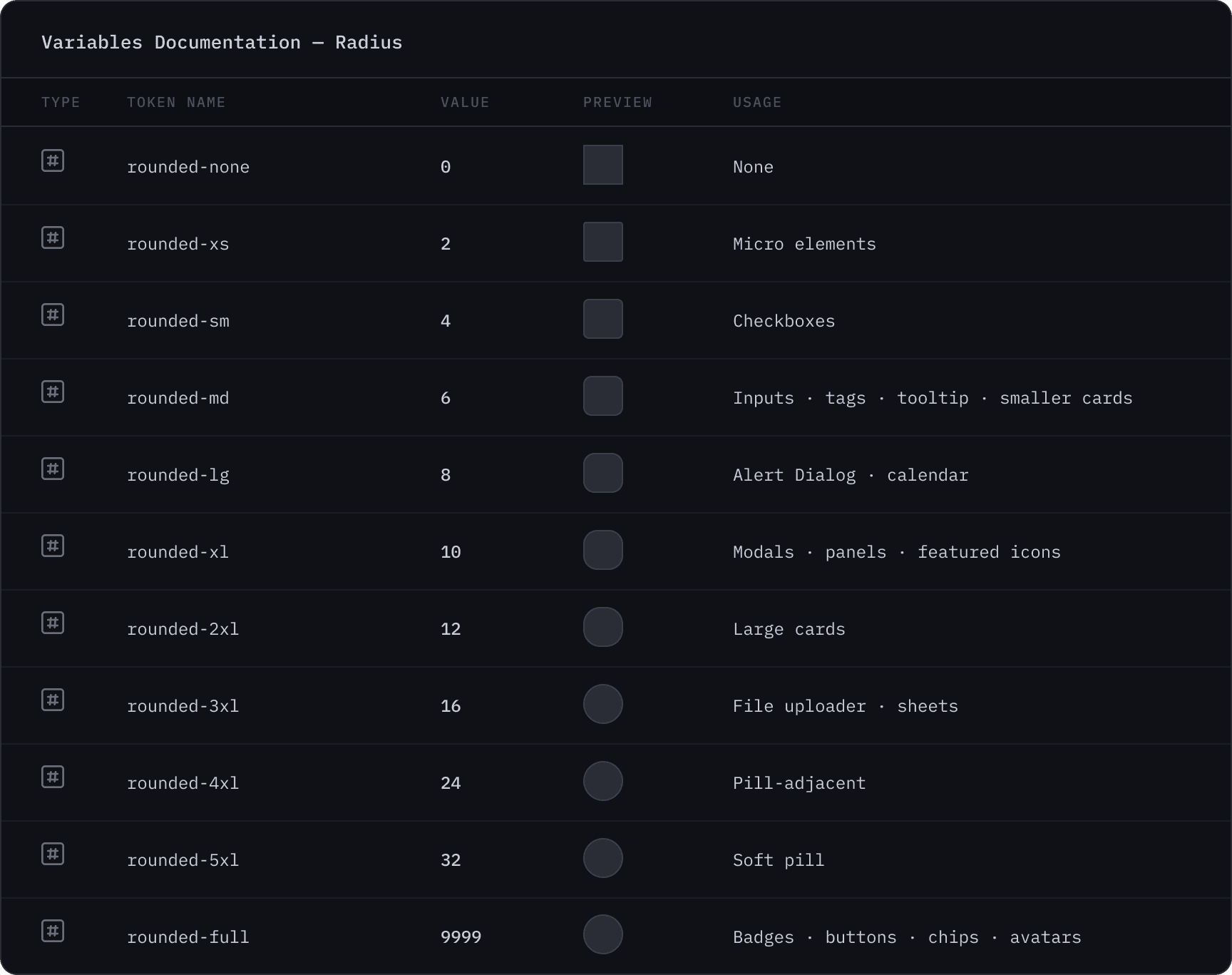
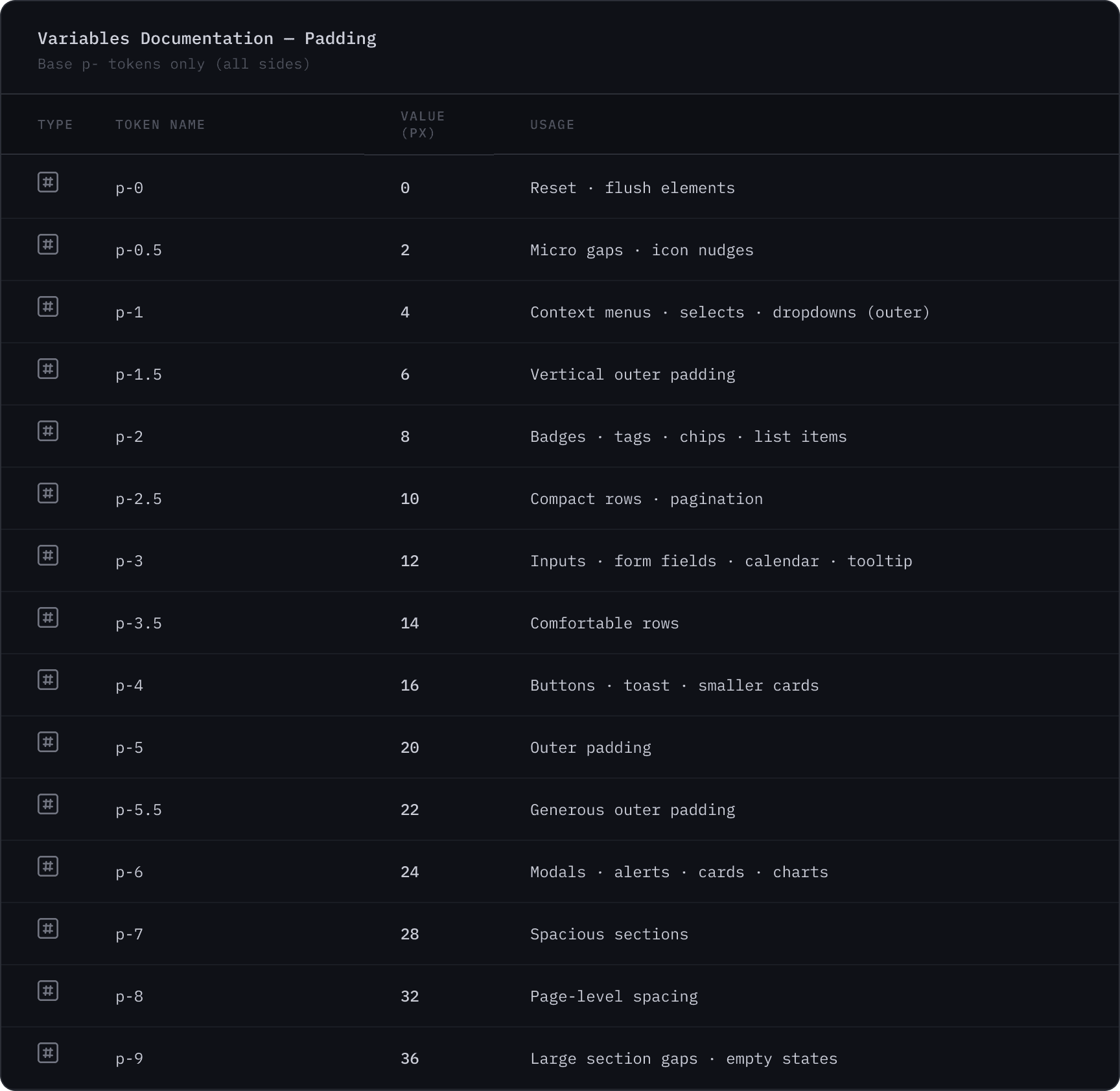
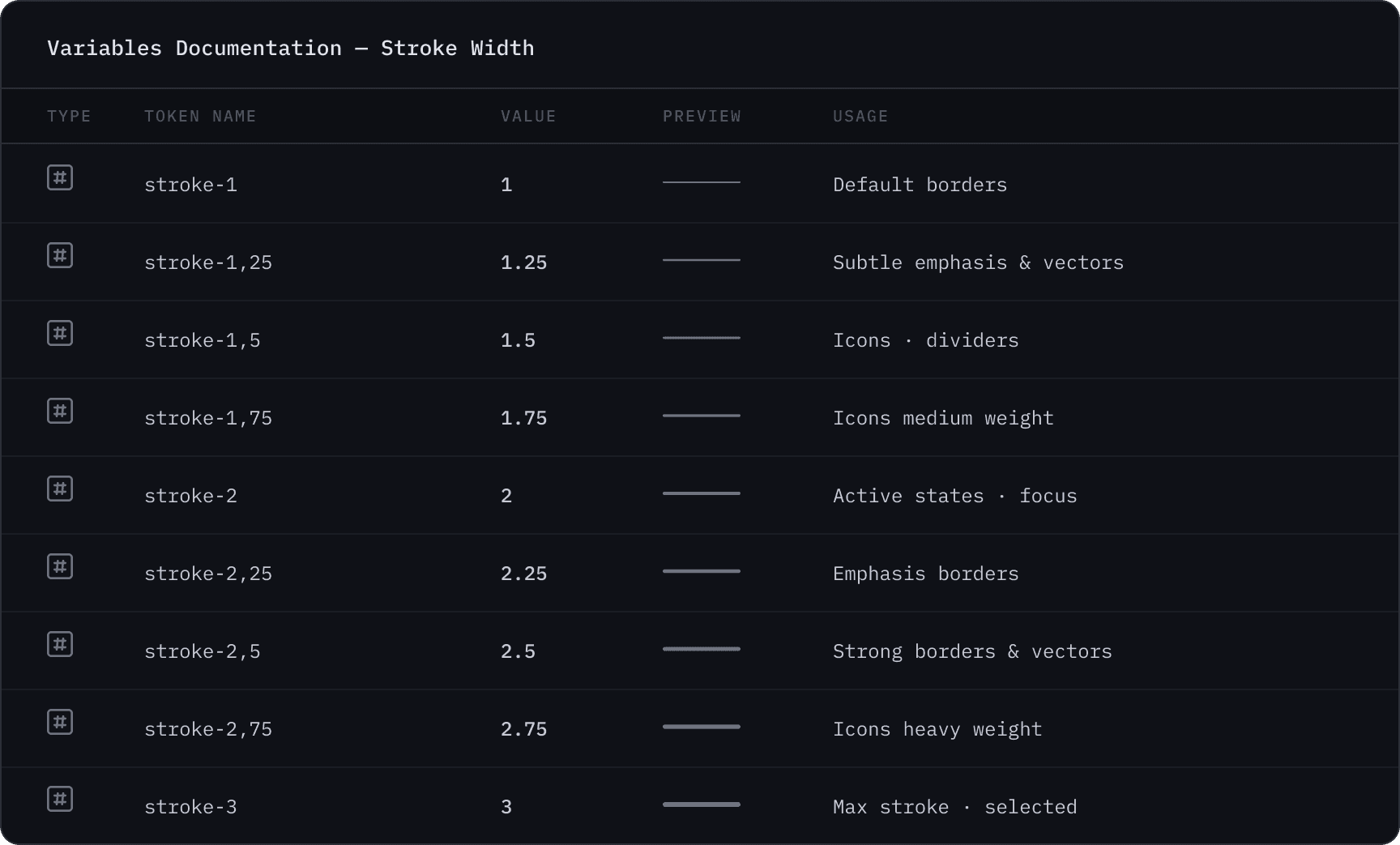
Figma variables were central to how the system held together. Rather than using styles alone, variables meant the system could support theming and mode-switching.
Documentation was written in parallel with the build. For a solo designer building something that would eventually be handed off to developers and other designers, documentation wasn't optional. It was what made the system real rather than just a Figma file.
Component Architecture
With tokens in place, I built the component library on top of them. Each one was structured around a base with swappable variants, covering the states, sizes, and configurations that would actually be used in the product, not an exhaustive list for its own sake.
The logic behind every component was the same: build the simplest version first, then extend it with intention. A Button is rarely just a Button. It's where foundational decisions about hierarchy, states, and scale get settled. Getting those right early meant they didn't have to be revisited with every new screen.
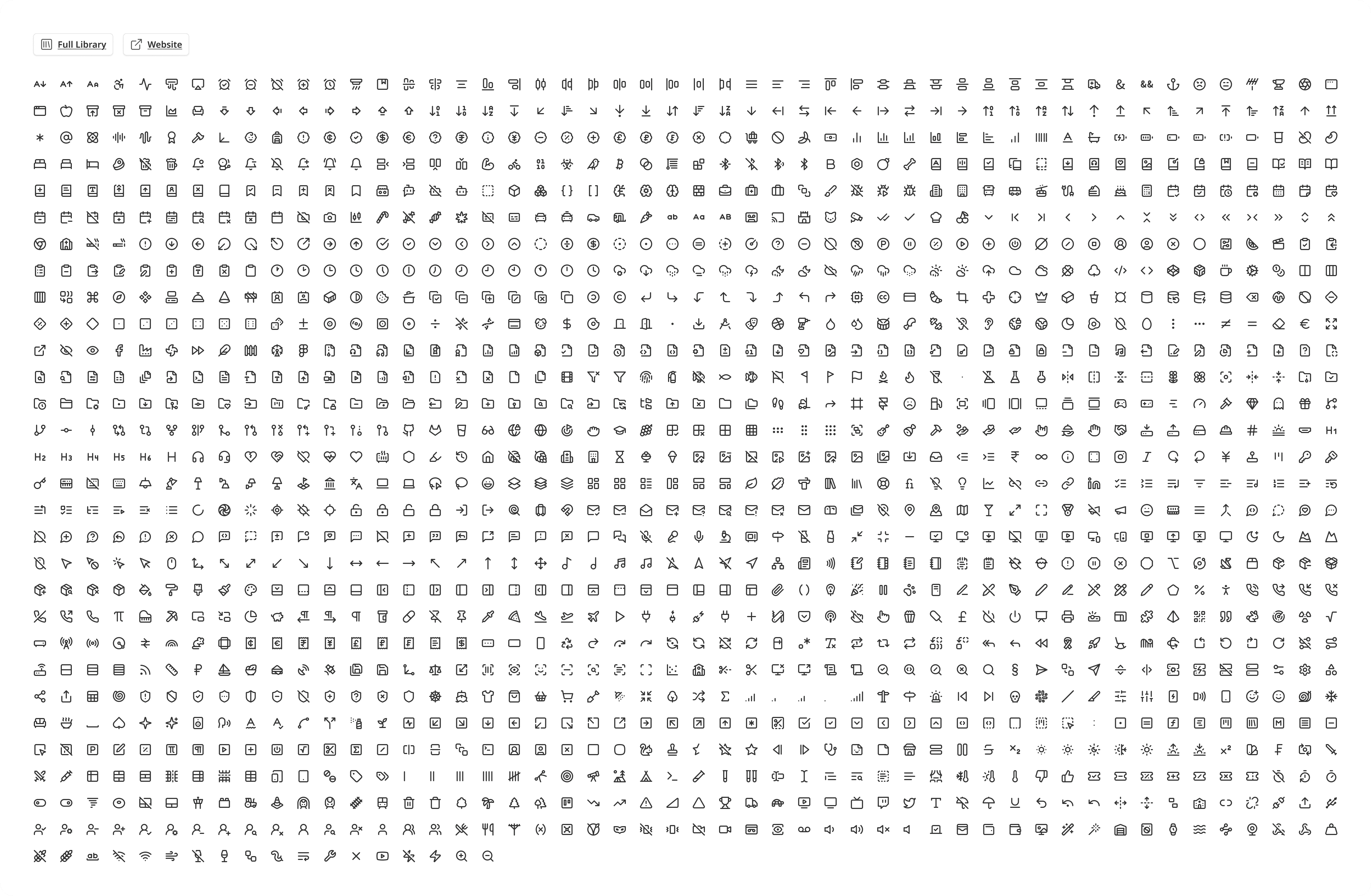
The icon library was built on Lucide, a comprehensive open-source set.
Outcome
This was the first time I had the scope to build something of this scale from scratch. Not adapting what existed, but replacing the logic entirely: tokens, components, variables, documentation, all built as a coherent whole.
The platform didn't reach launch. Funding ran out at the end of 2025. But the system stood on its own, independent of that outcome. A complete foundation, built properly for the first time.