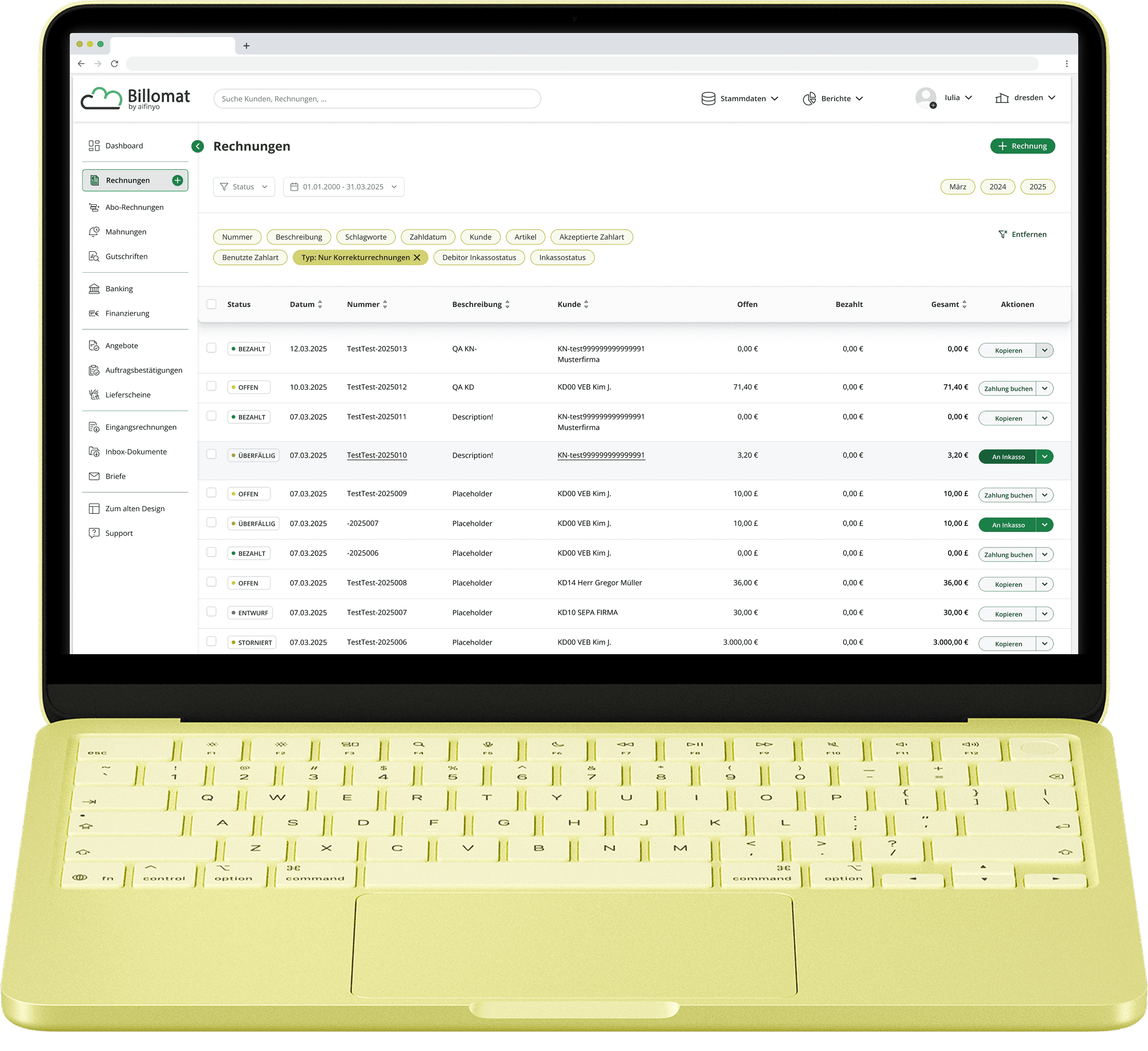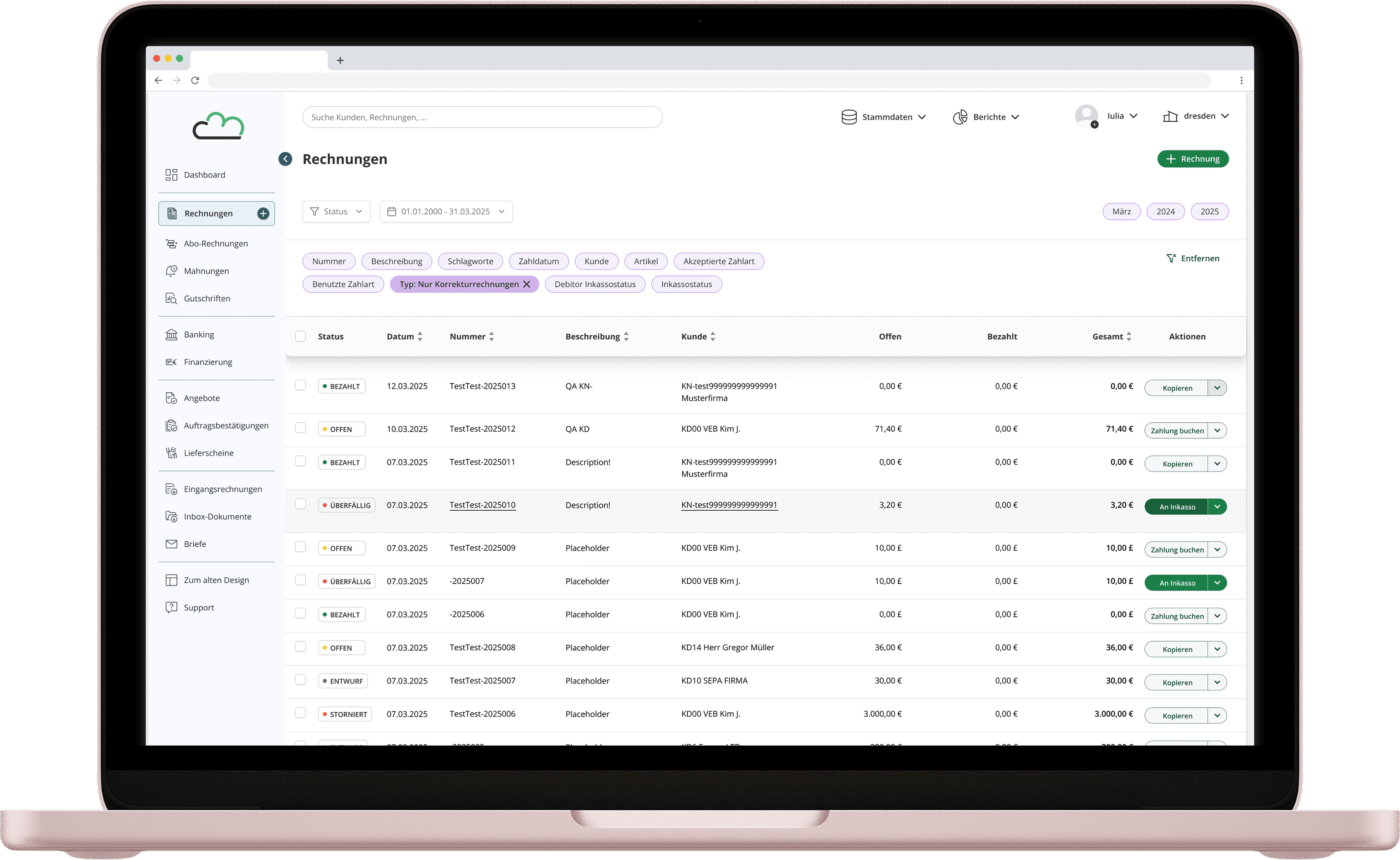
Overview & Scope
The interface had a contrast and legibility problem that was affecting real users. Eye strain and navigation difficulty were reported consistently. The visual design, while brand-aligned, hadn't been implemented with accessibility in mind, leaving interactive elements hard to identify and the interface tiring to use over time.
This project set out to fix that, redesigning core UI components and screens to meet WCAG 2.1 with a minimum of AA standards without dismantling the brand identity the product had been built around.
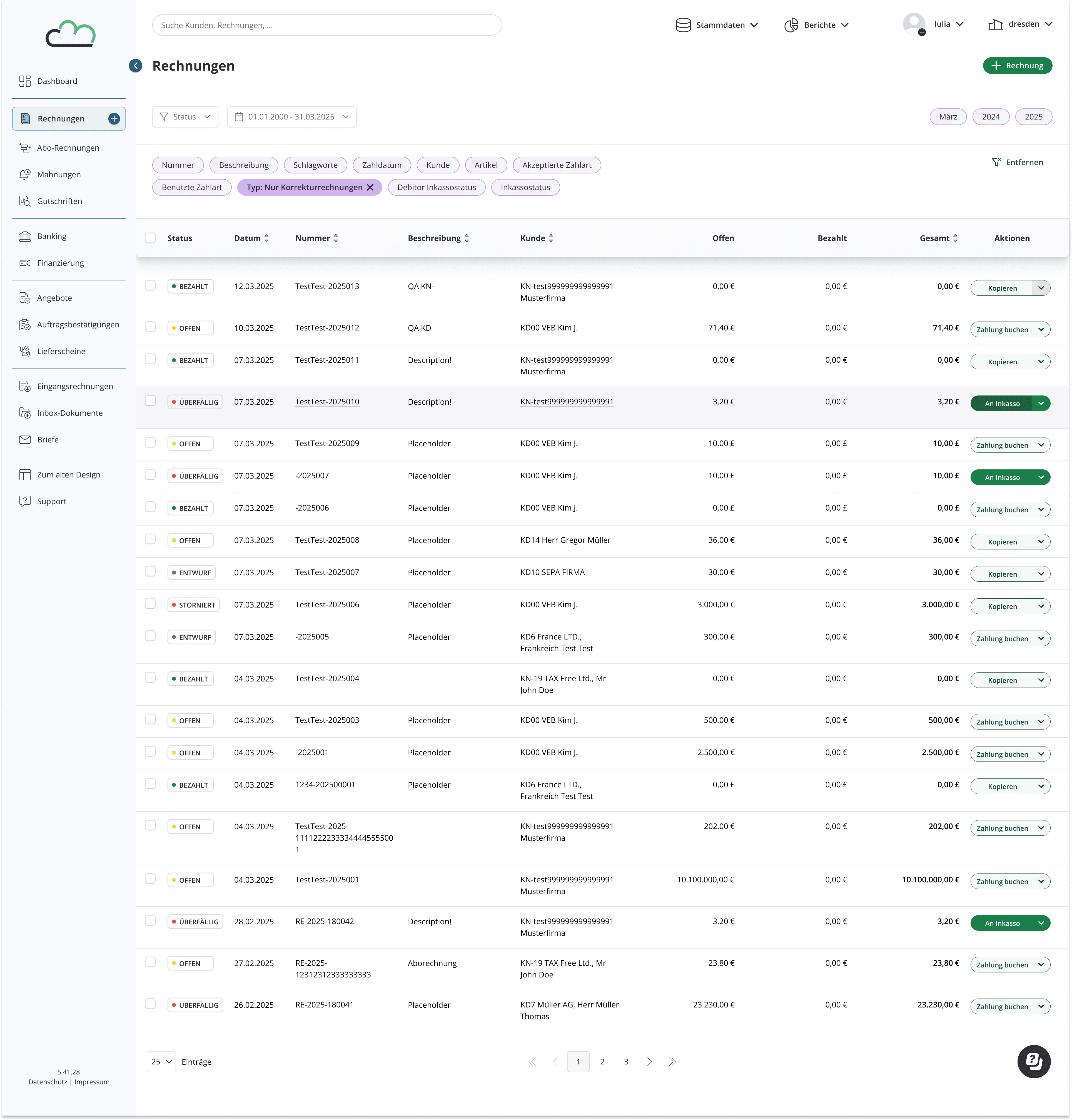
The scope was focused on the invoice view ("Rechnungen") specifically, the most complex and most frequently used part of the product, as prioritized by management based on user data.
Challenges
Insufficient contrast between text, background, and UI elements
Interactive elements were difficult to distinguish from static ones
Visual clutter and poor hierarchy increased cognitive load
Constraints
Maintain the existing information architecture
Focus on visual improvements rather than structural changes
Use color strategically as accents rather than primary layout elements
Design Approach
Every decision was anchored to a specific problem:
Accessibility
Ensure all text and UI elements meet WCAG 2.1 contrast requirements.
Visual Clutter
Shift to a neutral base with purposeful color accents, tighter hierarchy, and lower cognitive load.
Interactive States
Make buttons, controls, and focus indicators unambiguously distinct; no guessing what's clickable.
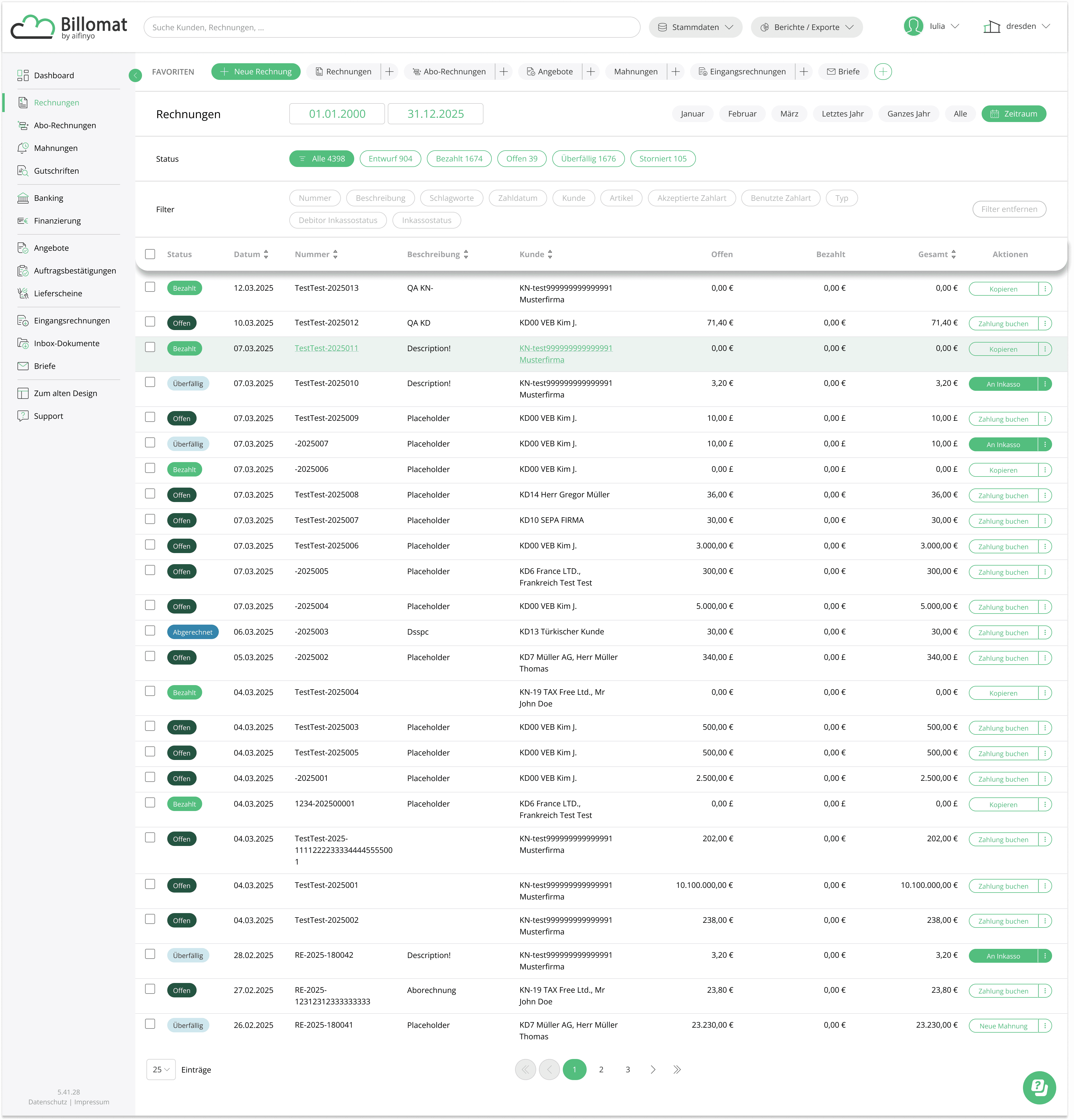
Original Interface
The original interface relied on analogous green and blue tones, a palette that felt cohesive on the surface but created real problems in practice.
Low contrast between elements made interactive components difficult to distinguish, and the lack of visual hierarchy increased cognitive load across the board.
COLOR PALETTE
Green
#EBF3F0
#96B4A6
#53BE7E
#245441
Blue
#DEEDF5
#CEE5F0
#3484AB
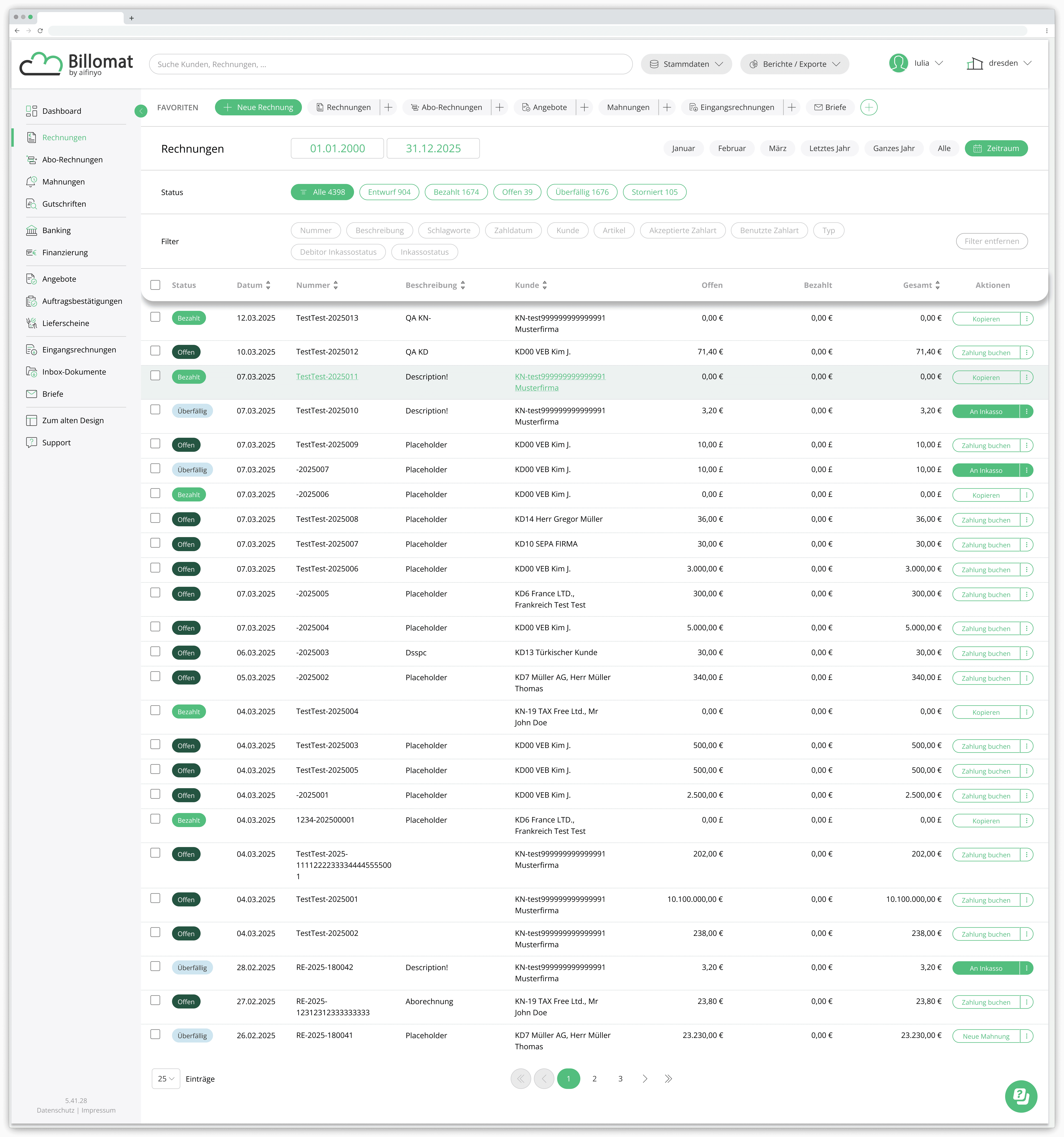
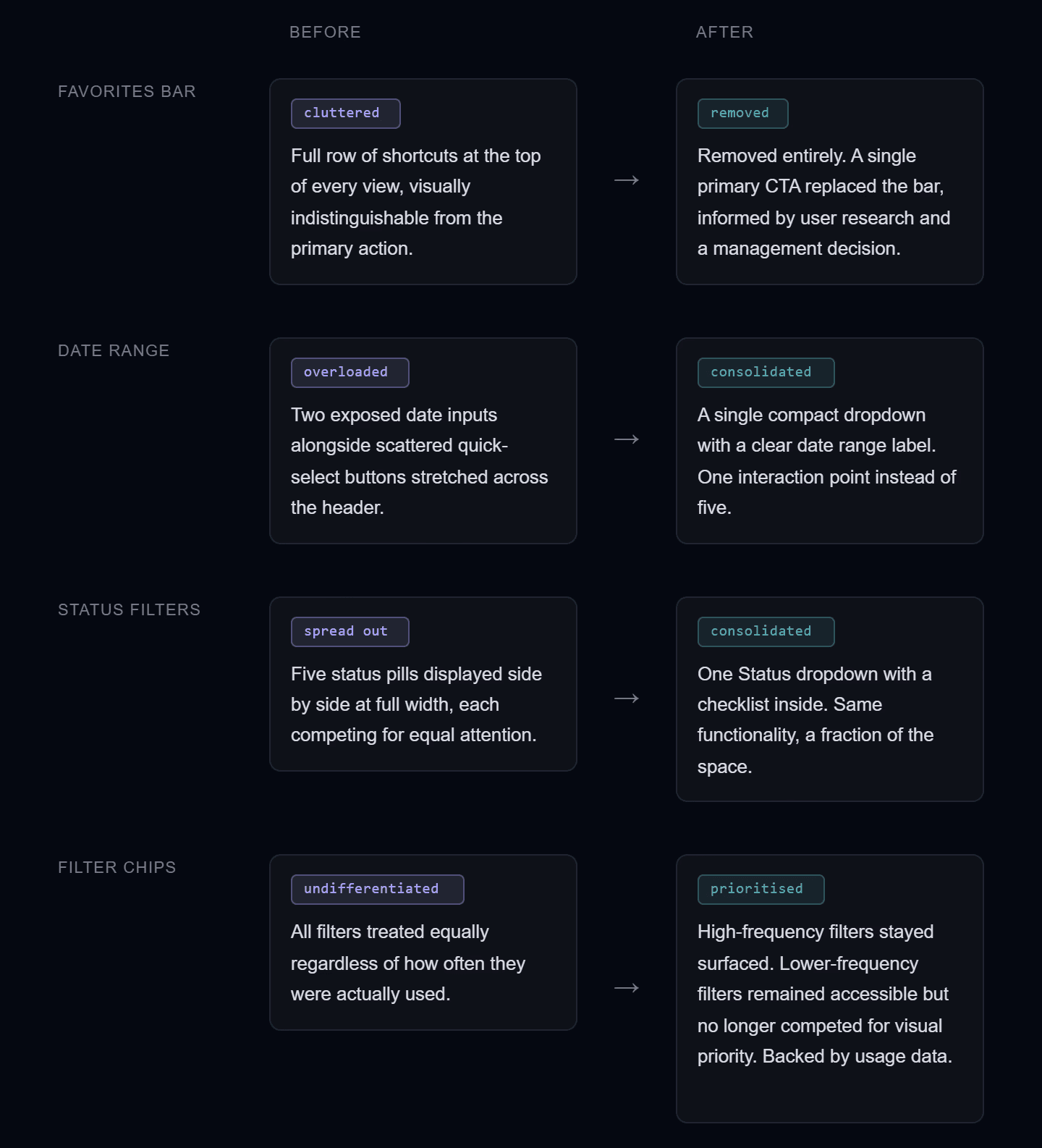
Beyond Color: A Hierarchy Problem
Contrast wasn't the only issue.
The top section of the invoice view packed four distinct interaction layers into a single visual zone, all rendered with the same weight. No grouping, no clear primary action, no sense of what mattered most.
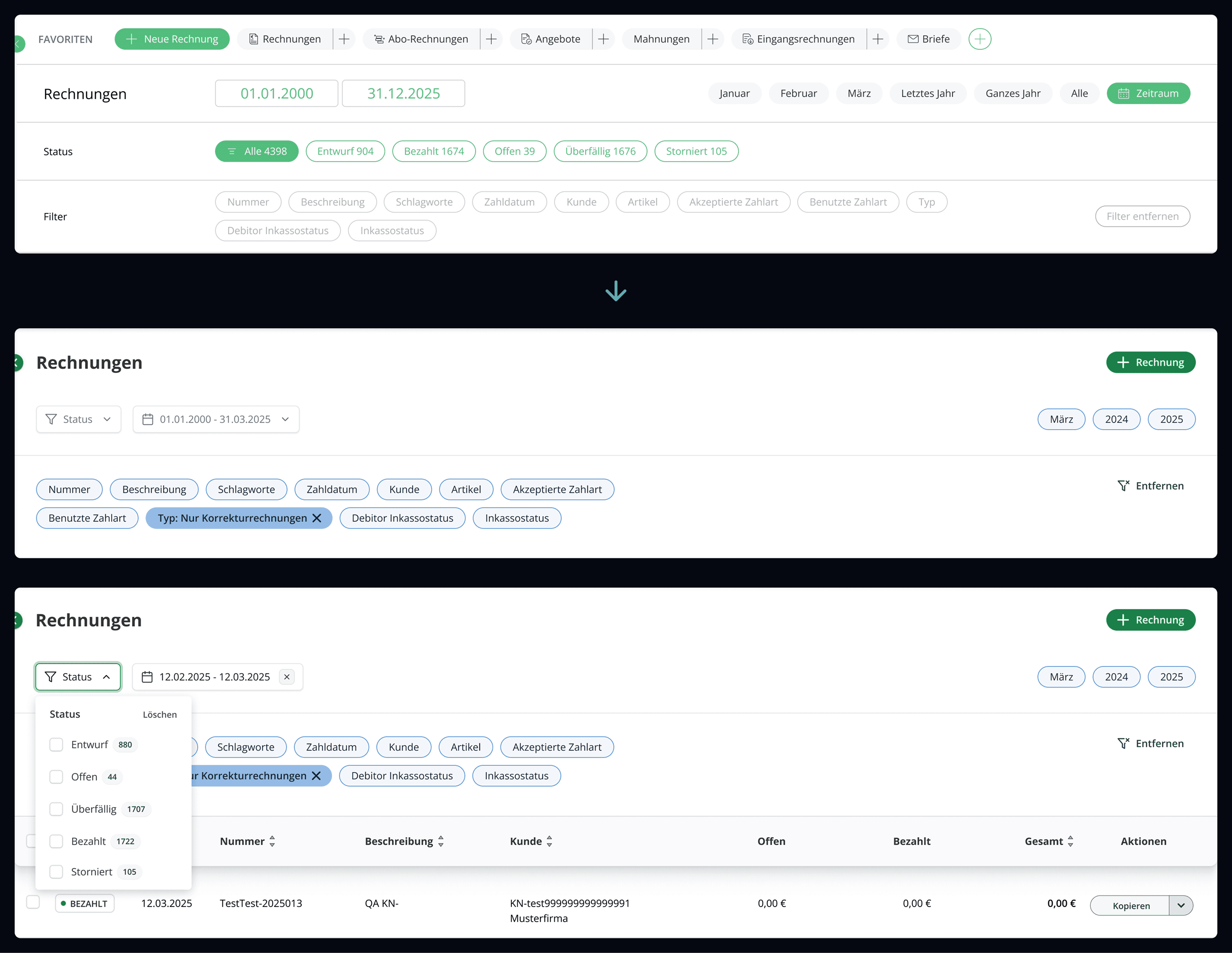
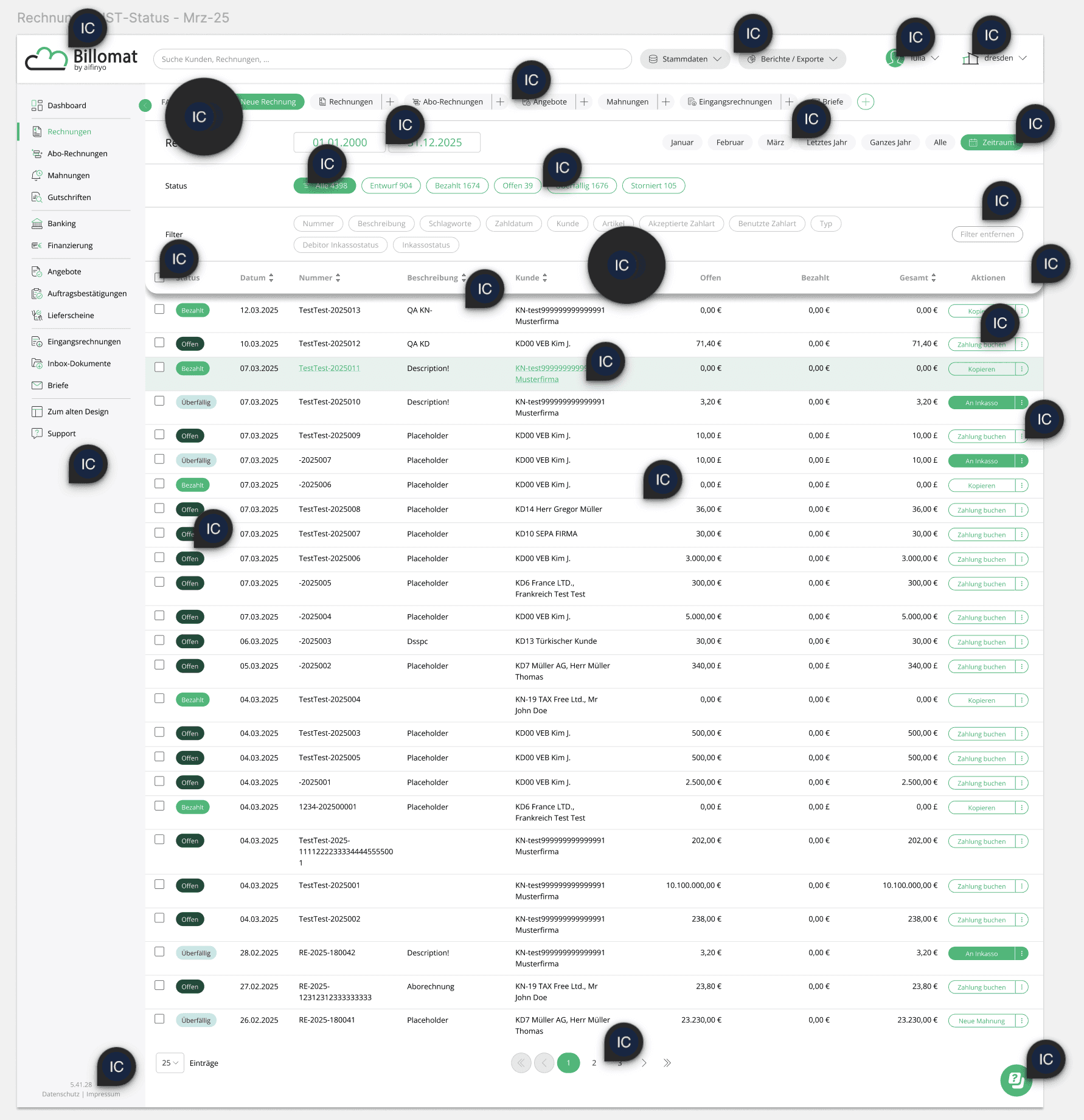
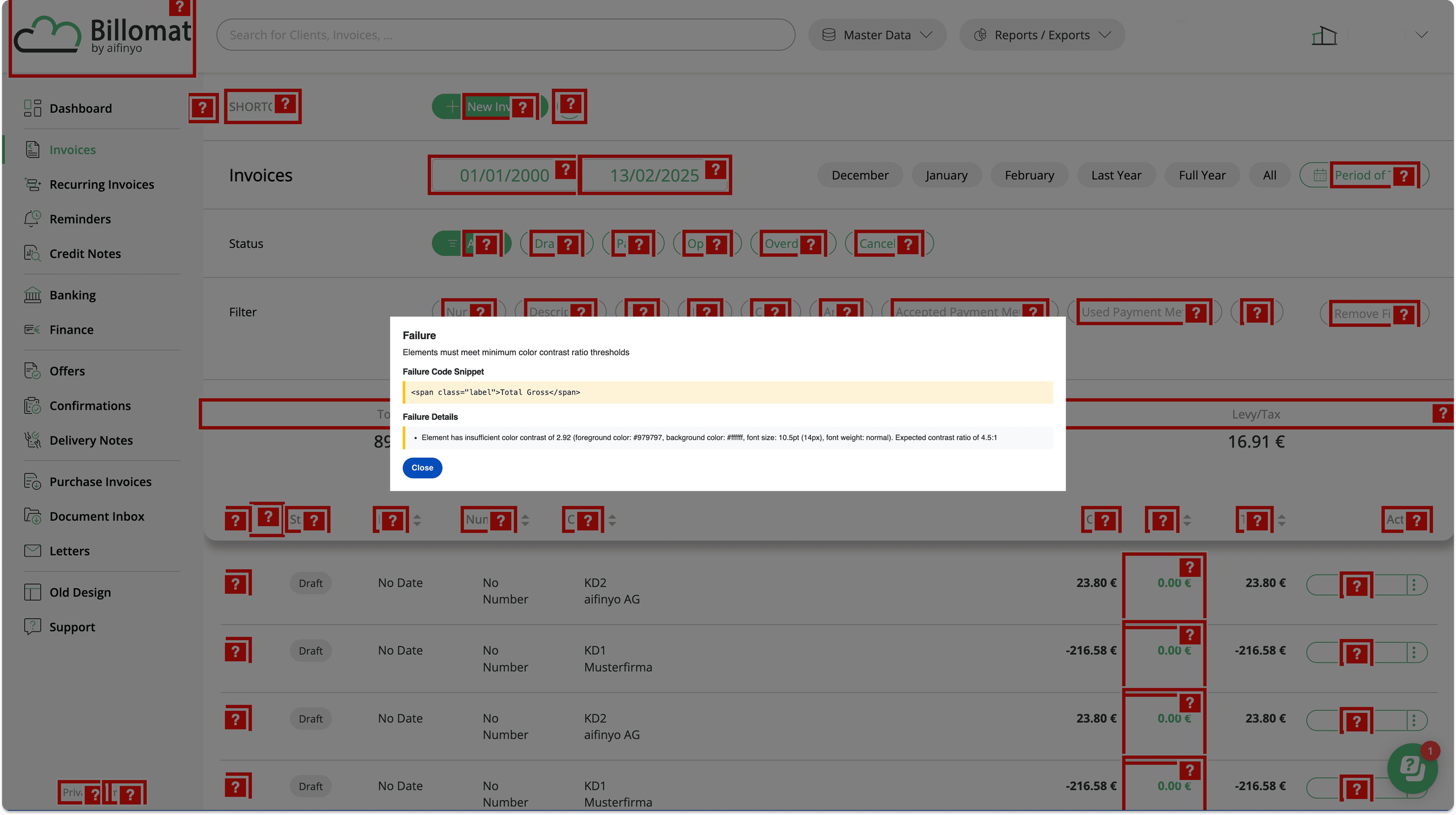
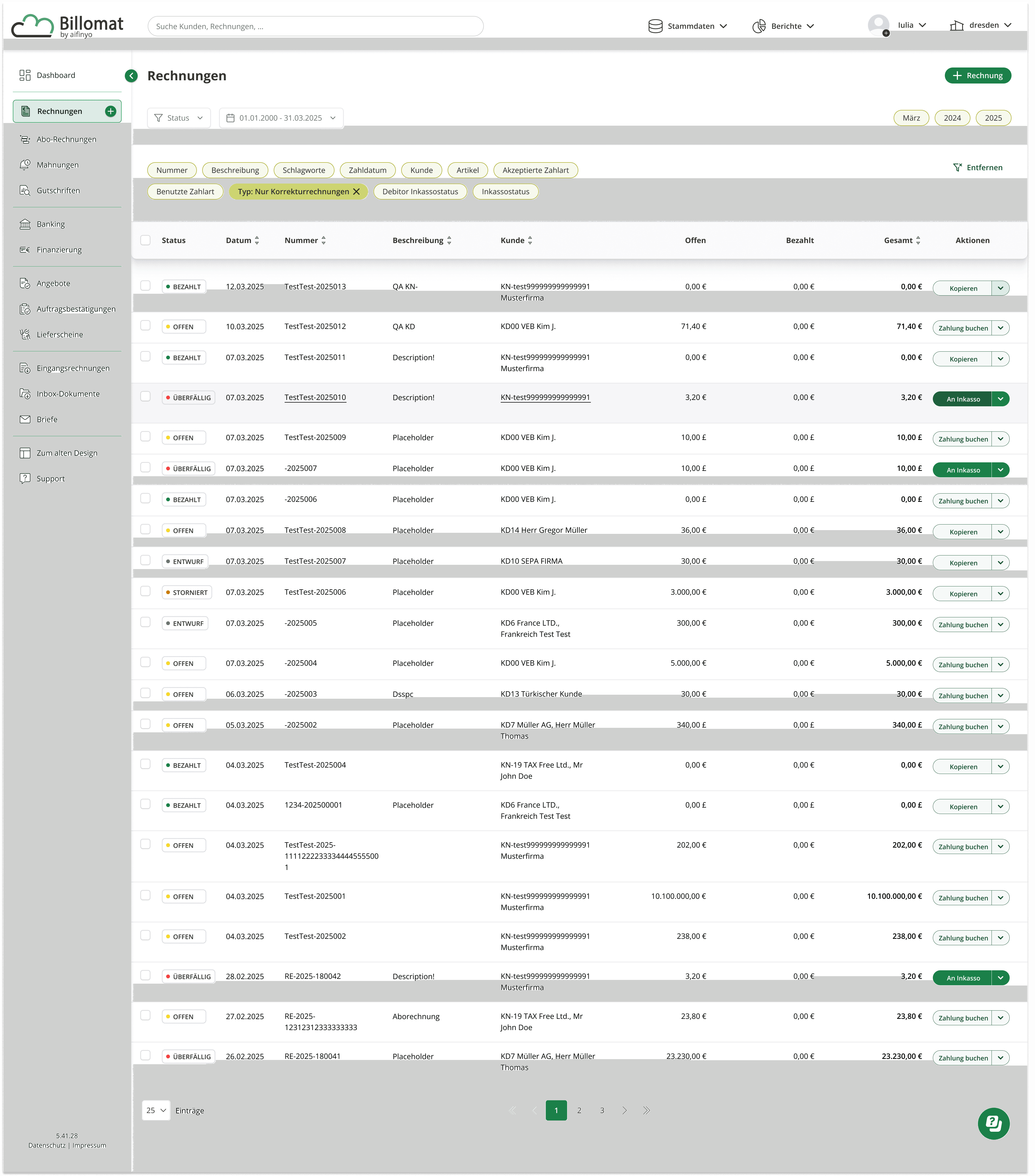
Annotated Accessibility Review
Before touching anything, I audited the existing interface visually, mapping contrast failures, unclear interaction states, and hierarchy issues directly onto the screens.
Annotating the problems first made every subsequent decision more targeted and easier to defend.
Color Strategy & Component Refinements
EXPLORATION
Four directions were explored, one working within the constraints of the existing brand palette, three pushing toward a lighter, more expressive canvas.
SYSTEM IMPACT
Each concept kept the same overall layout and information architecture, varying primarily in how color was applied to interactive elements. Taken together, they map a spectrum from minimal brand adjustment to a foundation flexible enough to support user-selectable themes in the future.
STATUS INDICATORS
Beyond color, one shape decision ran across all four directions: the status indicators inside the table.
In the original interface, fully filled rounded pills competed visually with every other element on screen. The redesign replaced them with outlined tags, a colored dot, and a lower border radius. A more restrained format that lets status read clearly without adding noise to an already dense view.
COLOR PALETTE
REVISED
BRAND
Green
#F5F9F8
#1B8049
#1A613B
Blue
#E7F1F7
#64ADCC
#27607D
ACCENTS
Mauve
#F5F1FC
#D0B4ED
#36213E
Baby Blue
#F3F6FC
#94BBE5
#14253D
Pale Amber
#F7F9ED
#CDD470
#352A13
Tuscan Sun
#FEFAEC
#F7CA52
#431805
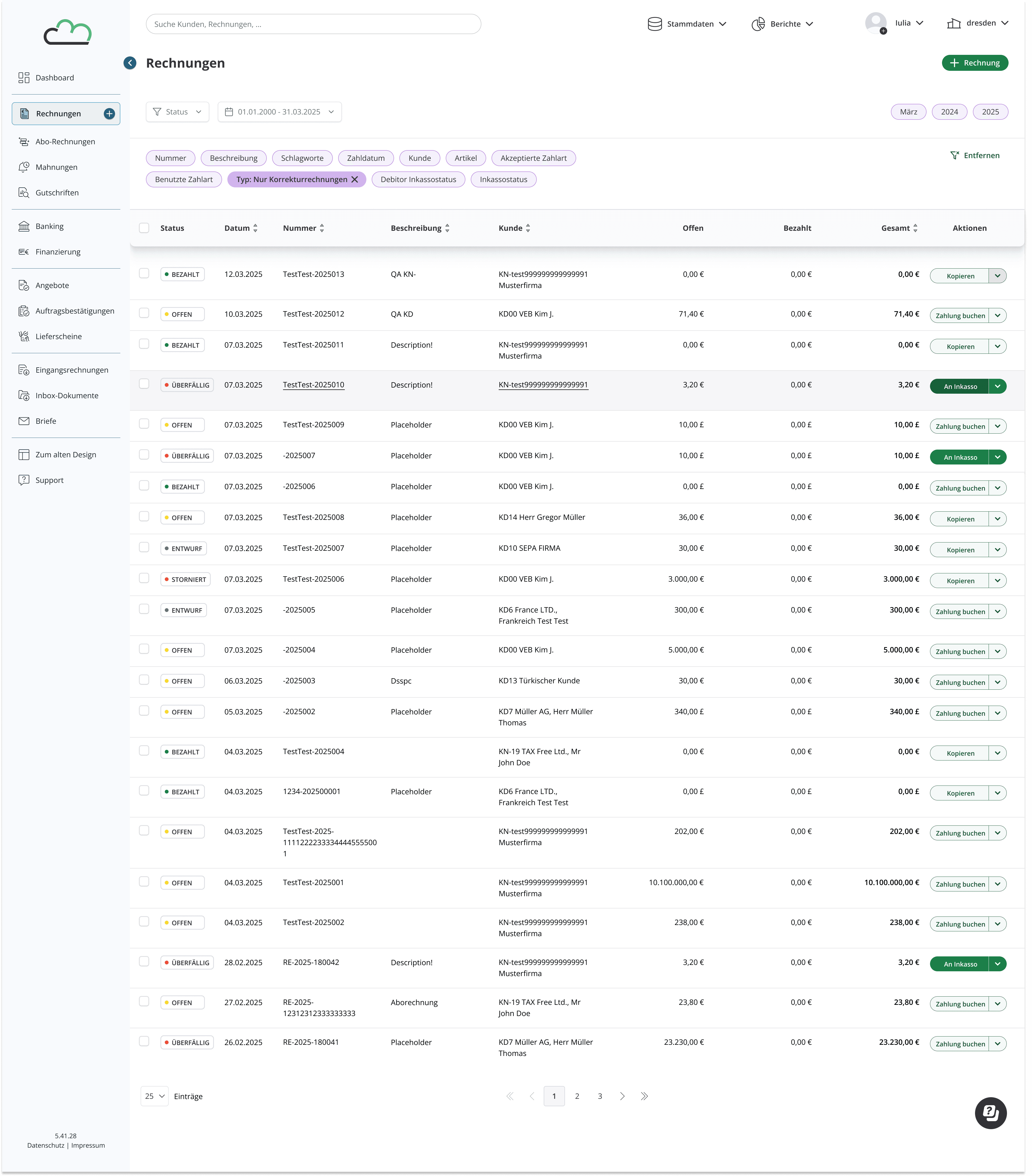
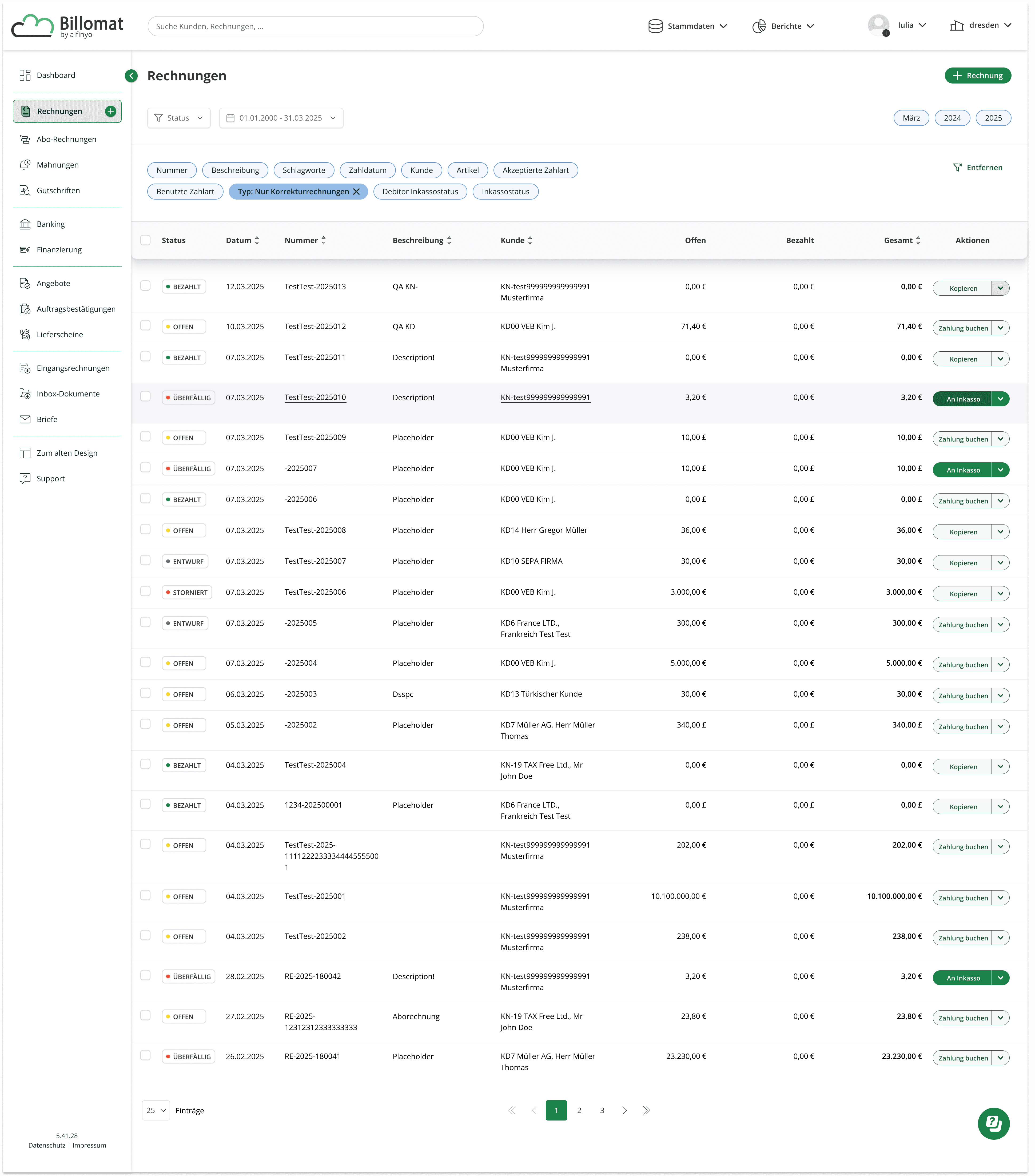
Blue · Mauve
The most constrained of the four directions, this concept stayed closest to the original brand palette. It worked within the existing green and blue spectrum, deepening key shades for contrast and using mauve as a subtle accent to break the analogous monotony.
White · Baby Blue Ice
The coolest and most reserved of the white-based directions, this concept leaned into calm and clarity. The blue ice accent reinforces the platform's existing blue tones while creating enough separation to distinguish interactive states.
It's the direction that would require the least adjustment from existing users.
White · Pale Amber
A deliberate shift toward a lighter, more open canvas. Pale amber was chosen for its neutrality; warm enough to feel distinct from the green brand tones, restrained enough not to compete with them.
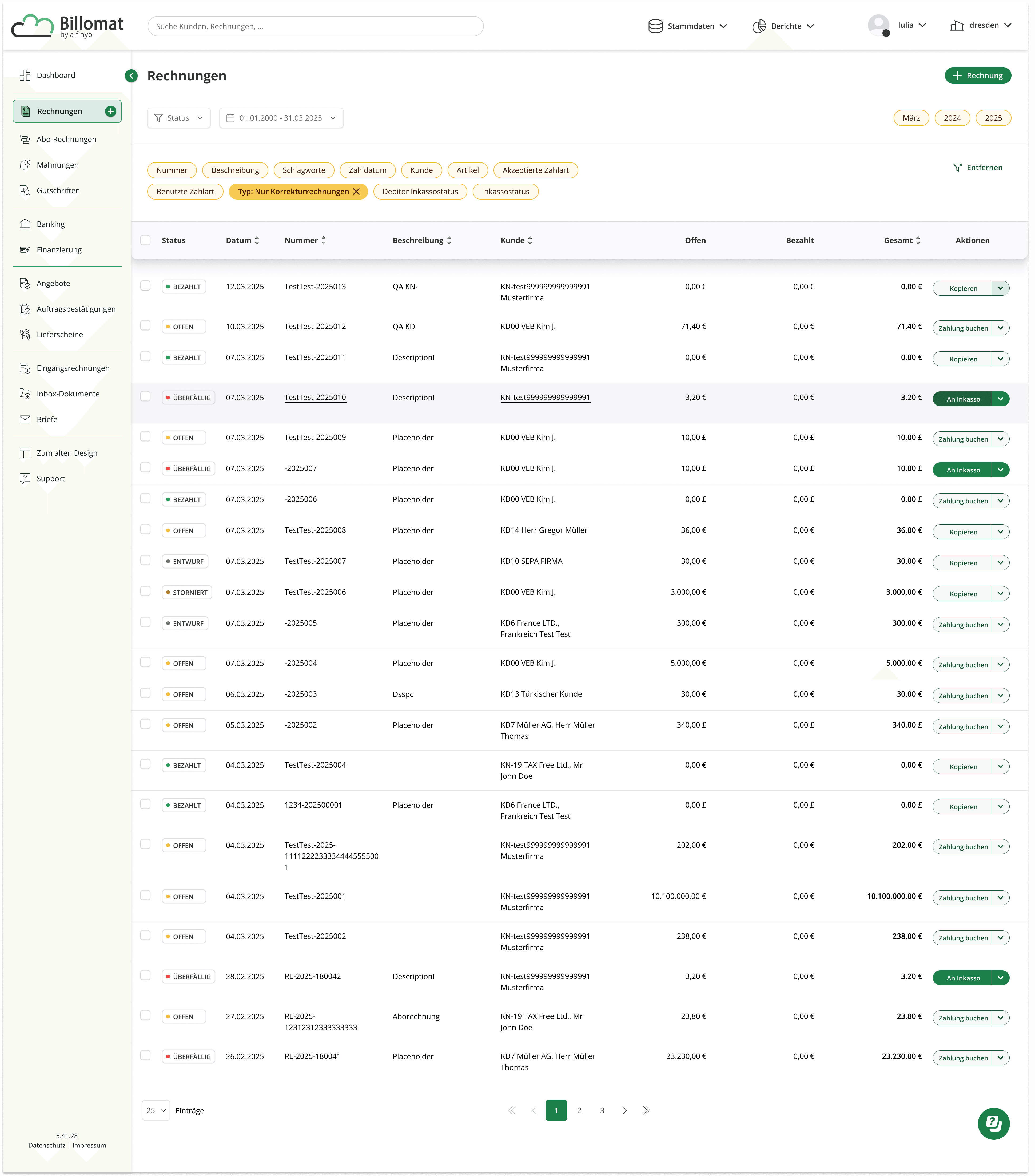
White · Tuscan Sun
A step further in warmth, this concept tested whether a more expressive accent could still feel at home in a professional financial interface. The amber tones are present enough to guide the eye without demanding attention.
Takeaway
Starting from a scoped accessibility brief turned out to be an advantage. Working within the existing brand and information architecture meant every decision had to be justified on its own terms, not covered by a full redesign.
The result was a more deliberate approach: better contrast, less color noise, clearer interaction states, and a shape language that finally gave status indicators their own visual register. The brand stayed recognizable and the interface became easier to use.