Factoring
Problem & Context
By late 2025, the company was mid-way through building a new banking platform around a recently acquired banking license. What started as a contained project for "Konto & Karte" had grown into something larger: every product the company offered would eventually need to migrate to this new infrastructure.
Factoring was next. It was also one of the company's core revenue drivers. As a financing product, factoring directly supported client cash flow and generated recurring income for the business. Getting the digital experience right wasn't just a UX priority; it had direct business implications.
The brief, delivered as three Jira tickets under a single Epic, had a clear goal: a fully digital, self-service Factoring experience that reduced manual back-and-forth, improved cash flow visibility for customers, and integrated cleanly into the new banking platform.
Kontakte
Contact Directory
Dokumentenübersicht
Document Overview
Rechnungsupload
Invoice Upload
In reality, each ticket described functionality that didn’t exist yet, but was framed as a redesign rather than new system work.
What this actually required:
CREATION
Multi-step Creation Flows
Conditional Form Logic
CONSTRAINTS
Compliance Constraints
Granular Error States
VISIBILITY
In-app Document Preview
All of these workstreams had been operating separately, which created problems the moment Factoring required them to connect.
This was the actual brief.
Navigation
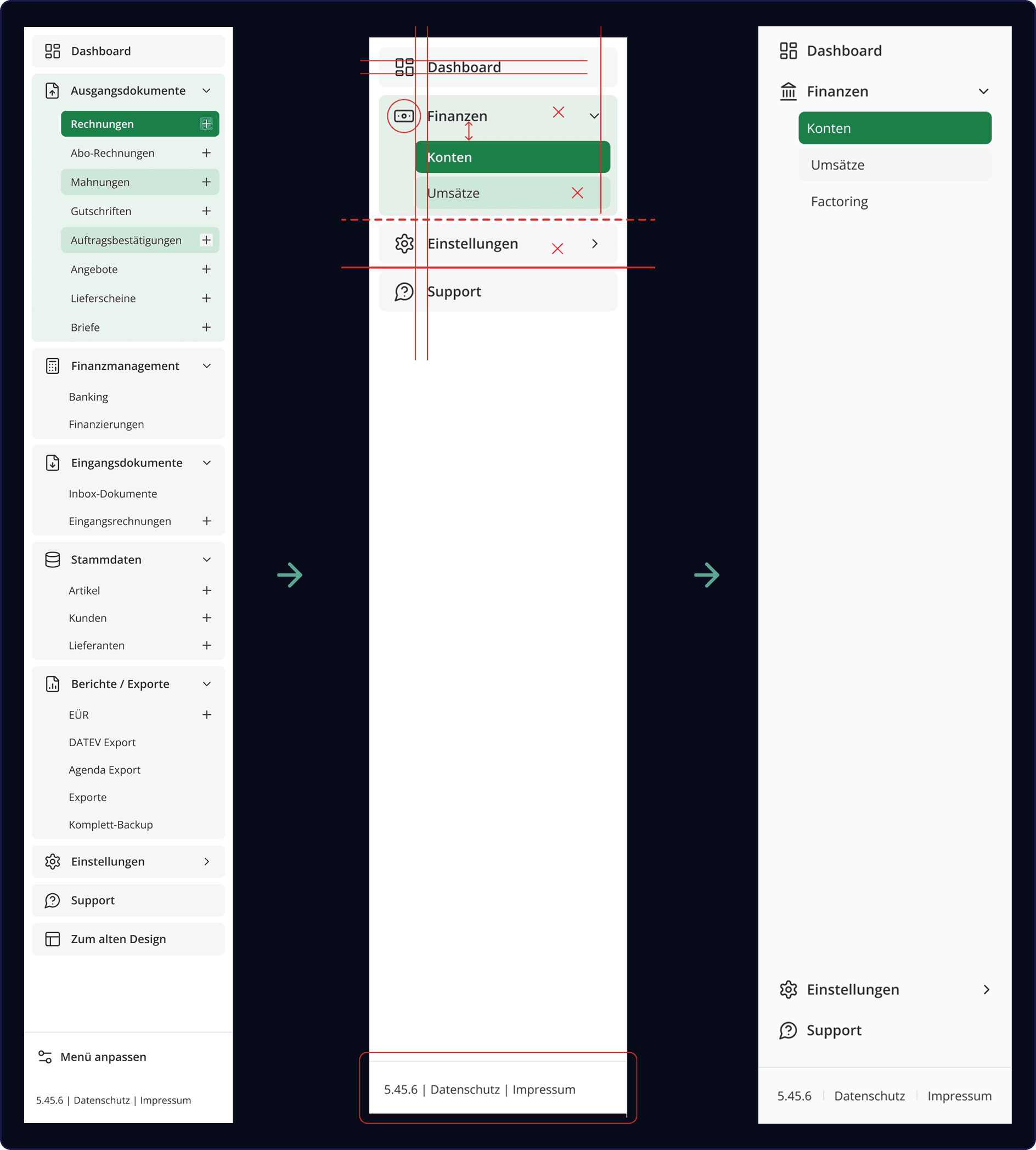
Before Factoring could be designed, the platform's core navigation needed work. The sidebar had been carried over from a much denser product and never adapted to the simpler structure of the new banking platform.
I addressed this as part of the Design System build. The sidebar was a core component, and getting it right meant every screen that followed would sit on a consistent navigation framework.
The corrections were small but structural: icon treatment, spacing, indentation, a proper active state, and Factoring added under Finances, where it belonged.
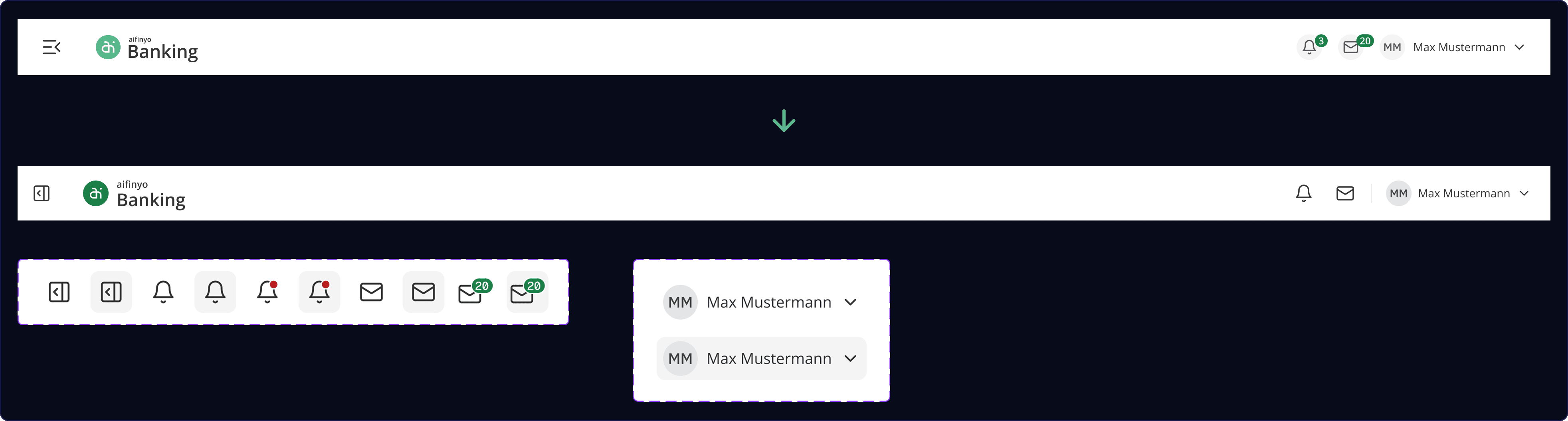
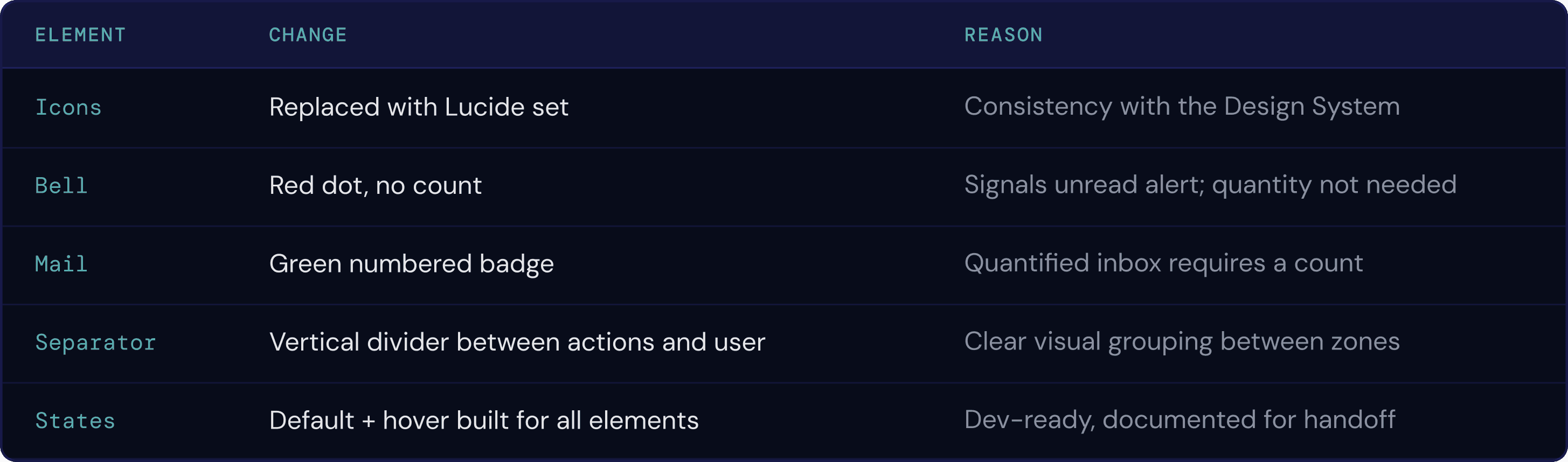
The same logic applied to the header:
Contact Directory
Contact List
PROBLEM
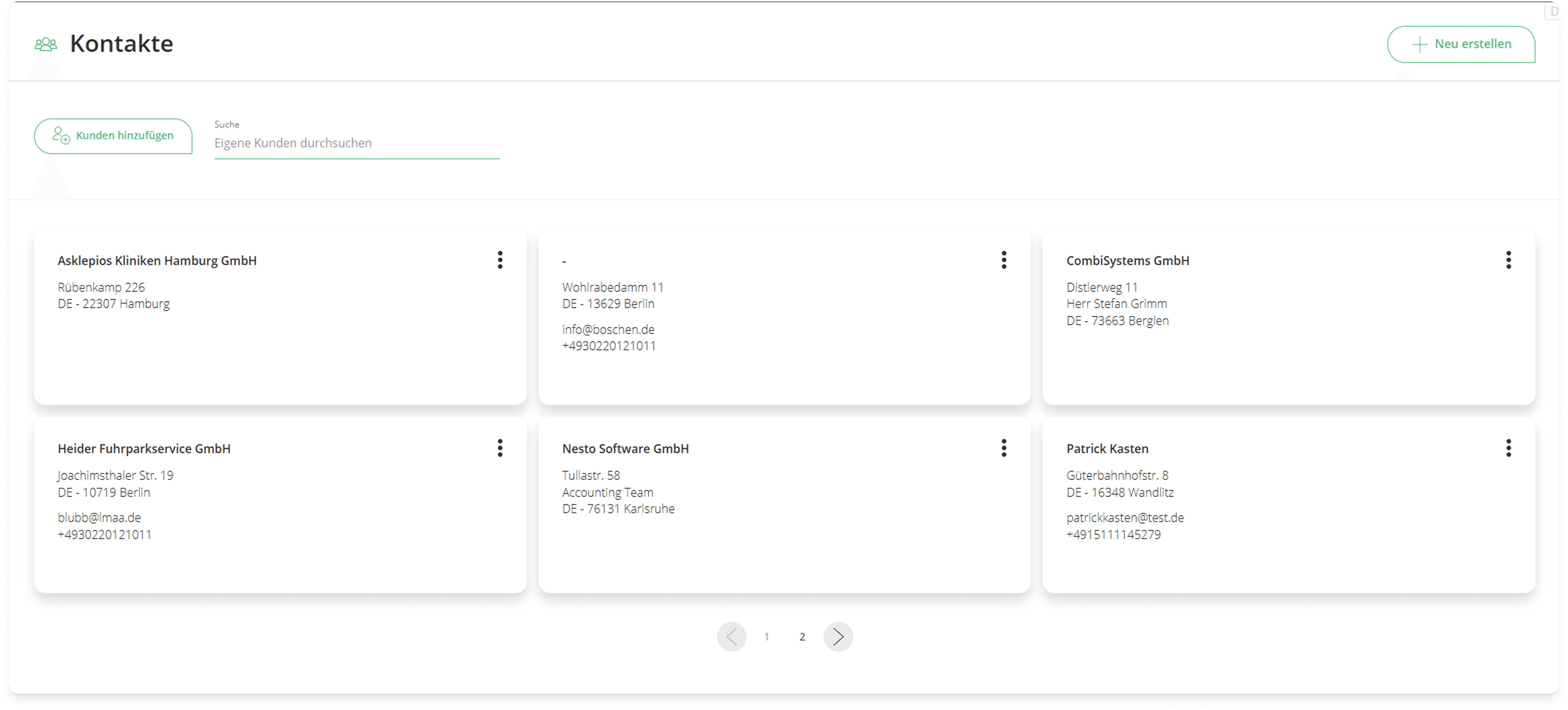
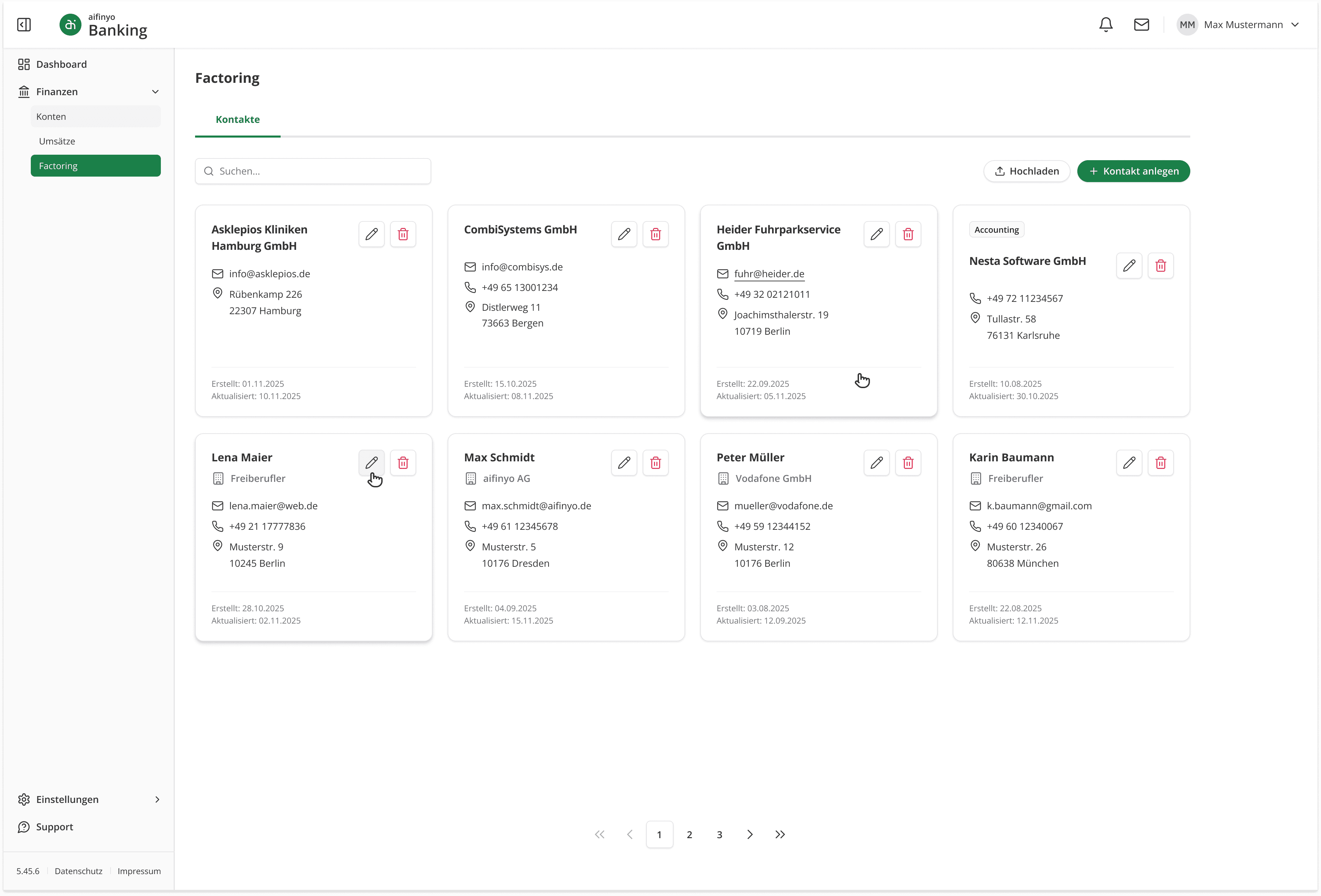
The old card grid had no metadata hierarchy, inconsistent contact details across cards, and actions hidden behind a three-dot menu.
DECISION
Keep the card layout but rebuild the information structure. Surface email, phone, and address with icons. Add created/updated timestamps. Make edit and delete explicit. Upgrade pagination from basic prev/next to a full range navigator.
RESULT
Contact Creation
PROBLEM
The old flow combined DB ("Datenbank") search and manual entry with no visual or hierarchical separation. Users couldn't tell where imported data came from.
DECISION
Split creation into two clearer steps.
Search first and manual entry as an explicit fallback below it. Tag each autocomplete result with its source: "Datenbank" or "Firmenwissen."
Design Constraint: the latter wasn't a visual preference. The ticket specified it as a compliance requirement: users needed to know where data was coming from before accepting it.
RESULT
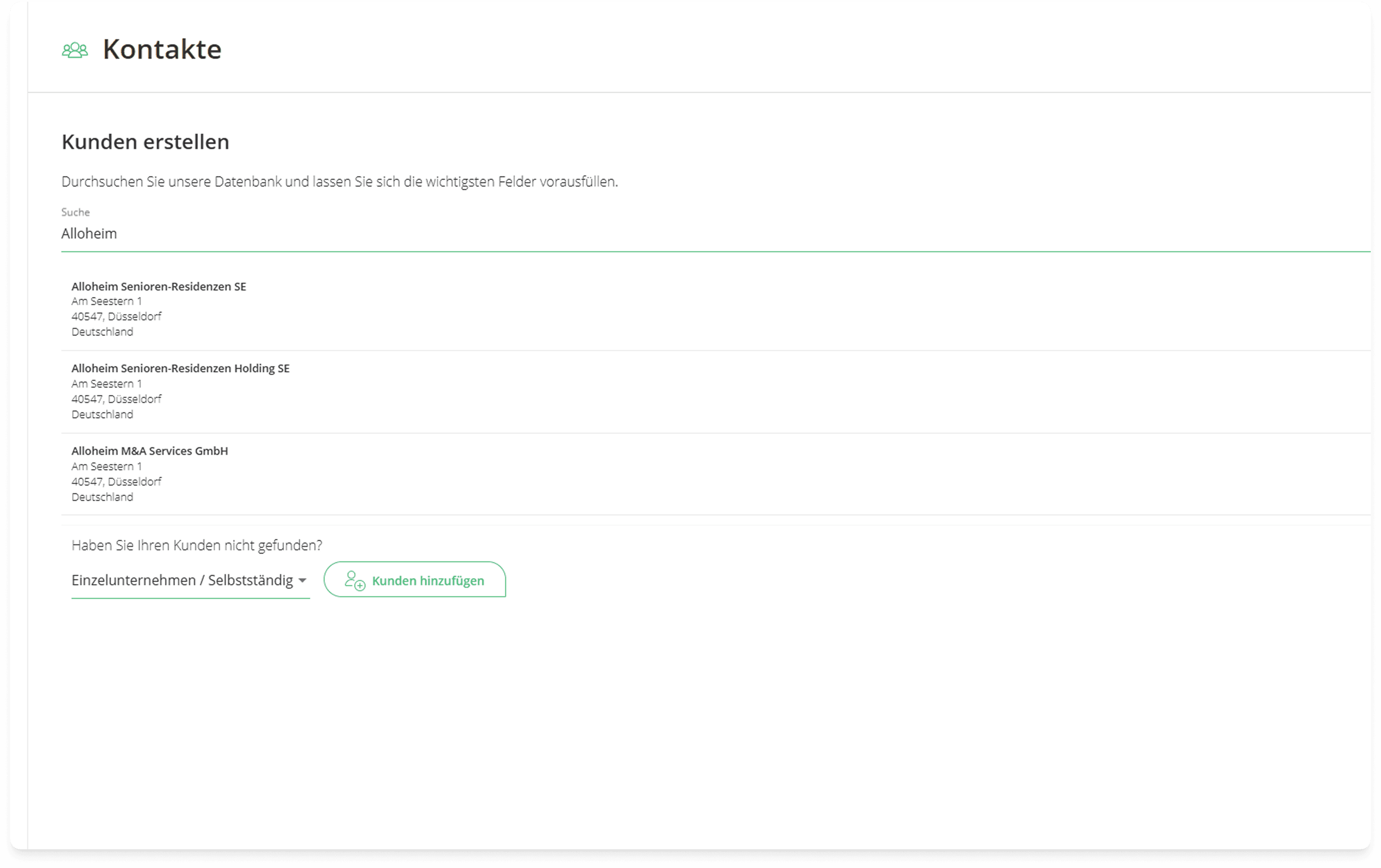
previous state
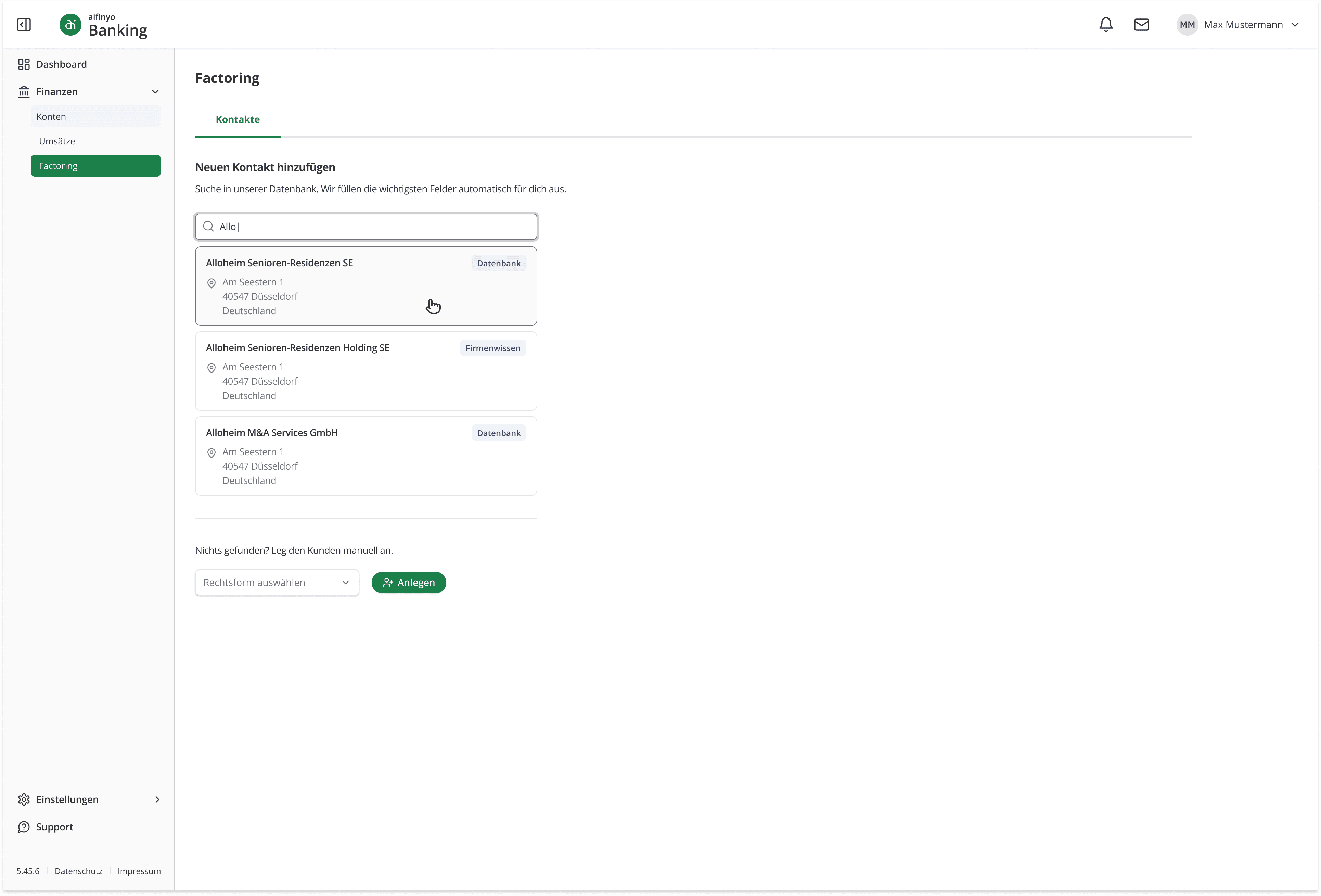
updated structure ✓
Dynamic Forms
PROBLEM #1 · FORM ARCHITECTURE
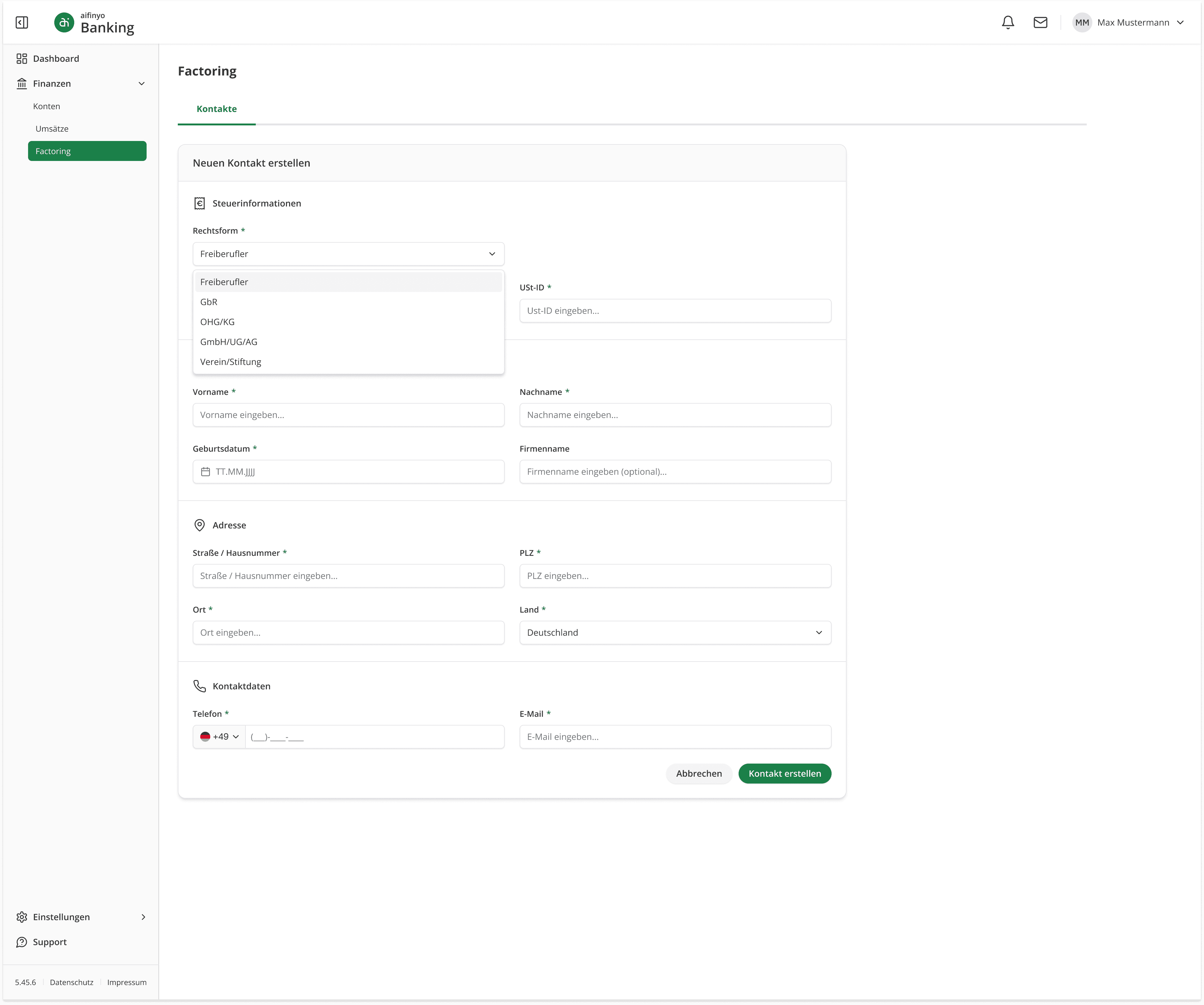
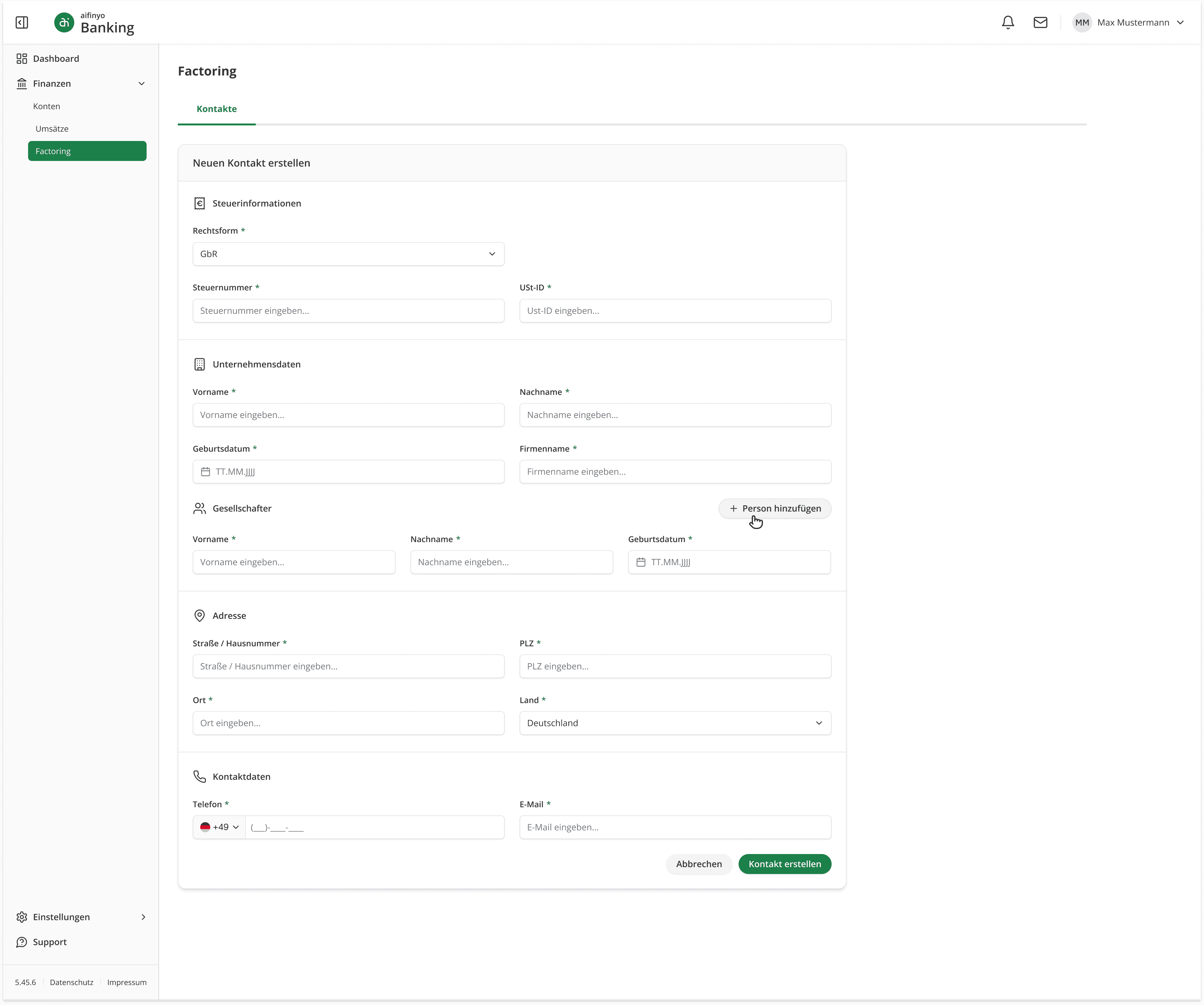
The old form was one flat layout regardless of legal entity type. The Rechtsform/legal from dropdown existed but changed nothing.
DECISION
Restructure into grouped sections (Tax, Company, Address, Contact) that adapt based on entity type. "Freiberufler" surfaces personal fields; "GbR" adds an expandable partner section.
RESULT
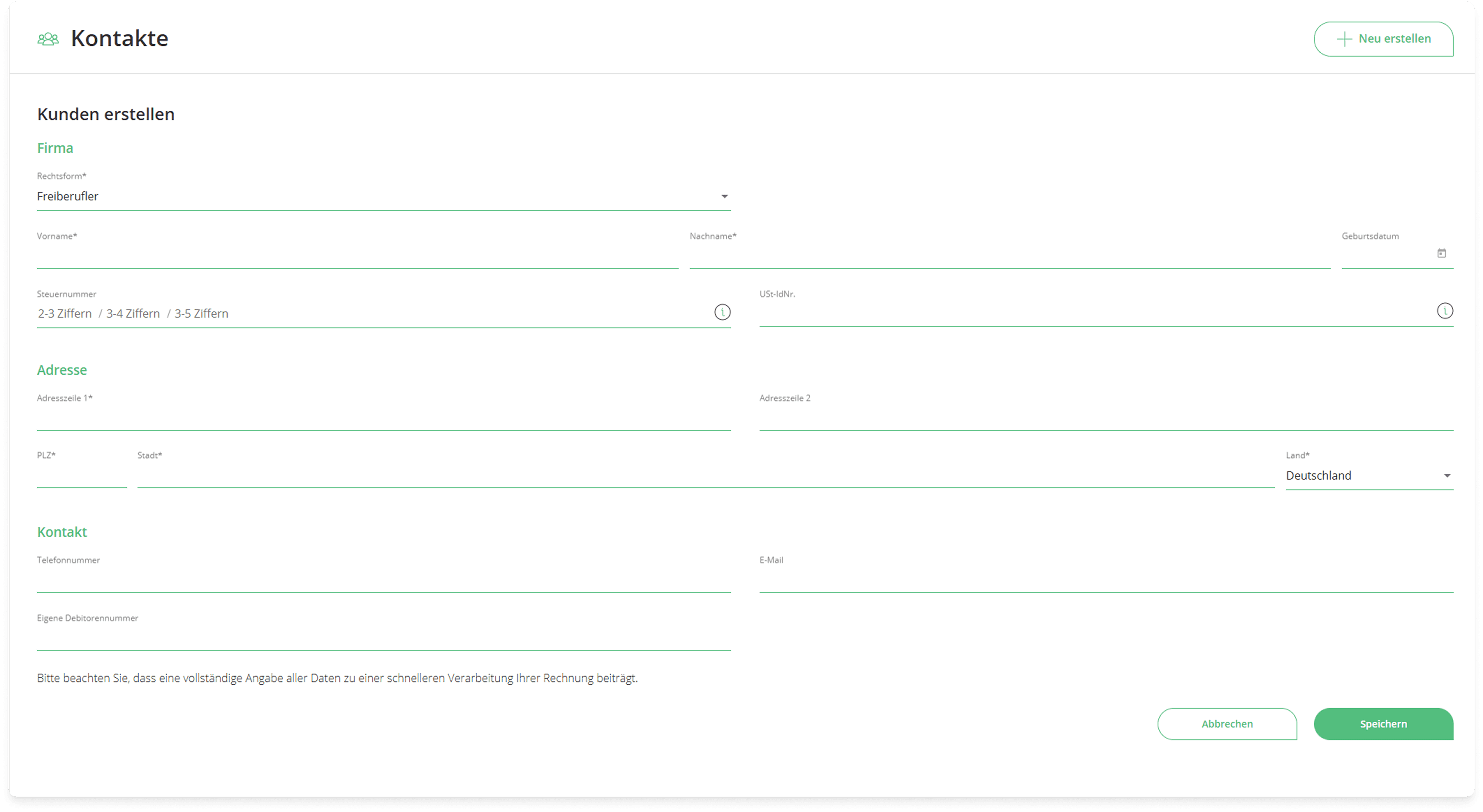
previous state
updated structure ✓
PROBLEM #2 · DATA IMPORT & COMPLIANCE
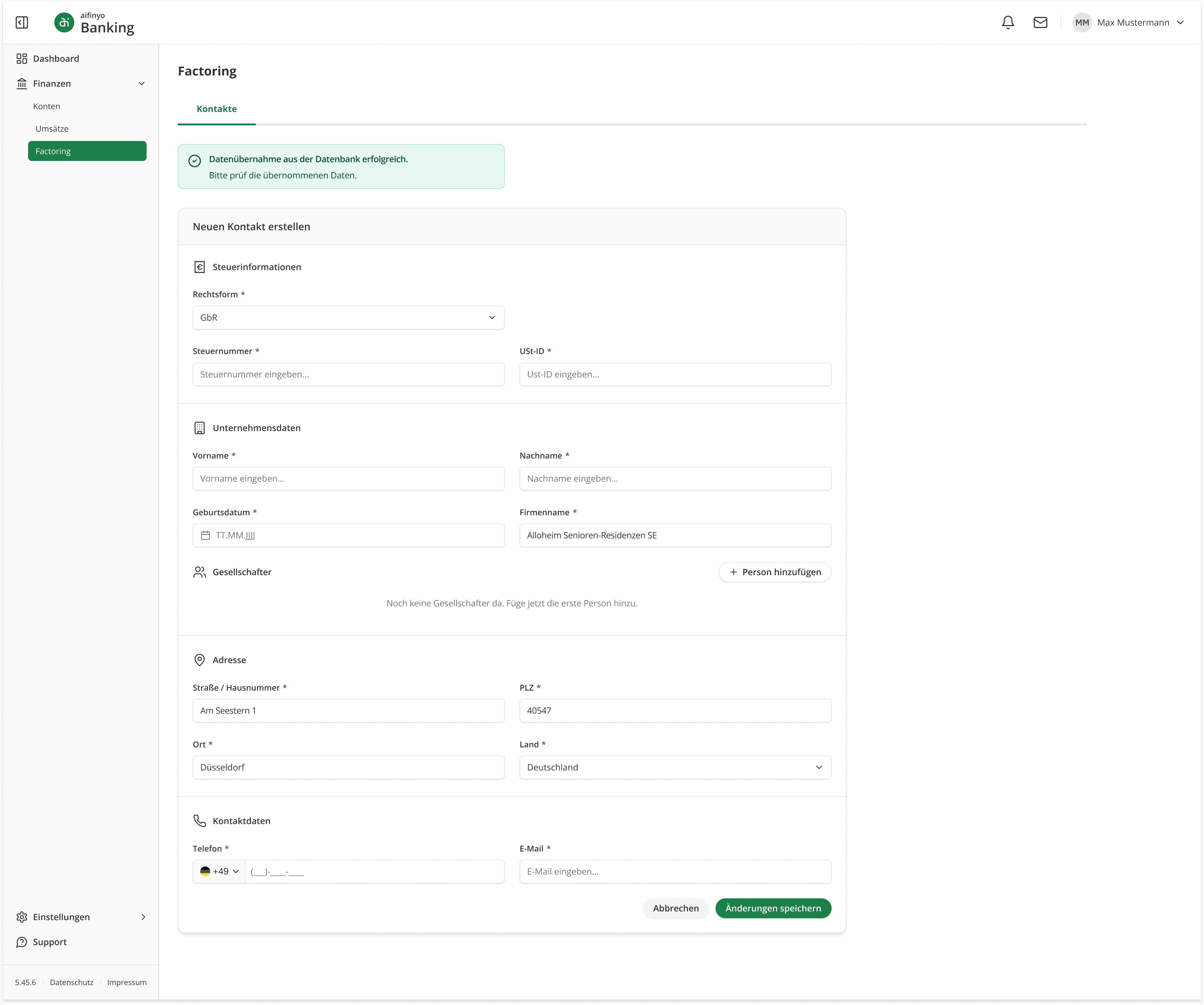
The old platform had no confirmation step after data import and no compliance constraints on what was pulled in automatically.
DECISION
Show a success banner prompting the user to review imported data. Pre-fill address fields but leave contact fields (phone, email) intentionally empty, enforcing the compliance rule that contact data cannot be auto-imported.
RESULT
PROBLEM #3 · ERROR HANDLING
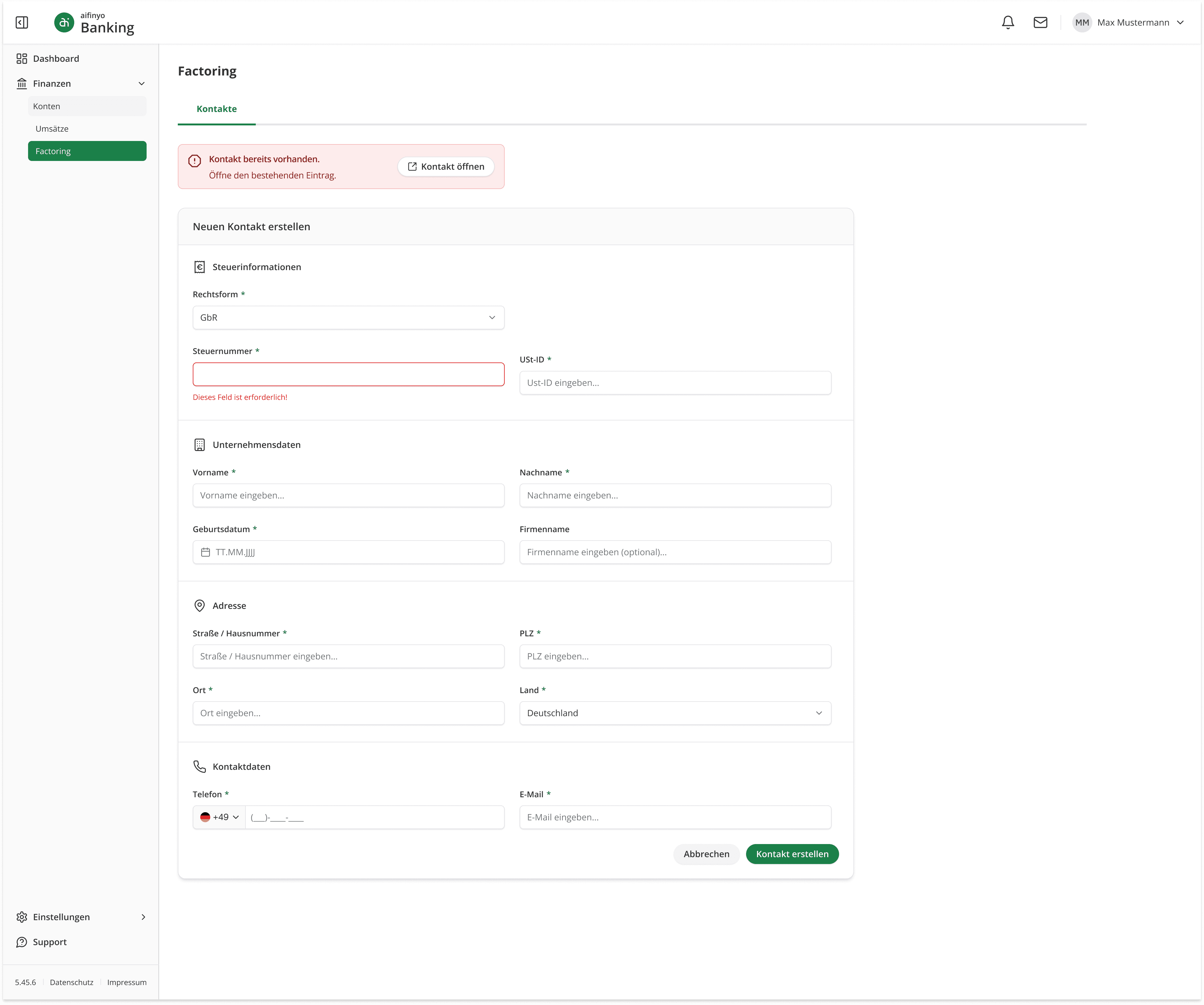
The old platform had no inline validation, no duplicate detection, and no confirmation dialogs.
DECISION
Three layers of error handling. Inline field errors for validation. A duplicate detection banner with a direct link to the existing record.
Two alert dialog variants: destructive (red) for deletion, warning (amber) for unsaved changes, each with correctly weighted button hierarchy. An error toast for failed creation attempts with a retry prompt.
RESULT

Document Overview
Structure & Interactions
PROBLEM #1 · INFORMATION ARCHITECTURE
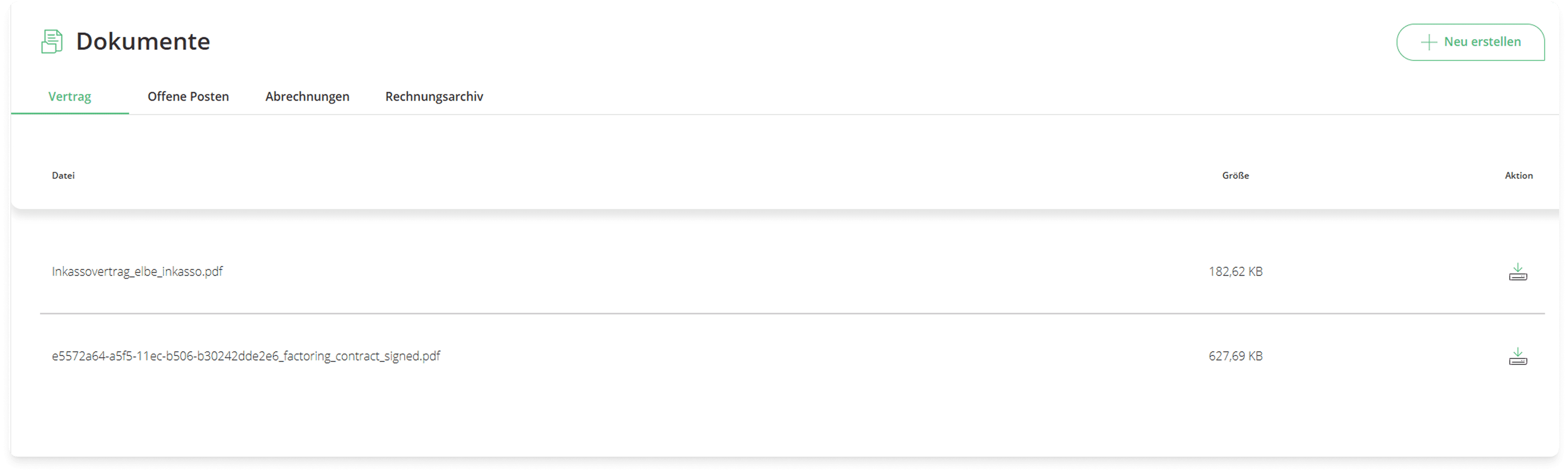
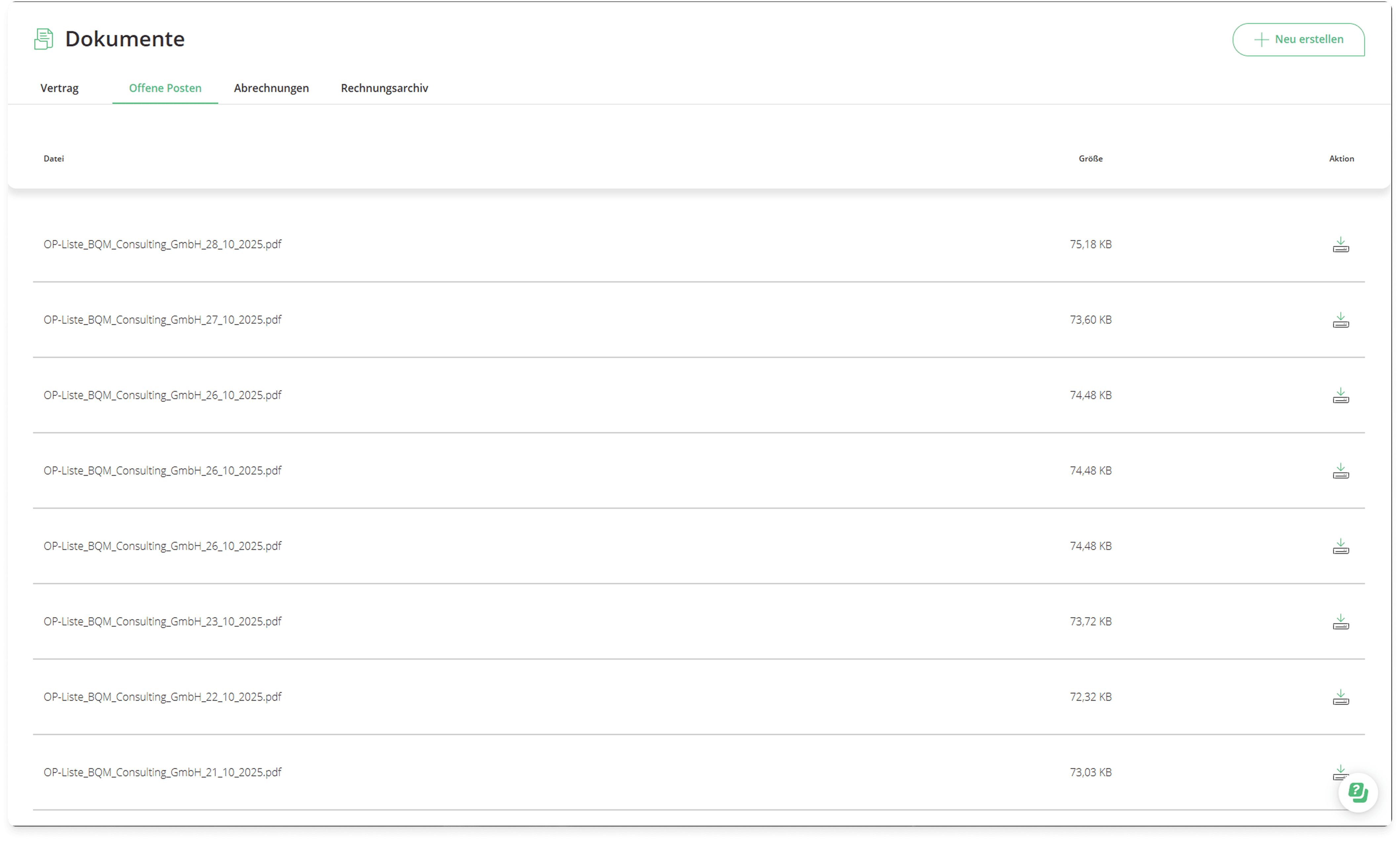
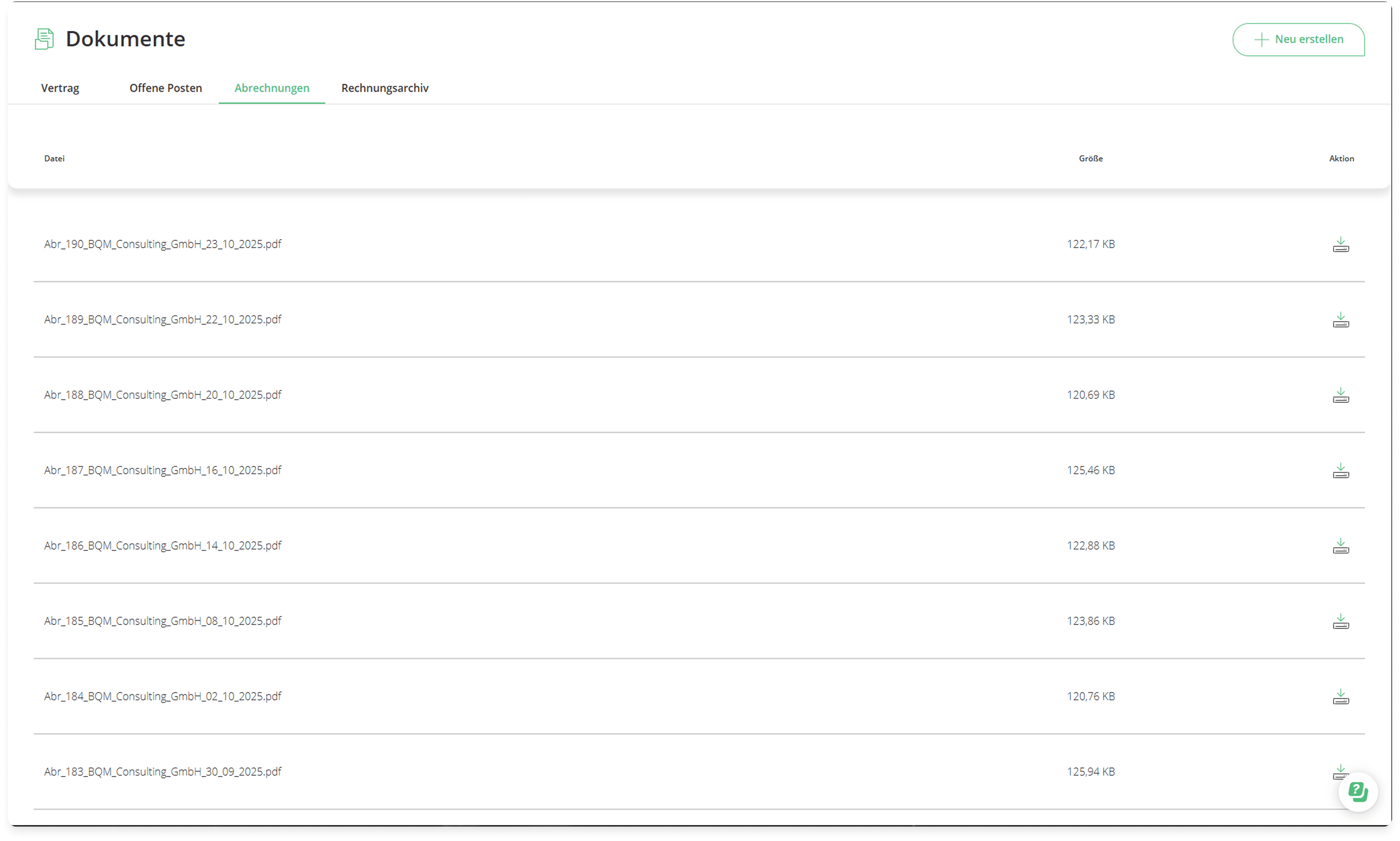
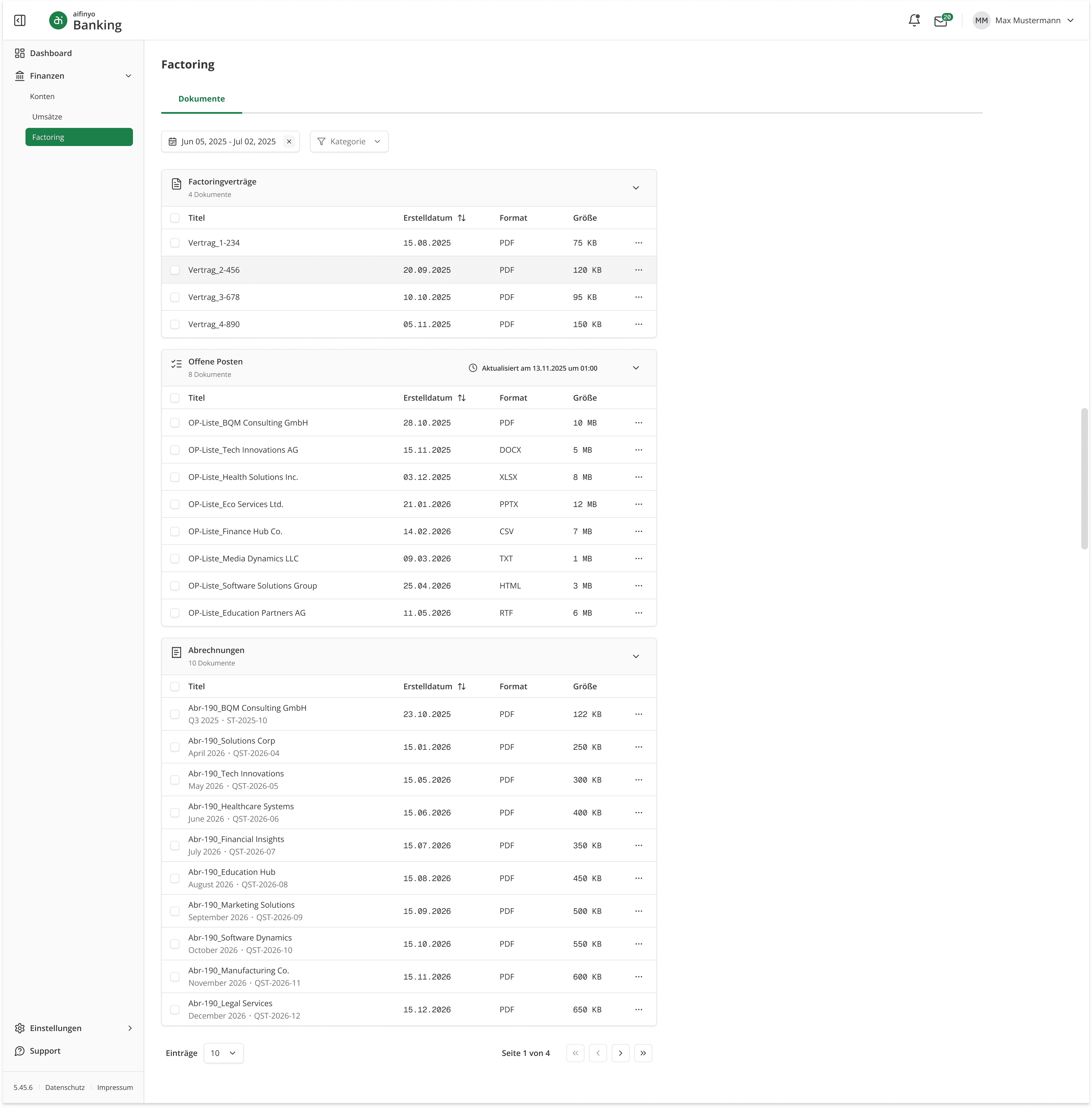
The old document section used tabs with raw system filenames, no metadata, no dates, no filtering, and no actions beyond a download icon per row.
DECISION
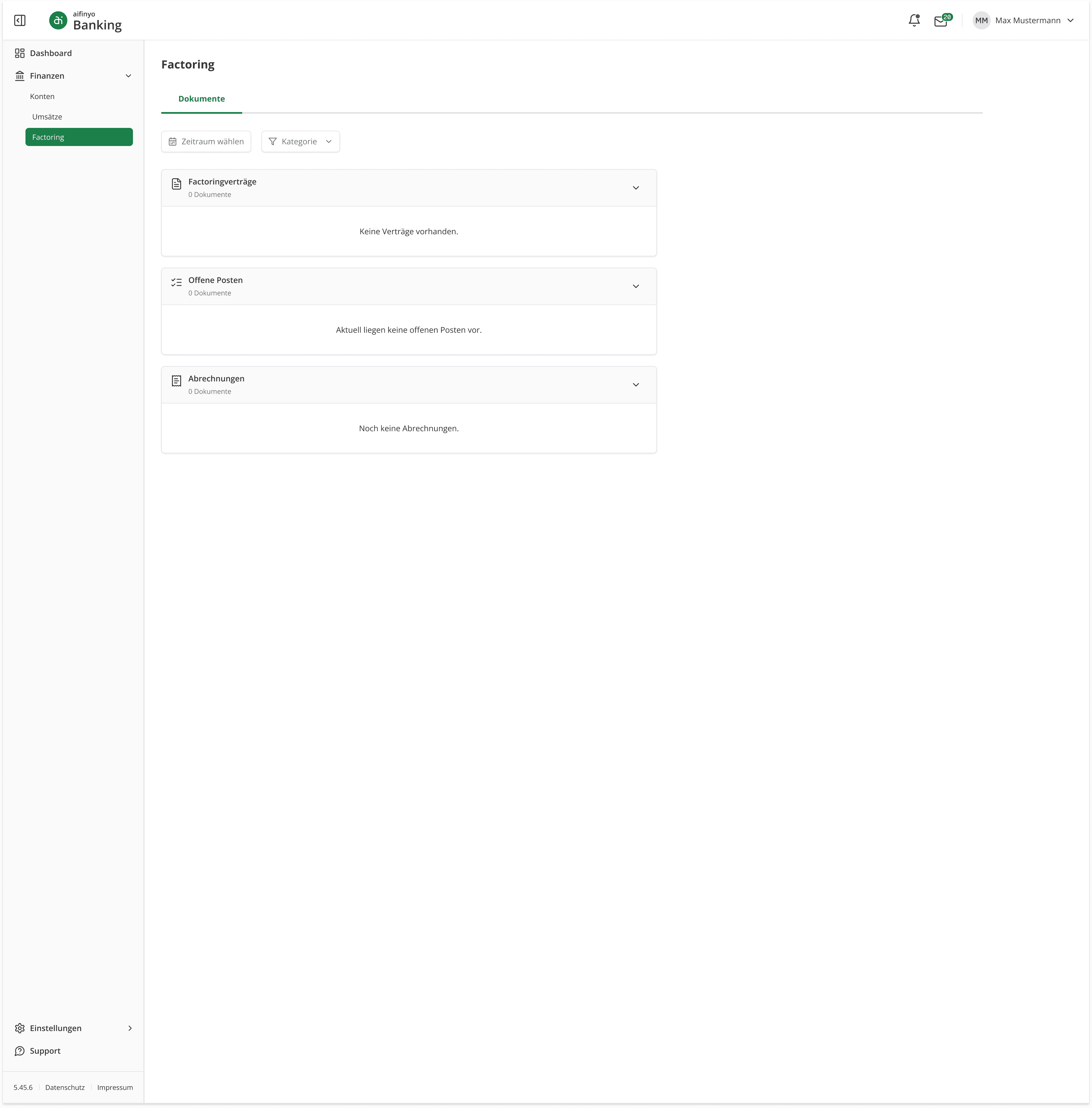
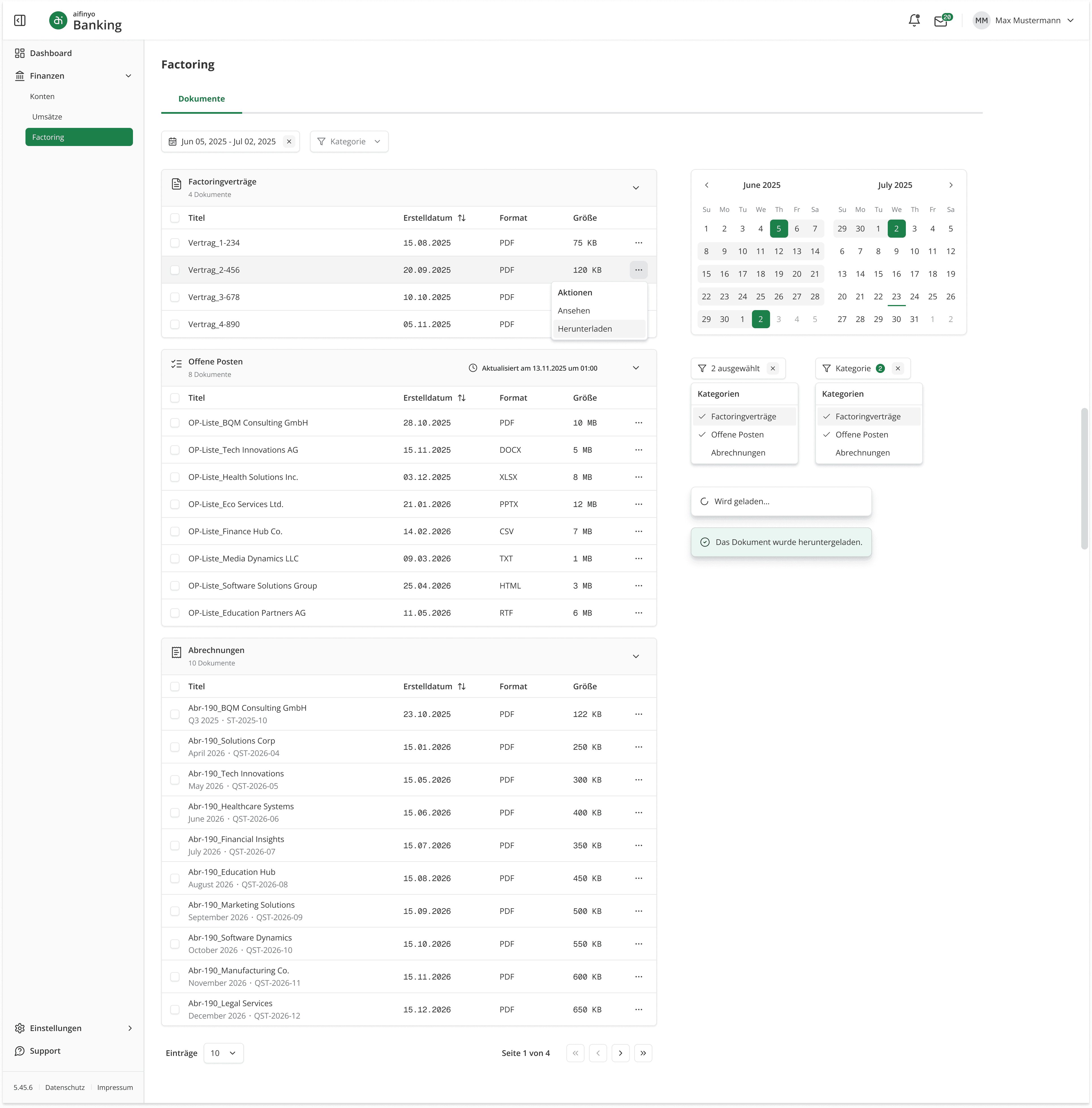
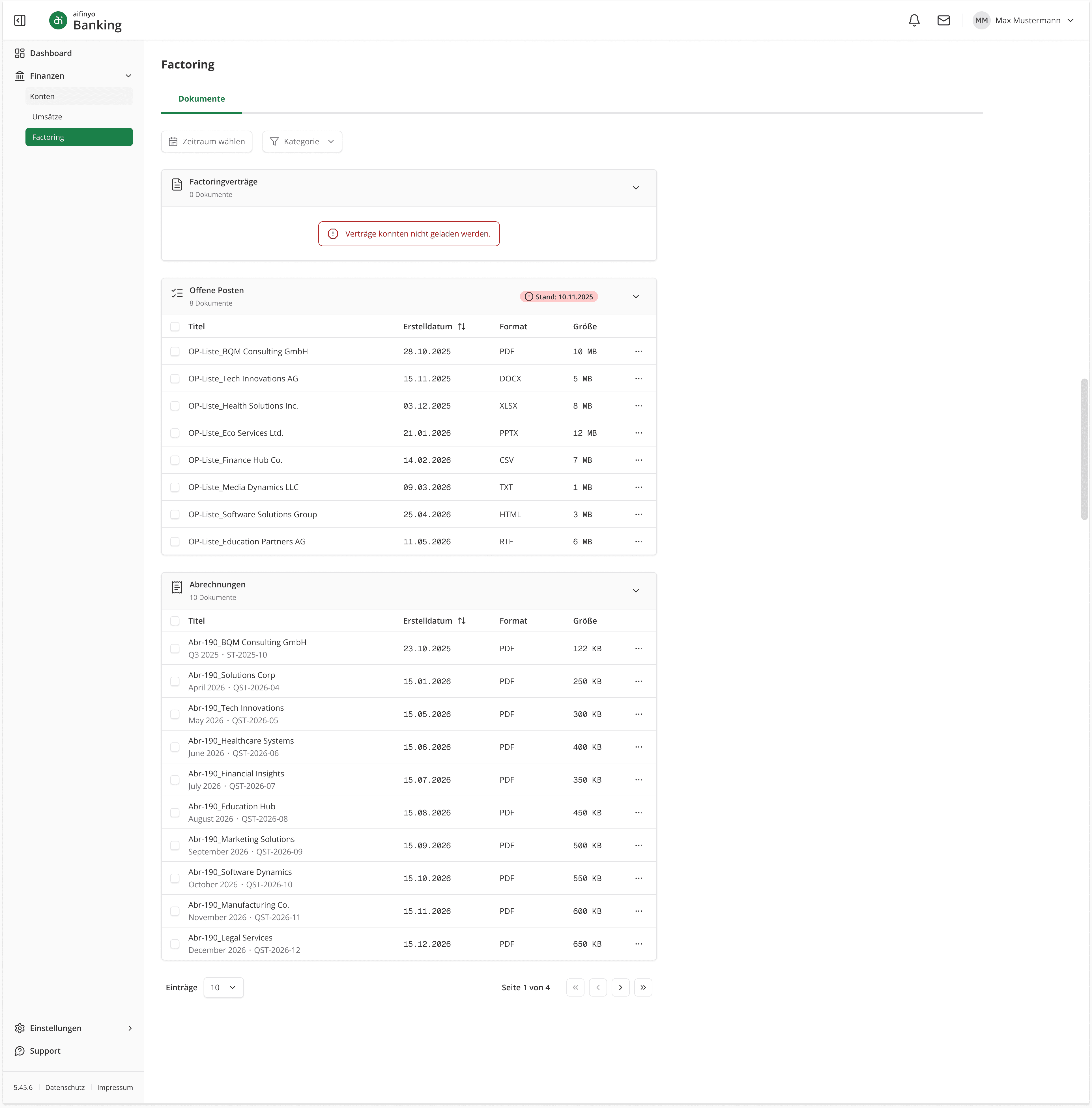
Replace tabs with collapsible accordion sections, each with a document count and contextual empty state. Clear document titles replaced raw system filenames. Each row carries creation date, file format, and file size.
"Abrechnungen" rows add a secondary metadata line (billing period + reference ID). A persistent filter bar provides date range and category filtering. Per-row actions expand to view or download.
The "Offene Posten" header surfaces the nightly update timestamp.
RESULT
PROBLEM #2 · BULK DOWNLOAD
The old platform only supported individual file downloads, one at a time.
DECISION
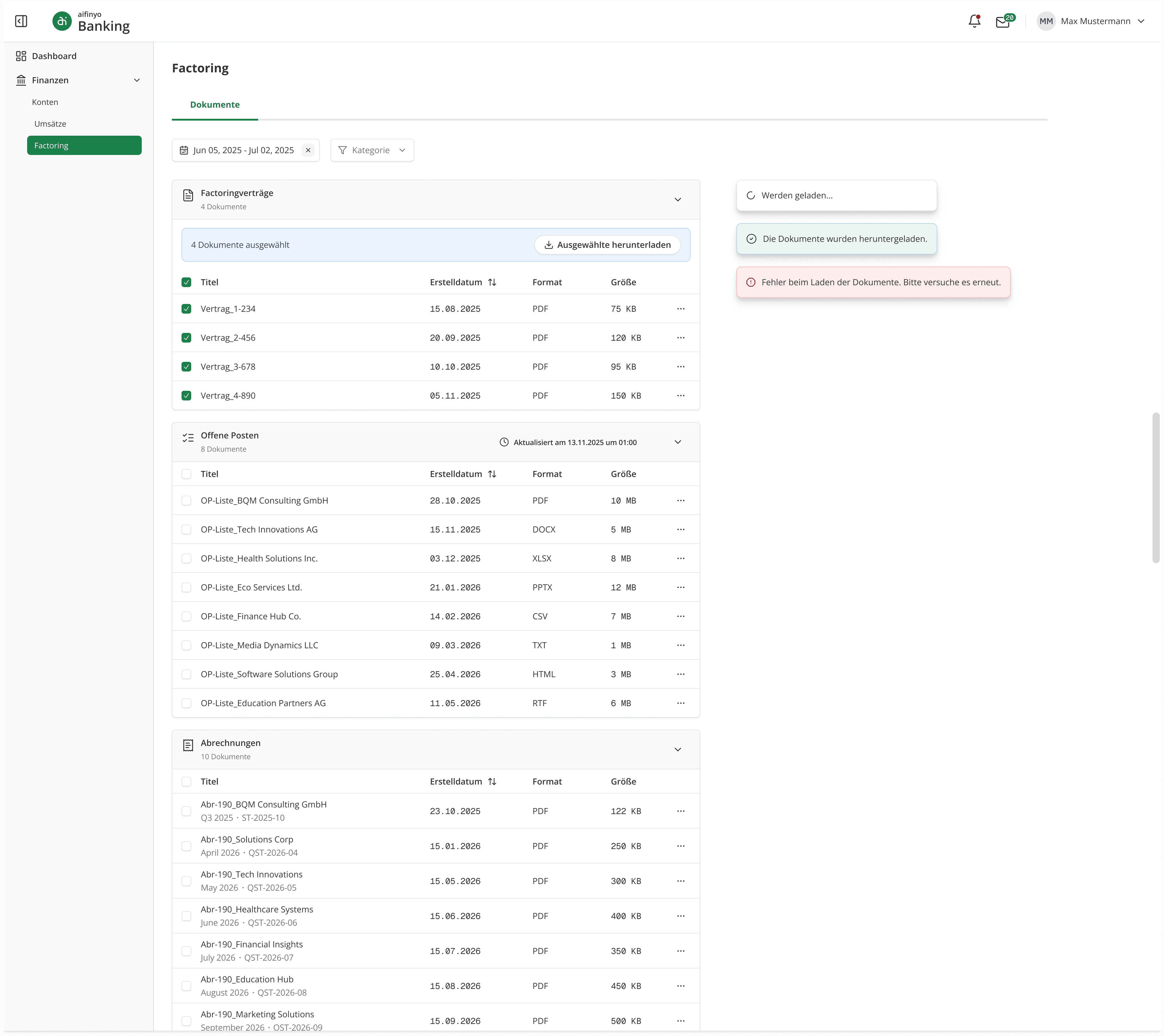
Add row-level checkboxes with a scoped selection bar per section. The bar shows the count and a single "Download selected" action.
Toast feedback covers the full loop: loading, success, error.
RESULT
In-App Preview
PROBLEM
The old platform was download-only. No way to view a document without leaving the interface.
DECISION
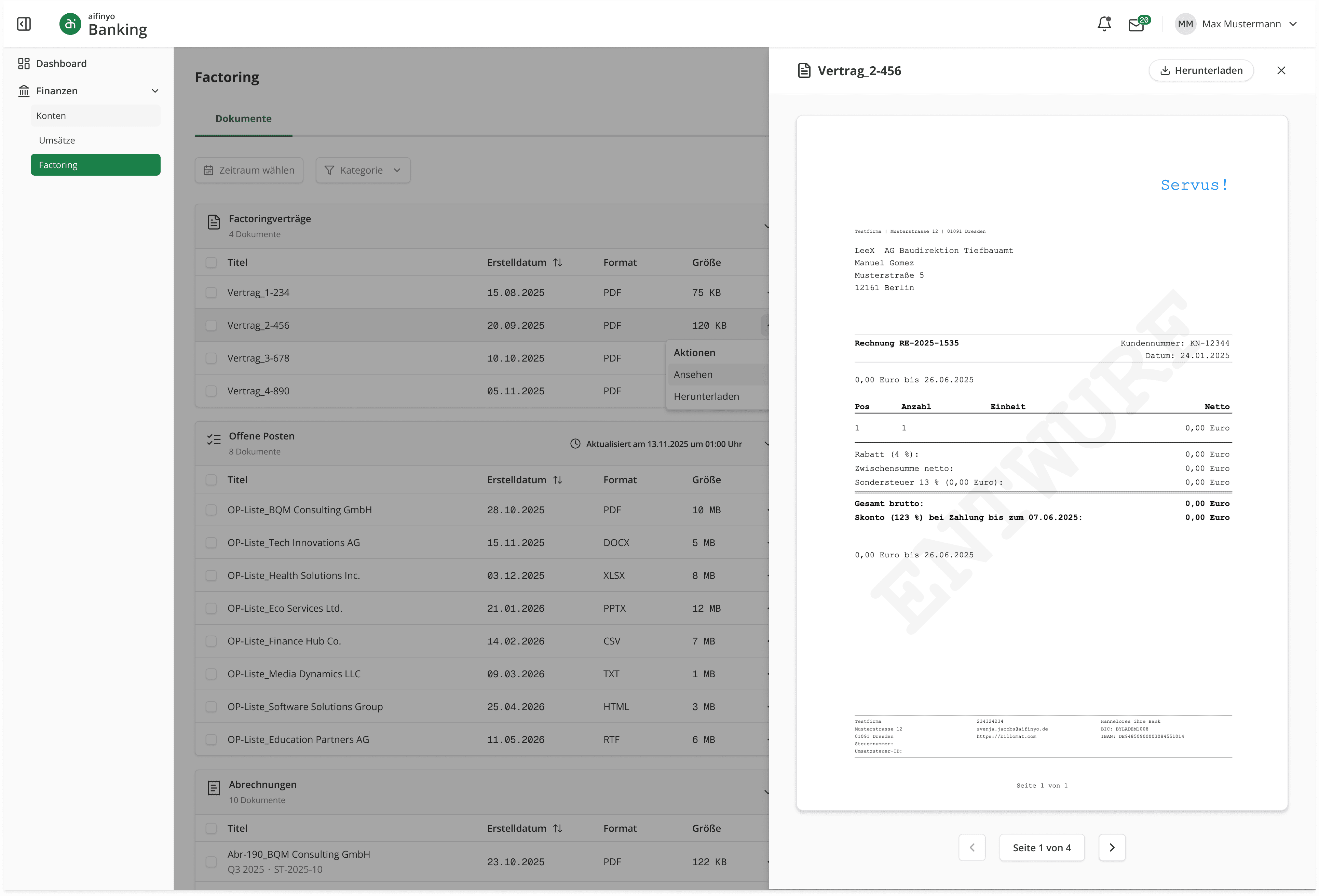
Open documents in a side drawer that keeps the list in context. The drawer header carries the filename and a download fallback.
Loading and error states are handled within the drawer independently from the main page. If preview fails, a "Download instead" fallback is offered immediately; this wasn't in the ticket but followed naturally from the Error Handling approach applied across the rest of the project.
RESULT
DRAWER STATES
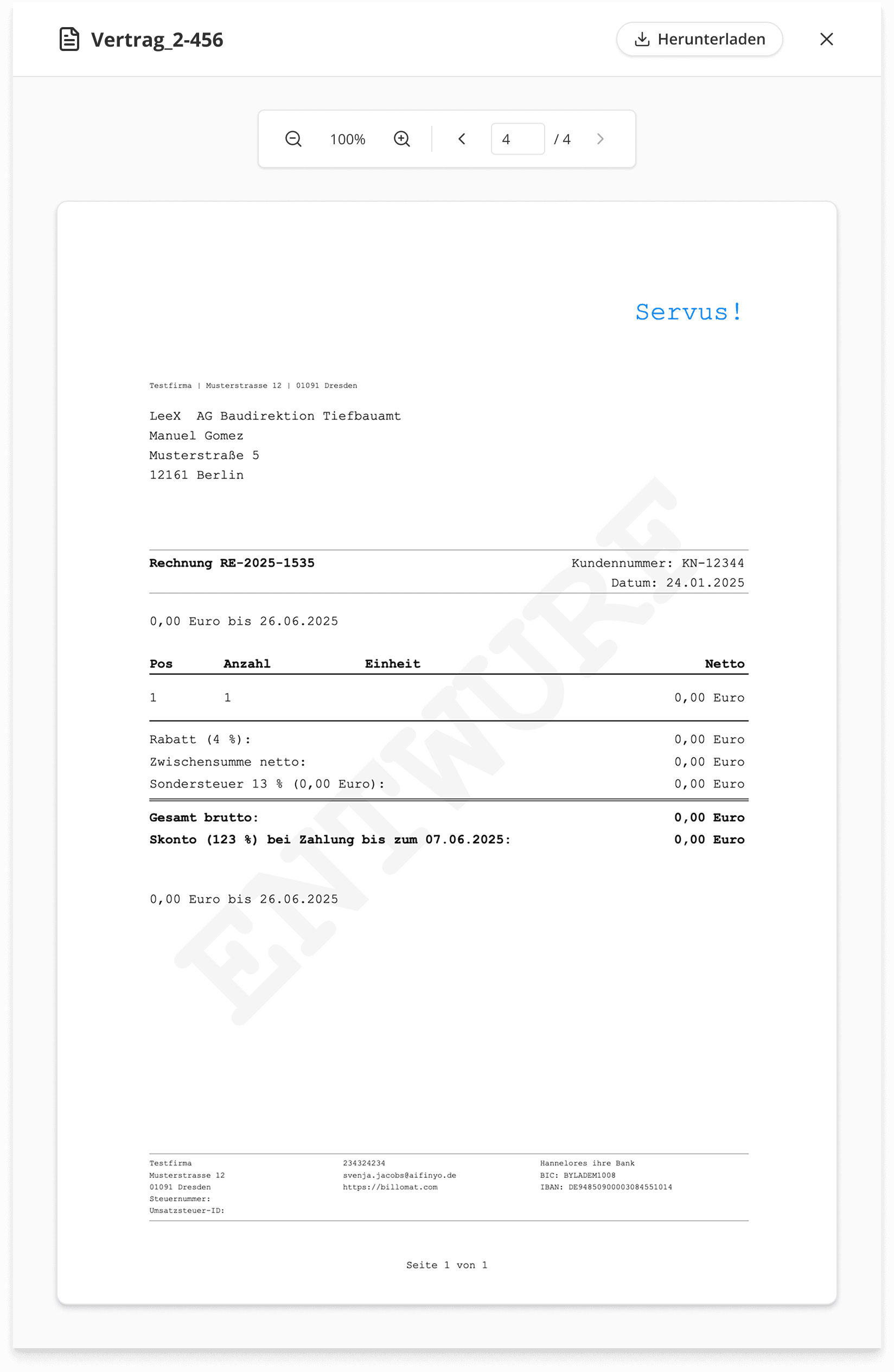
Active state alternative; top placement kept controls closer to the document header
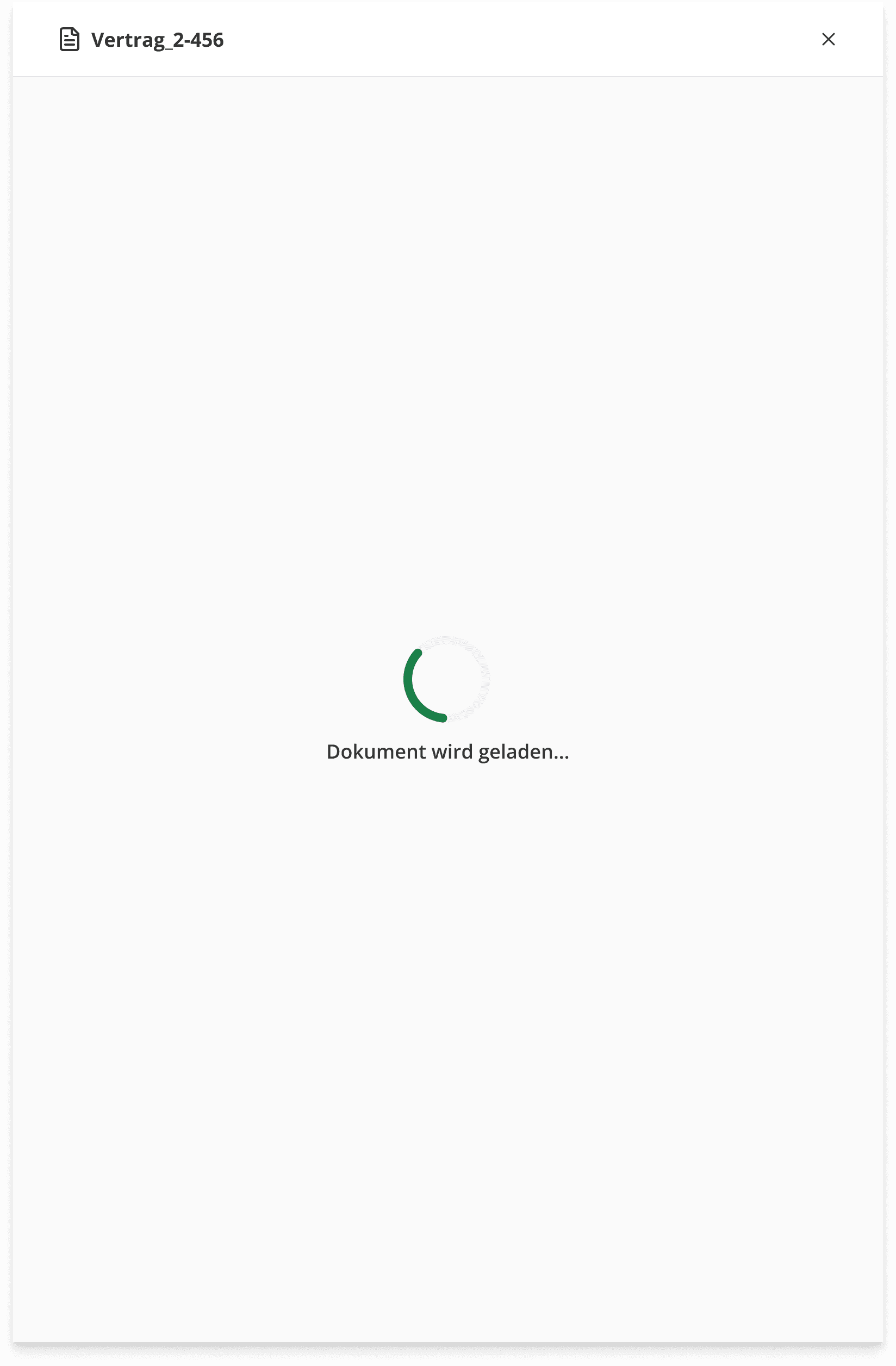
Loading state
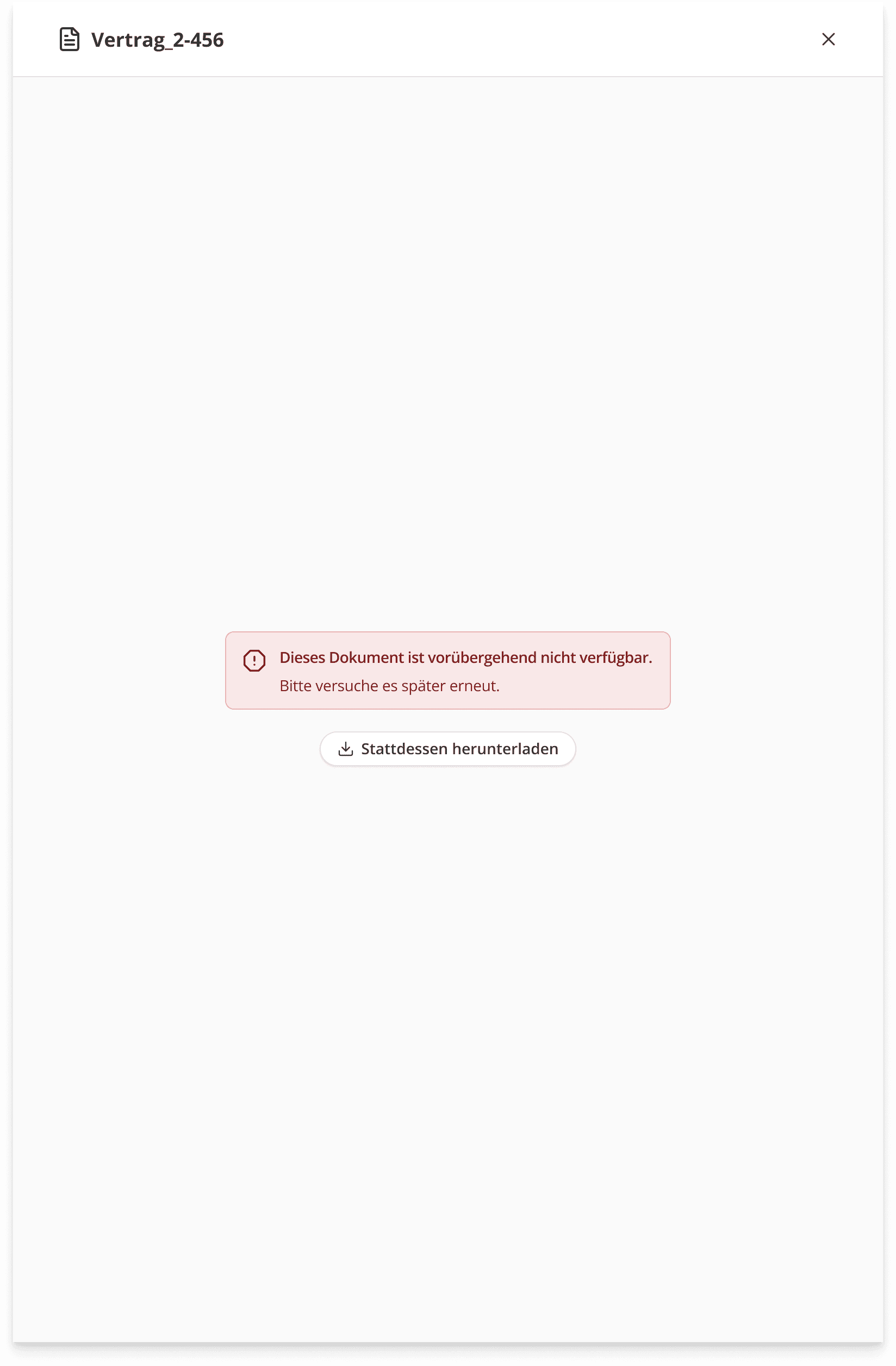
Error state + download fallback
Error Handling
PROBLEM
The old platform had no error states, no empty states, no loading feedback.
DECISION
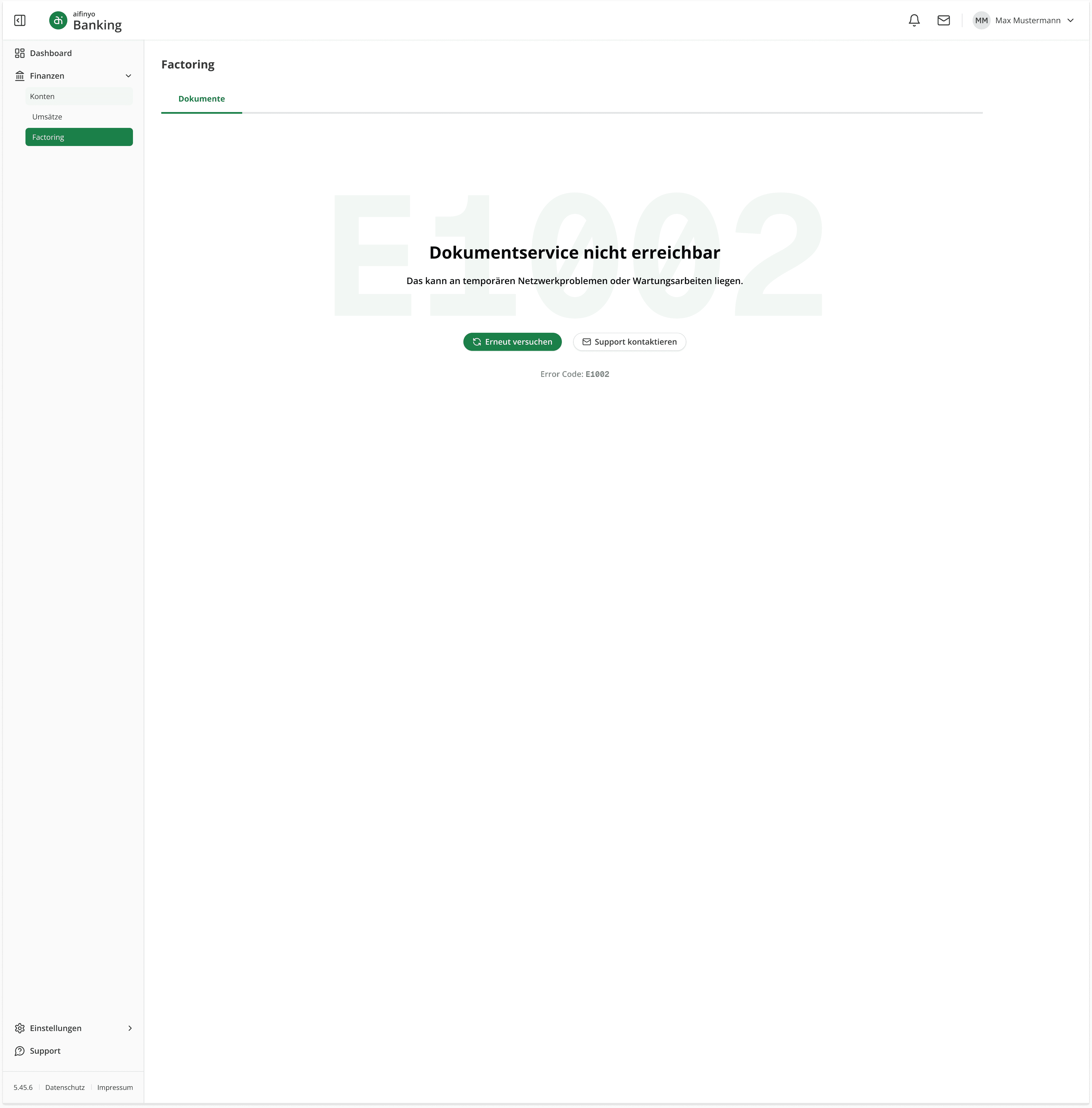
Three failure levels, each proportional to the scope of the problem.
Page-level service error as a top banner with structure preserved.
Mixed-state failures where each section handles its own error independently.
A full service-down error page with error code, retry, and support contact.
RESULT
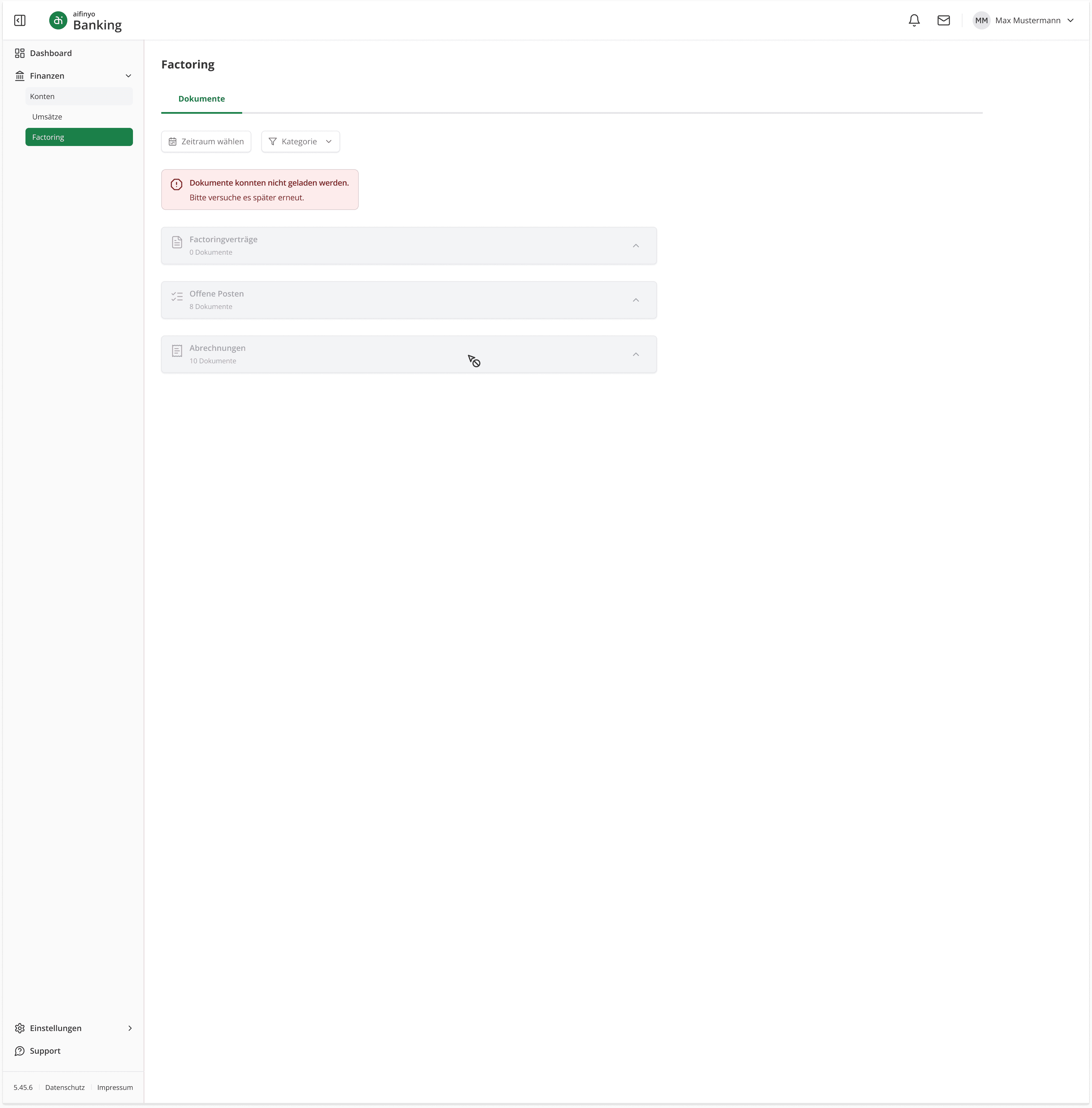
Outcome
The platform didn't launch. Funding ran out before the remaining products could be migrated, and the work was cut before the third ticket, "Rechnungsupload" / "Invoice Upload", could be designed.
What was completed covers the two most complex sections of the Factoring feature set, built on a Design System that was being established in parallel. The work carried both system-level and feature-level decisions simultaneously.
The Design System foundation behind this work is documented separately.